Products  /  ZEA
Client work · Hospitality

ZEA

A dark, candlelit website for a Mediterranean dining and lounge venue in DIFC, built around one guided event enquiry.

ZEA's site carries the mood of the room into the browser: low light, gold type and the full menus a guest wants before booking. Its centrepiece is the event submission form, which turns a private-event enquiry into one complete brief with packages, add-ons and a live price estimate.

FlaskVanilla JSStatic HTMLResendDockerResponsive
ZEA
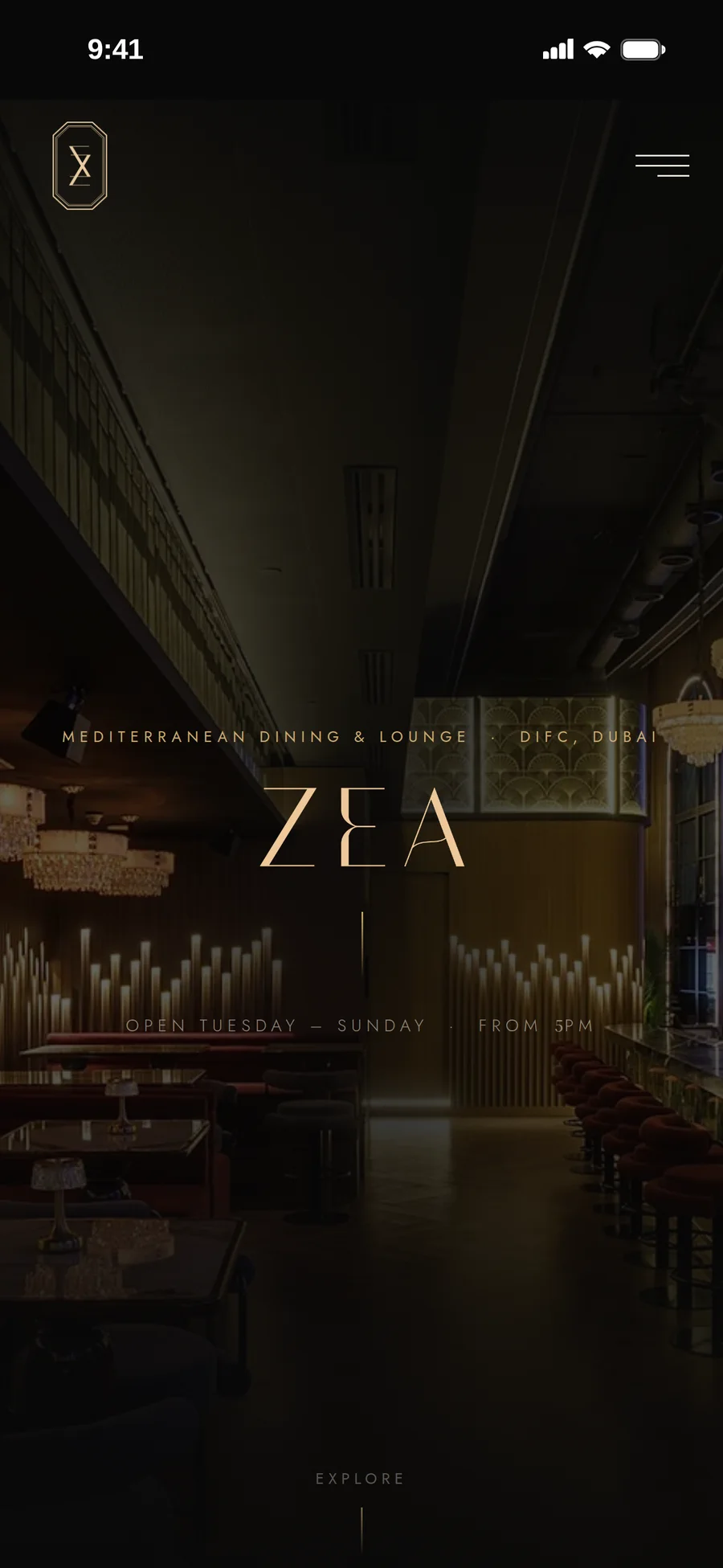
ZEA on iPhone
8Public pages
4Downloadable menus
8Event packages (3 beverage, 5 food)
5Event add-ons
The brief

Candlelight, menus and booked events.

ZEA is a Mediterranean dining and lounge venue in DIFC, Dubai, open Tuesday to Sunday from the evening. Its guests decide on atmosphere first and menus second, and a large share of its business is private: group bookings, corporate dinners, birthdays and full venue buy-outs. Those enquiries used to arrive as short emails that took several rounds of replies before the events team knew what was being asked for.

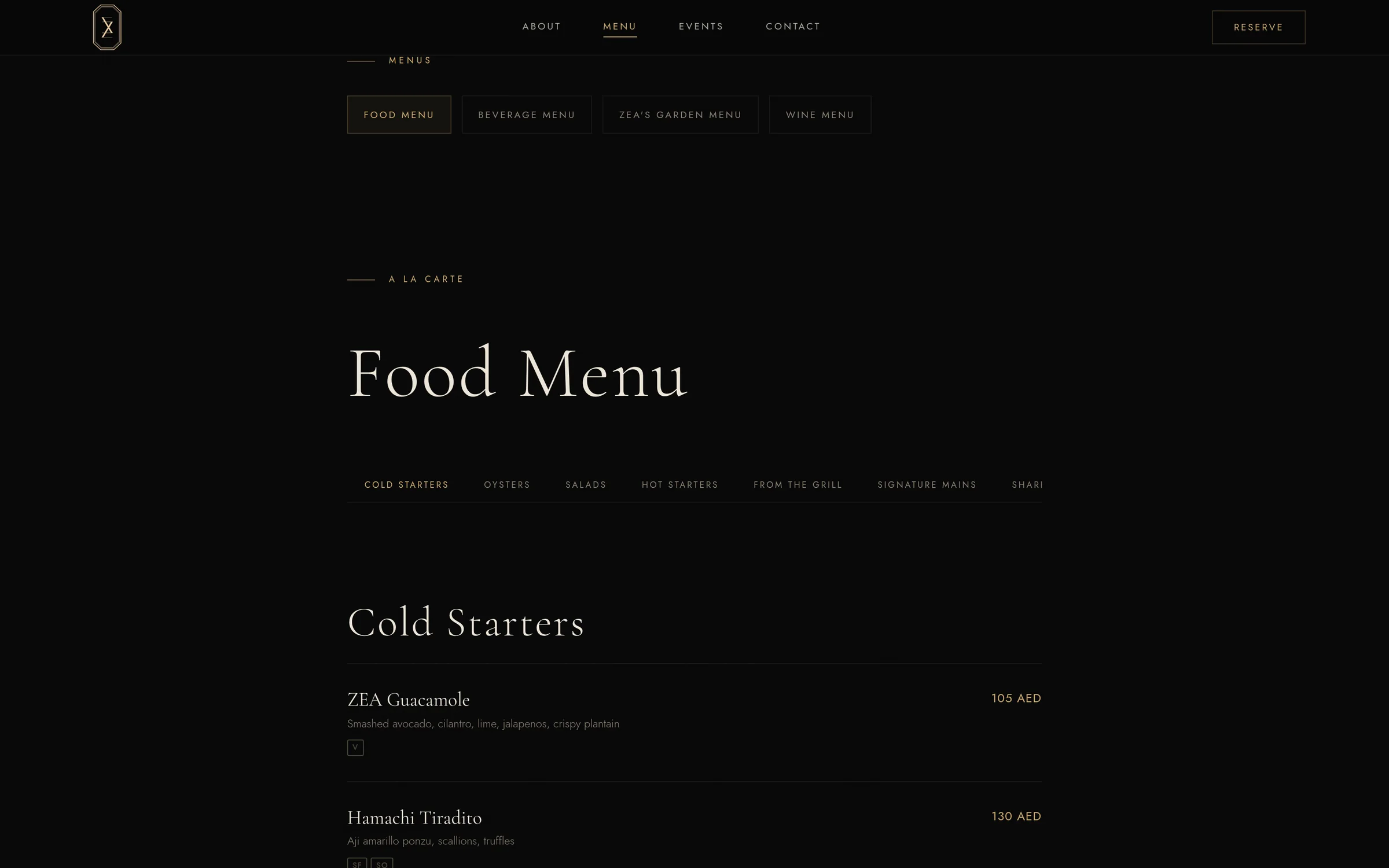
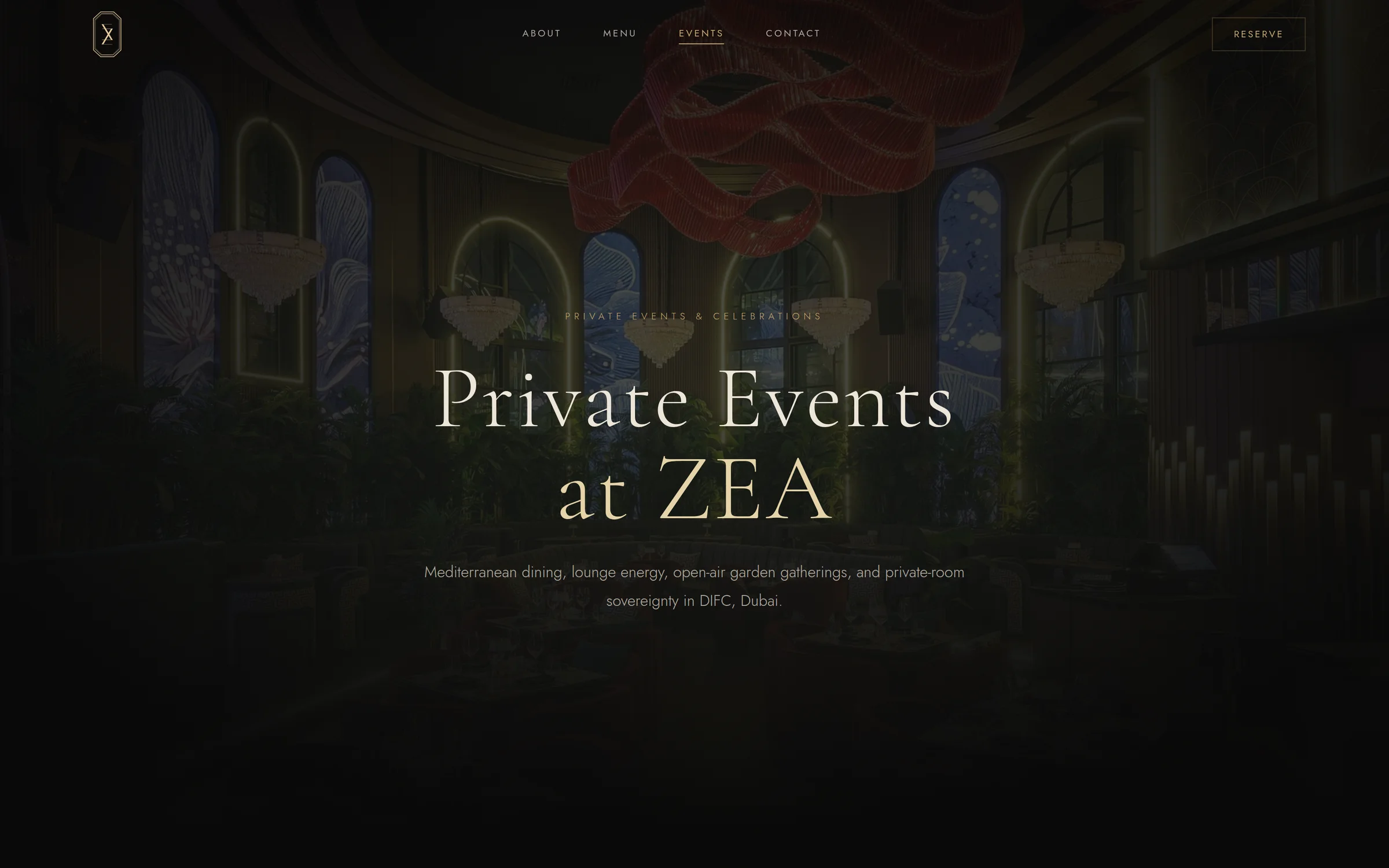
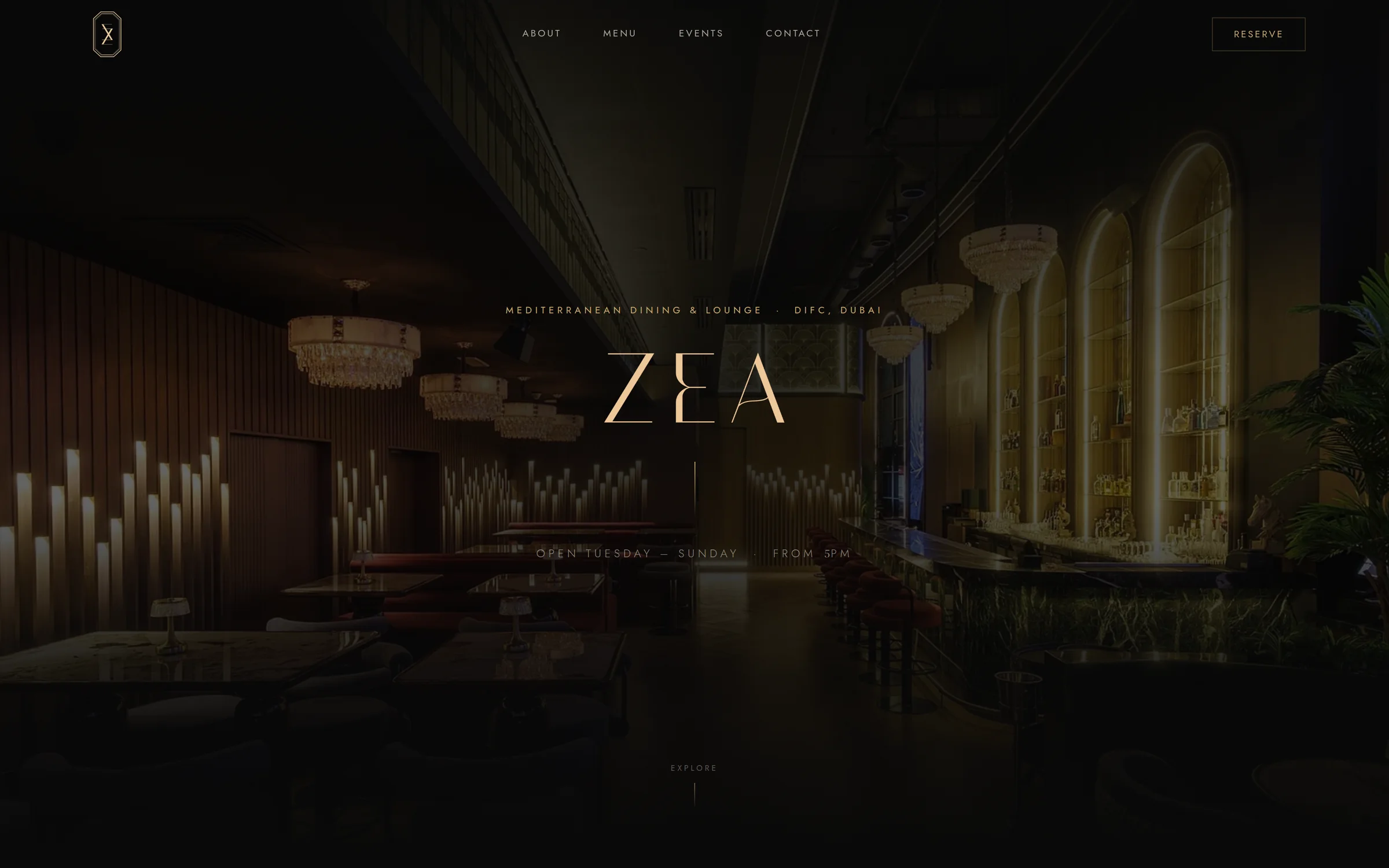
The website is built to feel like the room. Dark surfaces, candlelit photography and fine gold type run through the home page, the menu, events, private-event set menus, press, about and contact pages. The food, beverage, wine and garden menus are readable on the page and available as PDFs, so guests can look properly before they book.

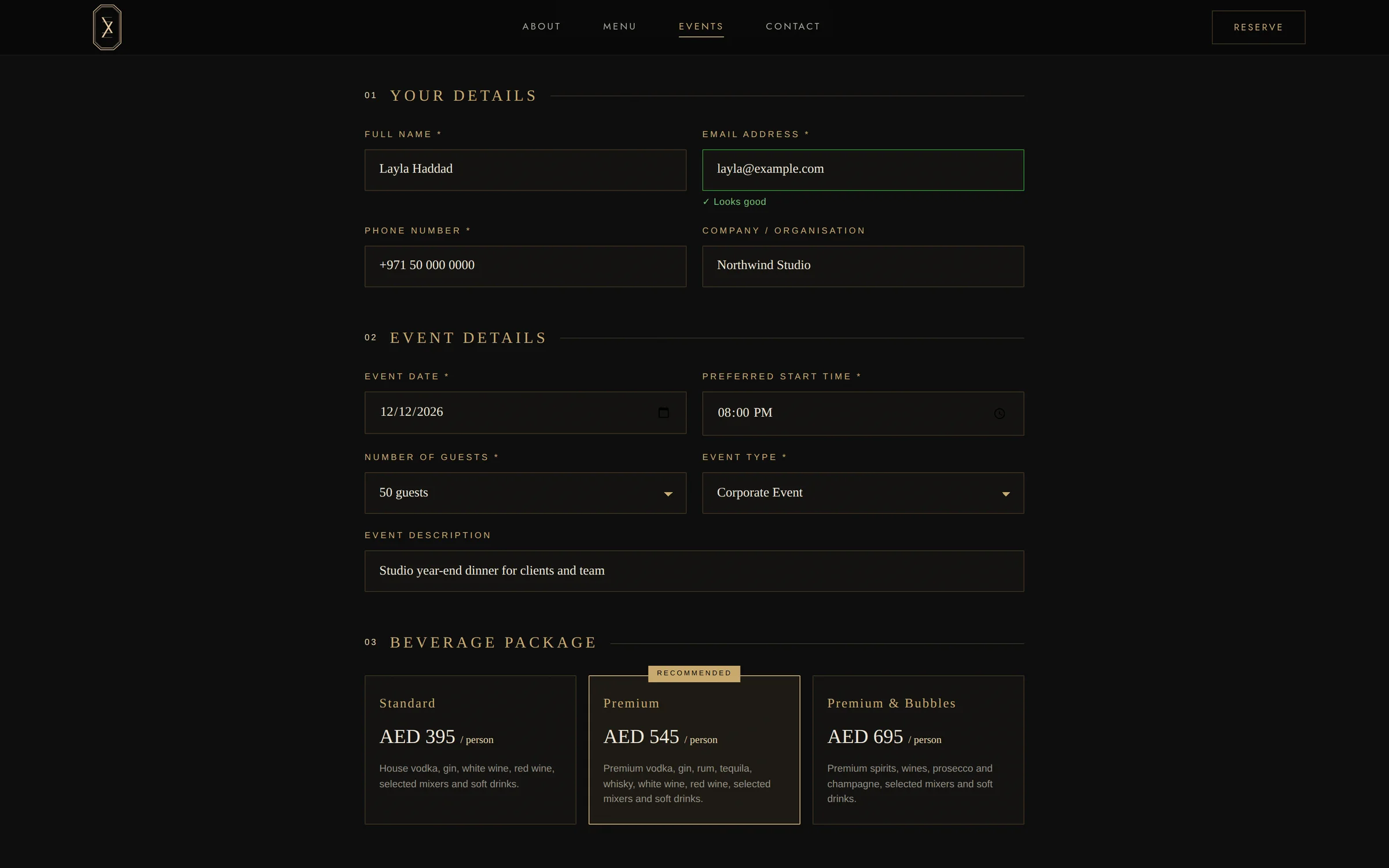
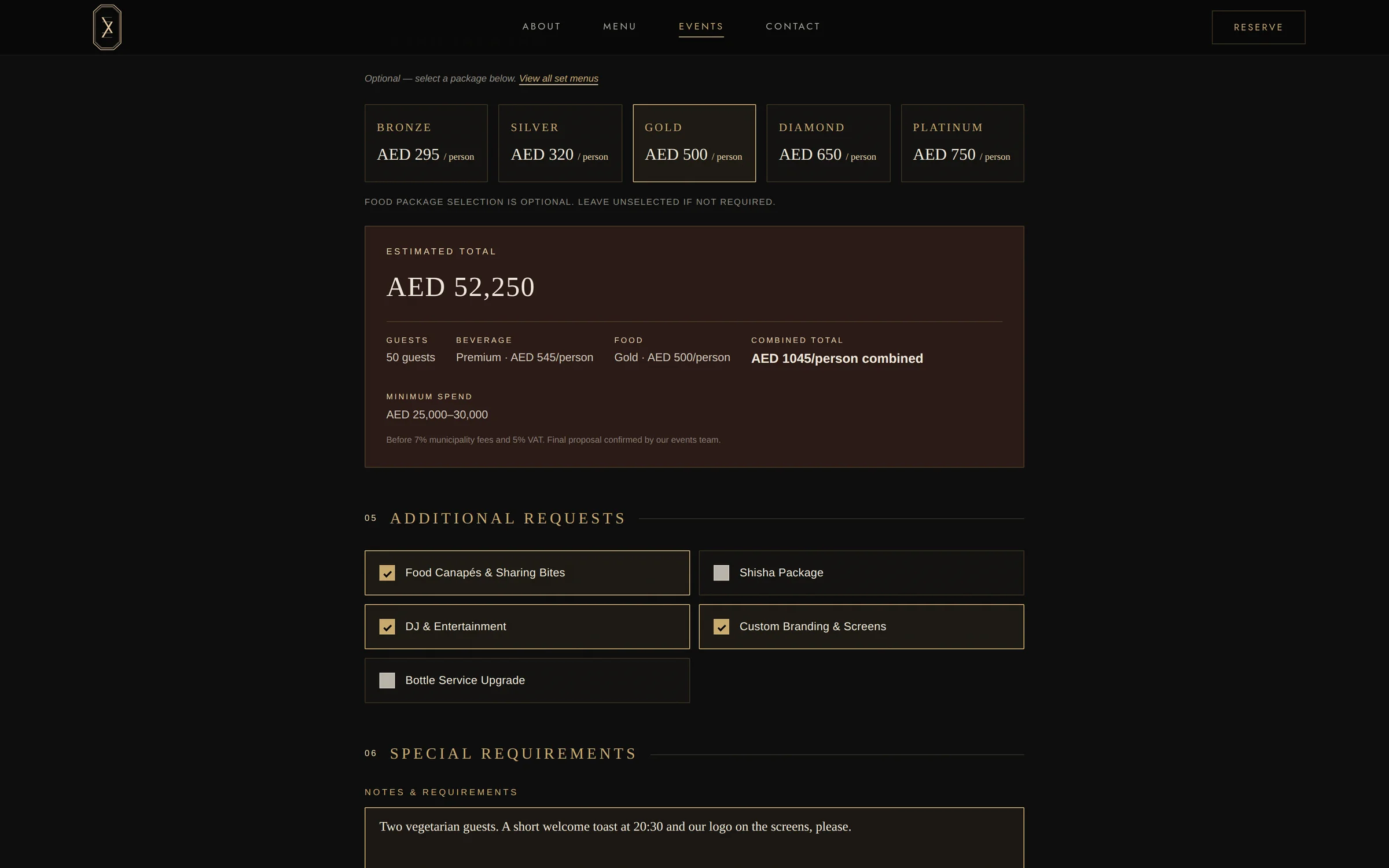
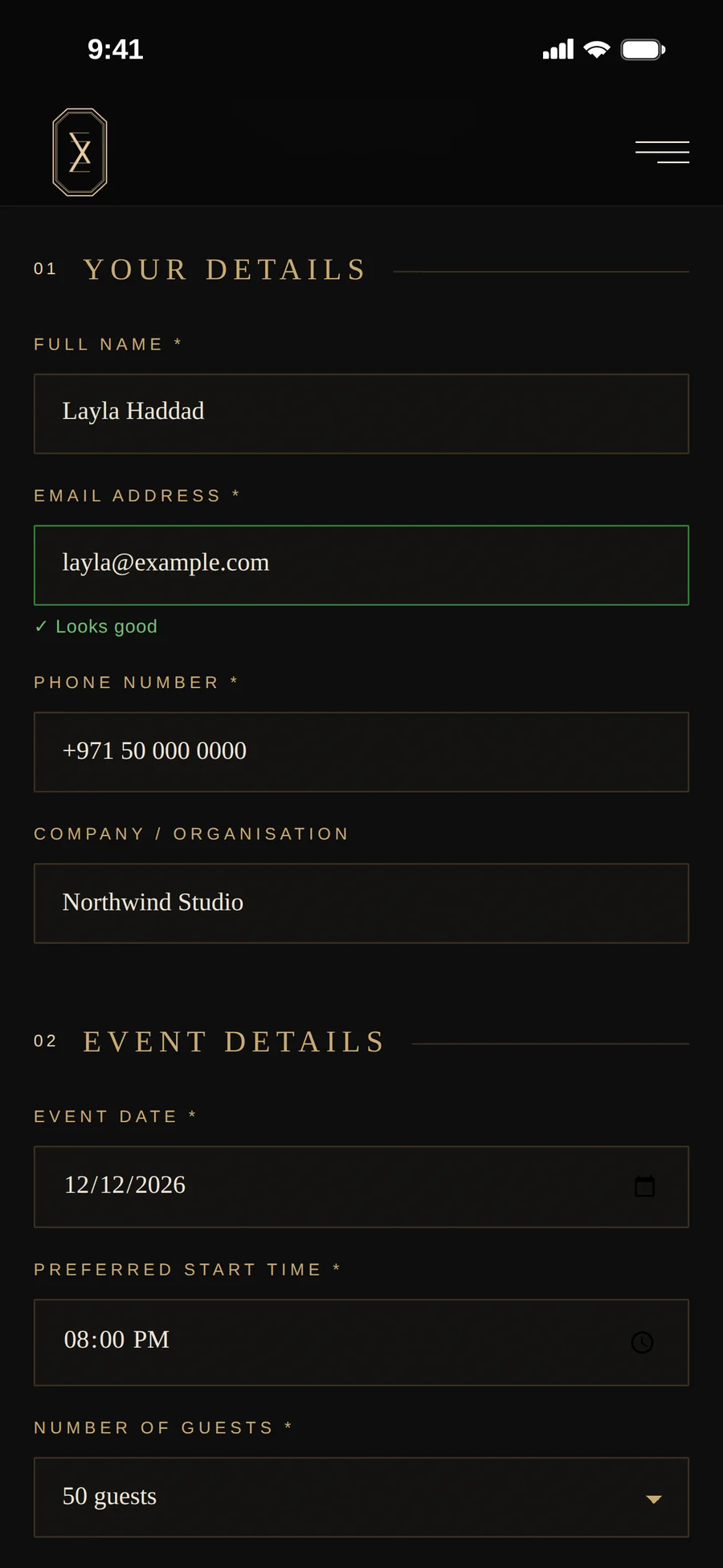
The event submission form is the centrepiece. A guest gives their details, date, time and guest count, chooses a beverage package and an optional food package, ticks add-ons such as canapés, shisha, a DJ, branded screens or bottle service, and names a budget. The form shows an estimated total and minimum spend as they go, checks that the email address can actually receive mail, and turns it all into one complete enquiry for the events team instead of the start of a conversation.
Visual layer

Atmosphere

  • Near-black backgrounds, warm gold accents and an elegant serif for headings, matching the venue's interior
  • Full-bleed photography of the dining room, bar and garden behind each page heading
  • A short branded loading screen that waits for the hero image and fonts so pages open complete
Functional layer

Event enquiry

  • Six numbered sections: details, event, beverage package, food package, add-ons and special requirements
  • A live estimate that multiplies the chosen packages by the guest count and shows the expected minimum spend
  • Email checked on the spot for typos, disposable addresses and domains that cannot receive mail, with a one-tap suggested fix
Technical layer

Self-contained

  • A small Flask app serving static pages with clean URLs, packaged as a single Docker container
  • Enquiries validated again on the server and delivered to the events team by transactional email
  • Plain HTML, CSS and JavaScript with no front-end build step, and a password-protected staff portal on the same site
Inside ZEA
In detail · 38 features

The evening, planned in detail.

A venue website that sets the mood first and then turns a private-event idea into one full brief. Everything below is in the current build.

01

Atmosphere

The page waits for the room to be ready before it shows it.

Branded loading screen

Pages hold a short ZEA loader until the hero photo and fonts are ready, and never wait longer than 2.5 seconds.

Staged hero entrance

The eyebrow, title, divider and tagline on the home page fade in one after another.

Reveal on scroll

Sections and cards ease into view as the guest scrolls, with motion reduced for visitors who ask for less.

Navigation that follows you

The top bar changes once the page scrolls, and on the home page it marks the section currently on screen.

Photo gallery strip

A horizontal strip of venue photos in alternating tall and wide frames that can be dragged with a mouse or swiped.

Full-screen lightbox

Any gallery photo opens full size, with arrow keys to move between photos and Escape to close.

02

Menus

All four menus come from one data file, so the page and the preview never disagree.

Four menus on the page

Food, beverage, garden and wine menus, each split into its own courses or sections.

Section tabs with transitions

Switching between starters, mains or cocktails slides the new section in from the right direction.

Allergen marks and key

Every dish carries its allergen tags, and a key at the end of the menu explains each letter.

Home page menu preview

Tabs on the home page show up to six featured dishes per course with prices.

Menus as PDFs

The food, beverage, wine and garden menus can be downloaded as print-ready PDFs.

Swipe-safe tab rows

Long rows of menu tabs scroll sideways on a phone without dragging the whole page with them.

03

Events and set menus

Spaces explained

The events page walks through the main restaurant, bar lounge, garden and private room, and how each can be configured.

Event cards from data

Occasion cards such as private dining are drawn from one events file and reused on the home page.

Five set menus

Bronze to Platinum set menus, each showing the starters and mains a guest chooses from, desserts and allergen marks.

Booking and contact paths

A Reserve button leads to the venue's table booking service, and the contact page carries a map and direct contact links.

04

Event enquiry form

Built so the events team never has to ask the second question.

Six numbered sections

Your details, event details, beverage package, food package, additional requests and special requirements, in that order.

Event basics

Guest count from 25 to 100 or a custom number, seven event types from group booking to full buy-out, and a date picker that starts at today.

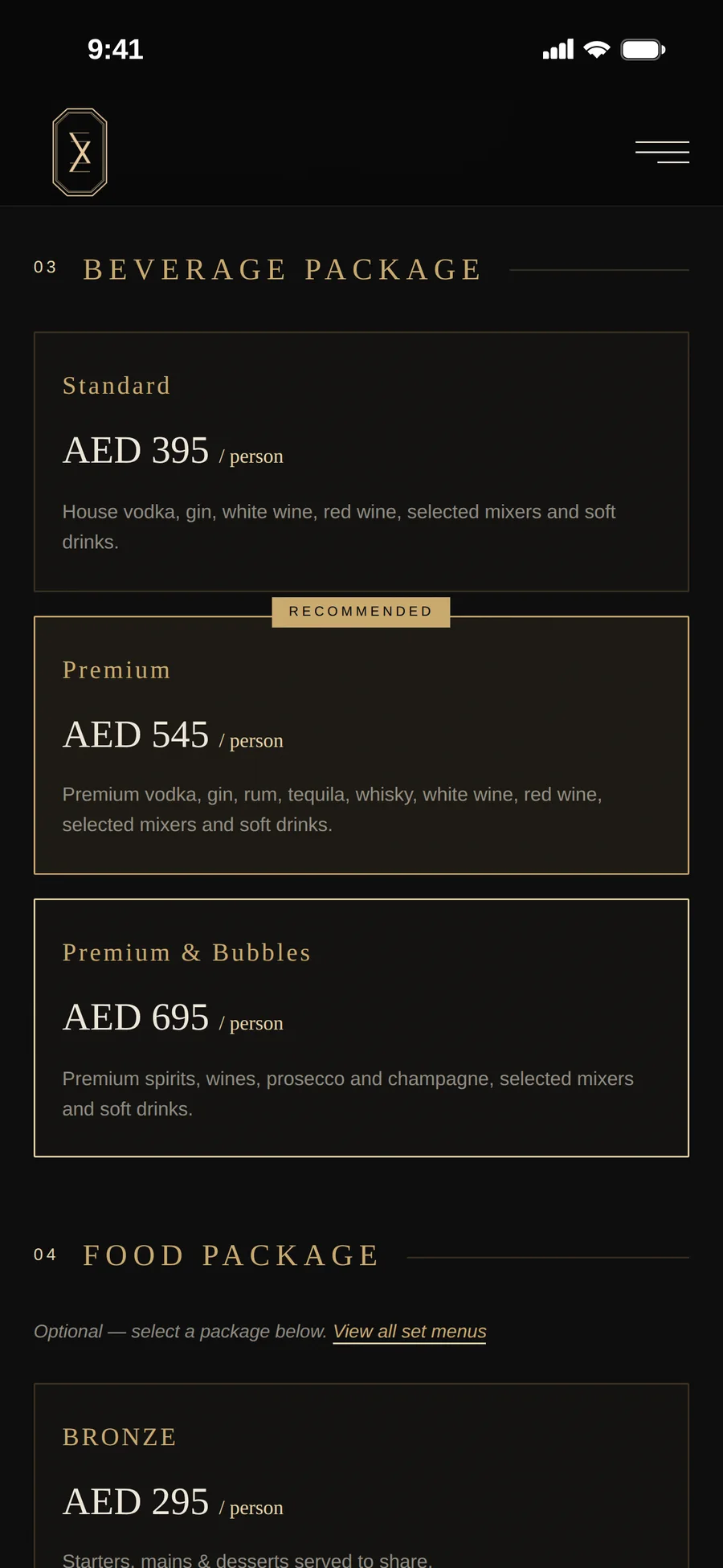
Beverage packages

Three drinks packages with what each includes listed on the card and one marked as recommended.

Optional food package

Five food tiers linked to the set menus page, and tapping a chosen package again clears it.

Five add-ons

Canapés, shisha, DJ and entertainment, custom branding and screens, and a bottle service upgrade, ticked as needed.

Live estimate

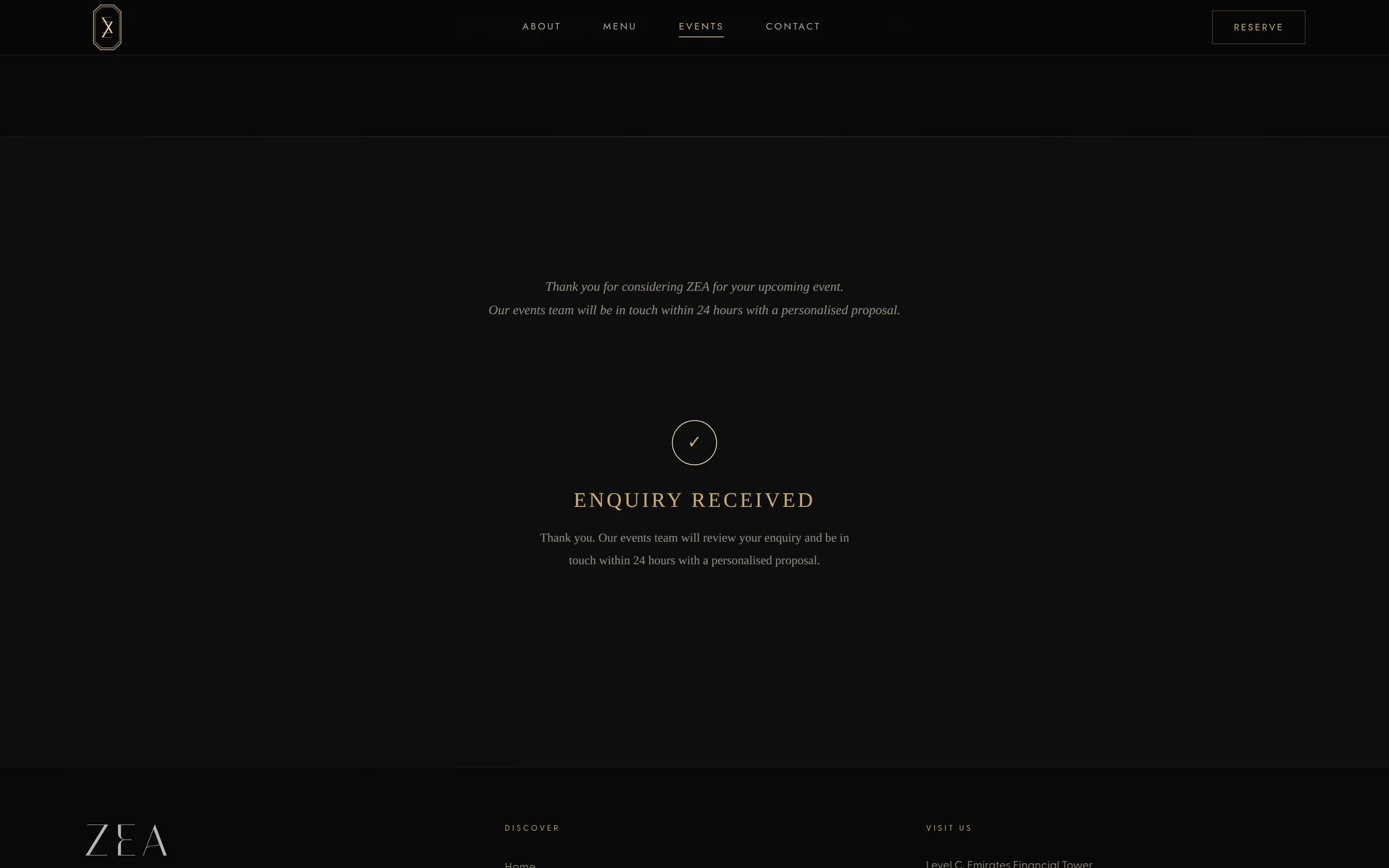
As soon as a drinks package and guest count are chosen, the form shows the per-person price, the total and the expected minimum spend for that group size.

Budget and referral

Guests pick an approximate budget band and say how they heard about ZEA, so the reply can be pitched right.

Missing fields pointed out

Empty required fields turn red and the page scrolls to the first one instead of failing silently.

05

Email check

The one field the venue insists on is checked before anything is sent.

Checked on leaving the field

The address is checked as soon as the guest moves on, with a quiet green tick when it is fine.

Typo suggestion

Common misspellings of big mail providers get a 'Did you mean' suggestion that fixes the address in one tap.

No throwaway addresses

Known disposable email domains are refused with a request for a permanent address.

Domain can receive mail

The server looks up the domain's mail records and says so plainly if the domain does not exist, without trapping the guest if the check itself cannot run.

06

Delivery and upkeep

Checked again on the server

Name, email and phone are required and the email is re-checked on the server, whatever the browser sent.

One readable brief

The events team receives a formatted email with all fifteen answers, from contact details to add-ons, budget and notes.

Reply goes to the guest

When the guest's address is valid, replying to the enquiry email writes straight back to them.

One switch to pause

A single setting pauses sending during quiet periods, while the server checks and email delivery stay in place to switch back on.

Clean addresses

Pages live at short addresses, old .html links redirect to them, and earlier form addresses still lead to the current form.

One small container

The site and form run as one stateless container with a health check, serving plain files with no build step.

07

Staff portal

Brand rules and social standards behind a password, next to the public site.

Password-protected area

Portal pages ask for a staff password and return the person to the page they asked for after sign-in.

Brand book

The logo system, colours, typefaces, patterns, textures, applications and interior architecture on one page.

Download centre

Logo packs in AI, SVG, PNG and JPG plus the brand fonts, ready to hand to a printer or agency.

Social media guide

How ZEA speaks, how to answer comments, messages, criticism and reviews, and how to reshare guest content.

Something like this?

We can build yours, or rebuild the one you have.