Products  /  Site Portal
Client work · Construction

Site Portal

One system of record for a construction site, built for the phone in a site engineer's pocket.

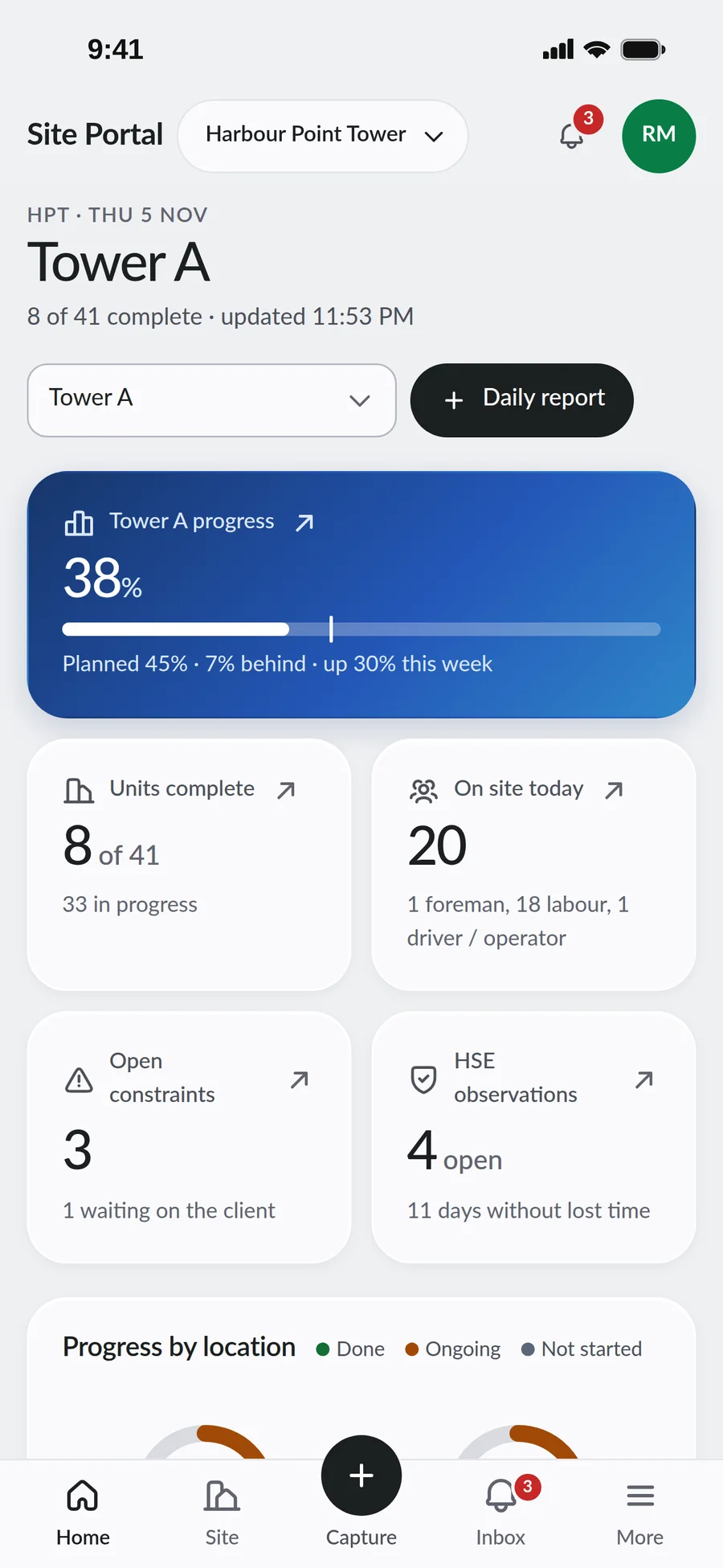
Site Portal is a project-management web app for a main contractor in Dubai, replacing site chat groups and paper forms with one shared record. Progress, daily reports, permits to work, safety findings and workforce documents are all tied to the same buildings, floors and units, so everyone sees the same numbers.

ReactFastifyPostgreSQLPWARole-based accessMobile first
Site Portal
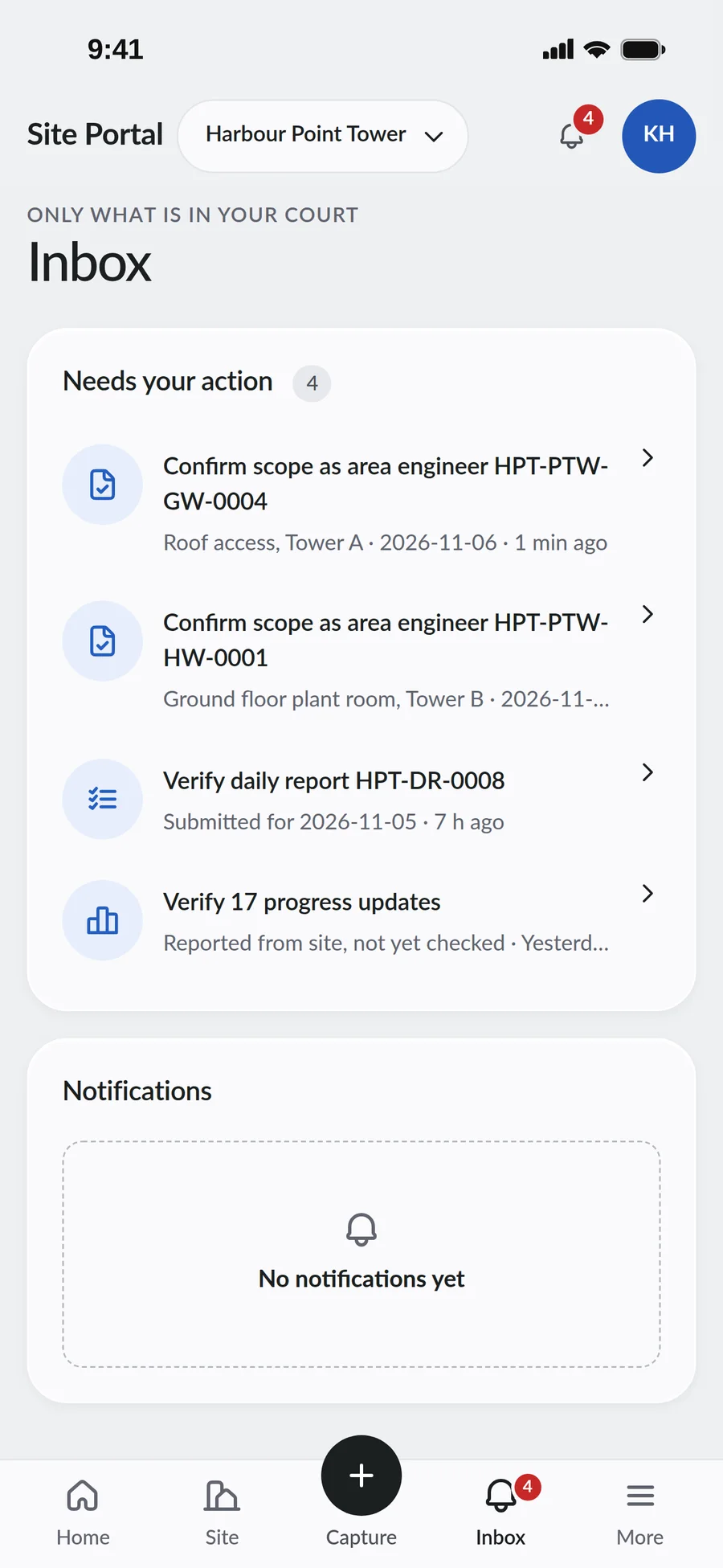
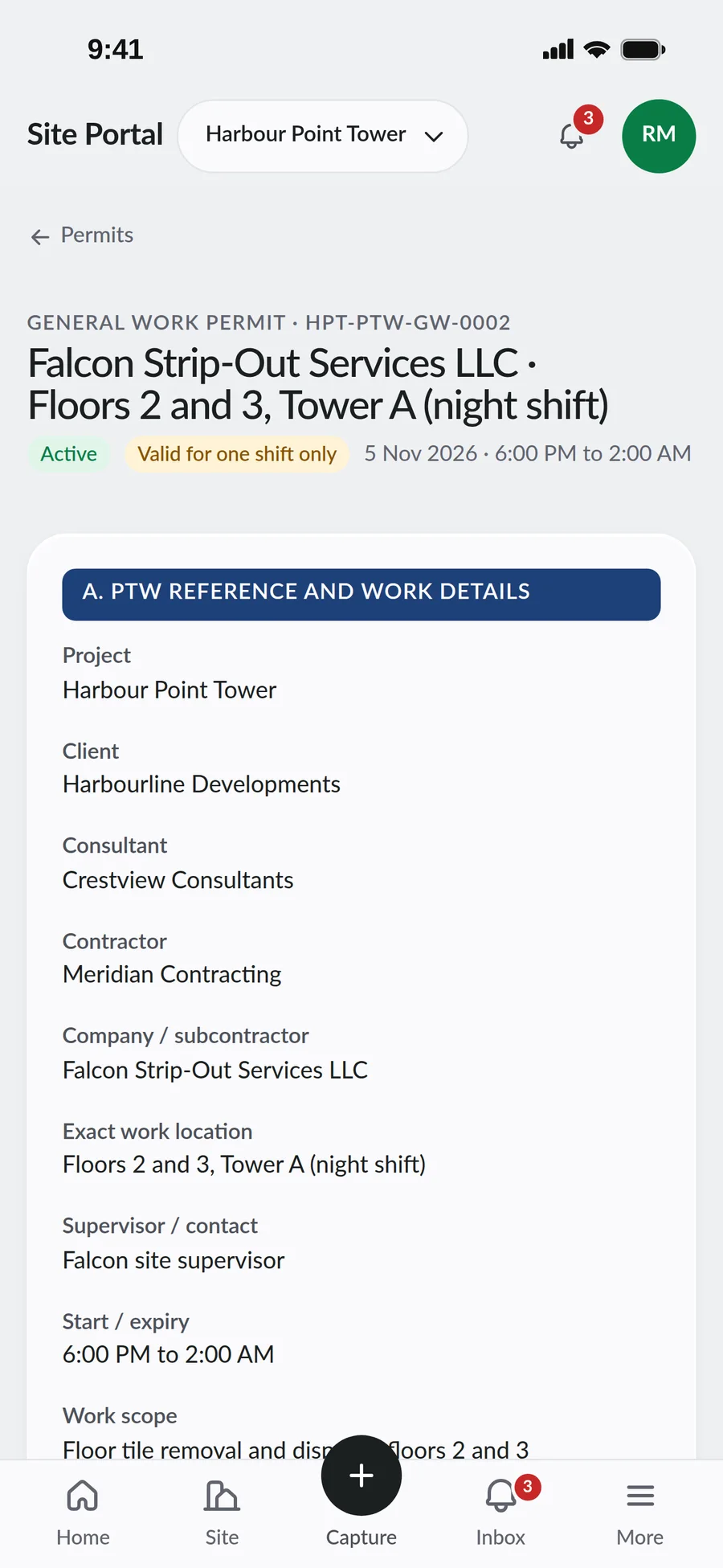
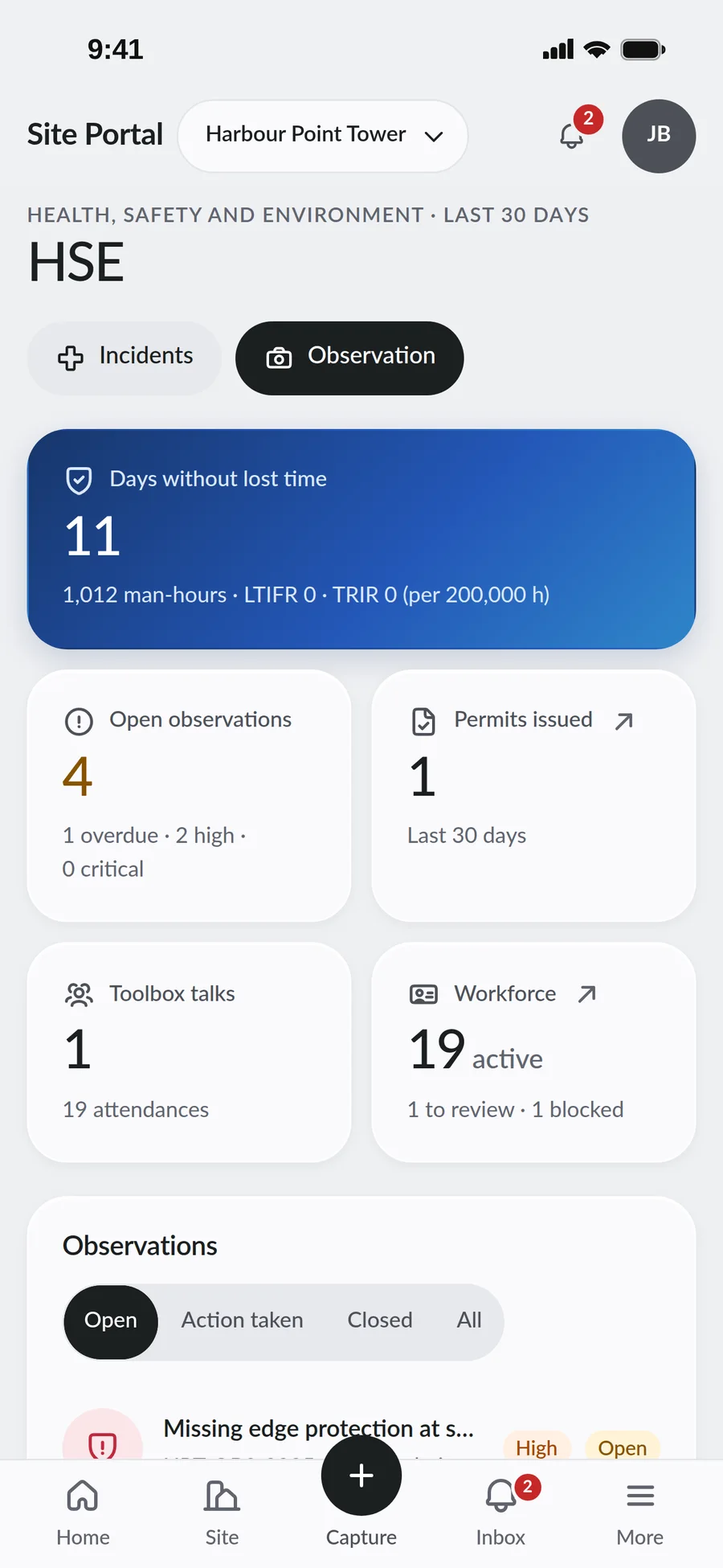
Site Portal on iPhone
27Role templates, from director to subcontractor foreman
19Modules under one access model
7Permit-to-work types, signed step by step
PWAInstalls on a phone; the app shell opens offline
The brief

The site, on one screen.

On a typical site, progress lives in WhatsApp groups, daily reports arrive as photos of paper, and permits to work sit in a folder in the site office. By the time a weekly report reaches the client, nobody can say which number came from where. The contractor wanted one place where site input is recorded once and every dashboard and report is built from it.

Site Portal models the project as data: buildings, floors, units and rooms, each with planned quantities per work item. Subcontractors report progress and file daily reports from their phones; the contractor's engineers verify them, and only verified figures roll up into the overview, the schedule and the weekly report. Permits, safety observations and worker documents attach to the same locations, so a blocked worker or an open finding shows up where the work is happening.

Access was the hard part. A project role grants a level and a scope for each module, so a site engineer sees one tower, a subcontractor sees only its own company's records, and the client sees only what the contractor chooses to publish. The same rules run on the server for every request, not just in the interface.

Visual layer

Built for a phone in the sun

  • Large touch targets, a bottom tab bar and a Capture button for the actions done on site
  • Plain status colours for done, ongoing, late and blocked, used the same way on every screen
  • Desktop layouts for the office, with the same data and wider tables, charts and a schedule view
Technical layer

One record, many views

  • React PWA on a Fastify API and PostgreSQL, with additive migrations and a test suite per module
  • A single access engine: per-module levels and record scopes (own, company, area, project) checked on every request
  • Every signature records a fingerprint of the permit at that moment, so a later edit shows which version was signed
Functional layer

From the gate to the client report

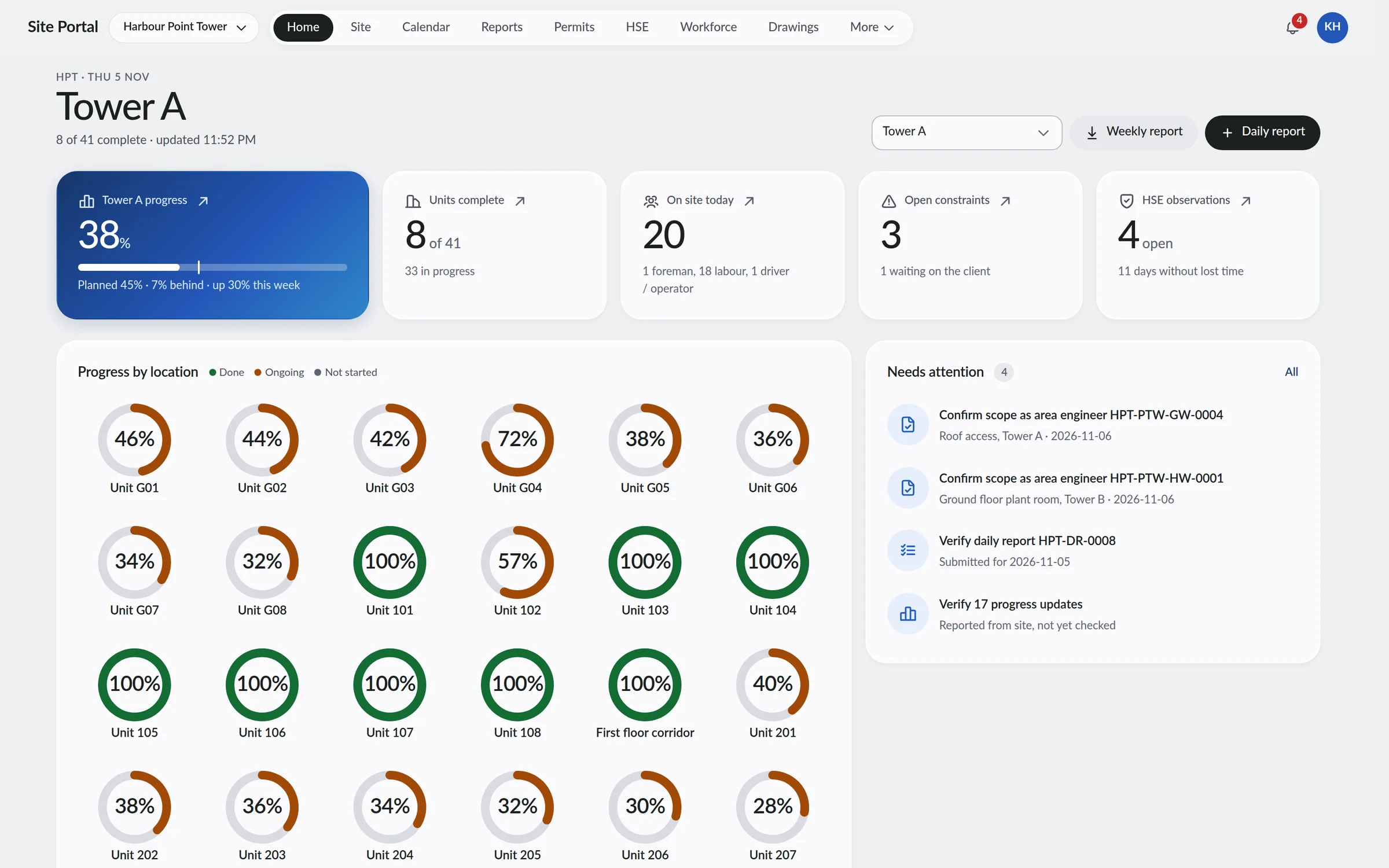
  • Location-based progress with planned against actual, reported against verified, and a critical-path schedule
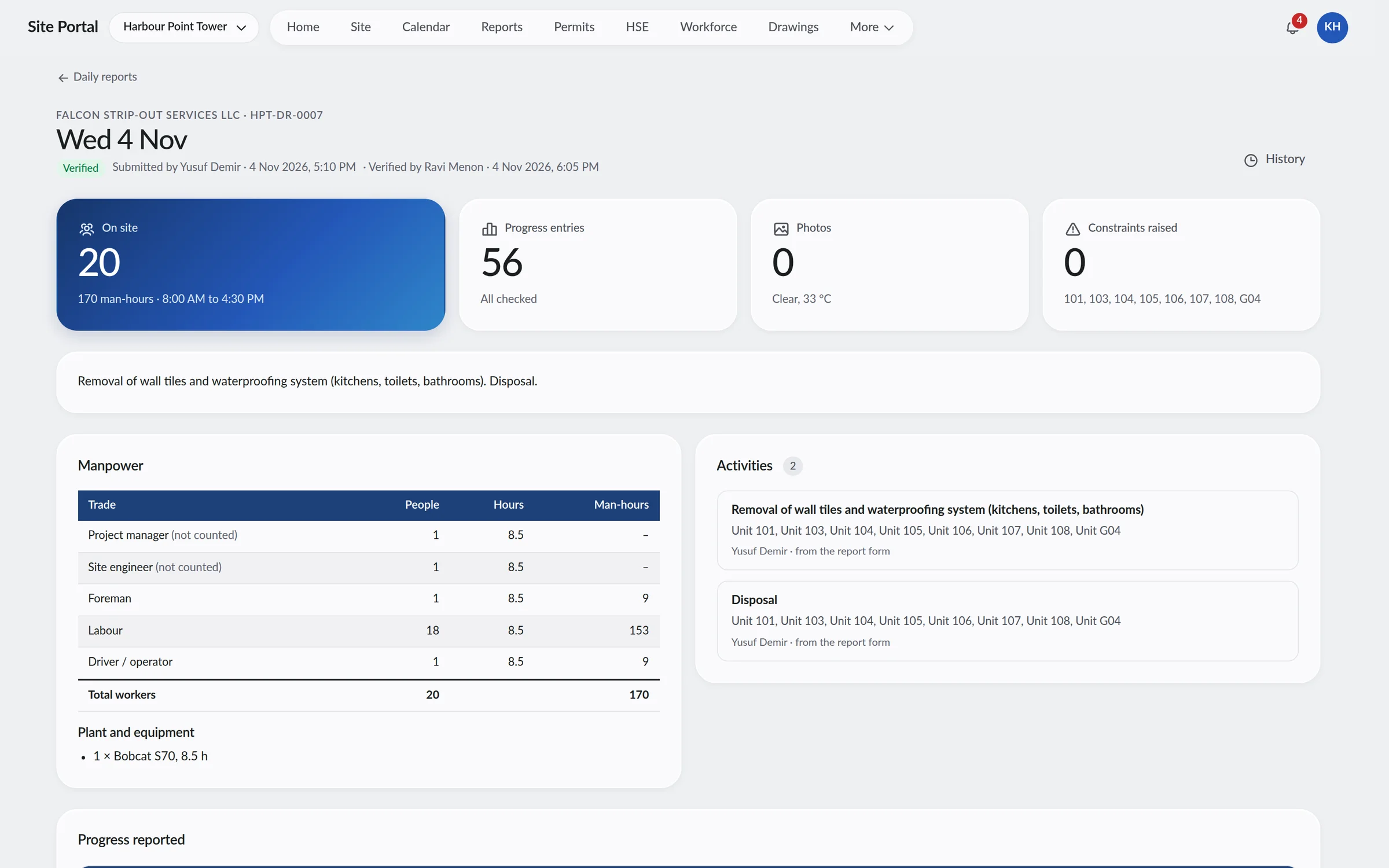
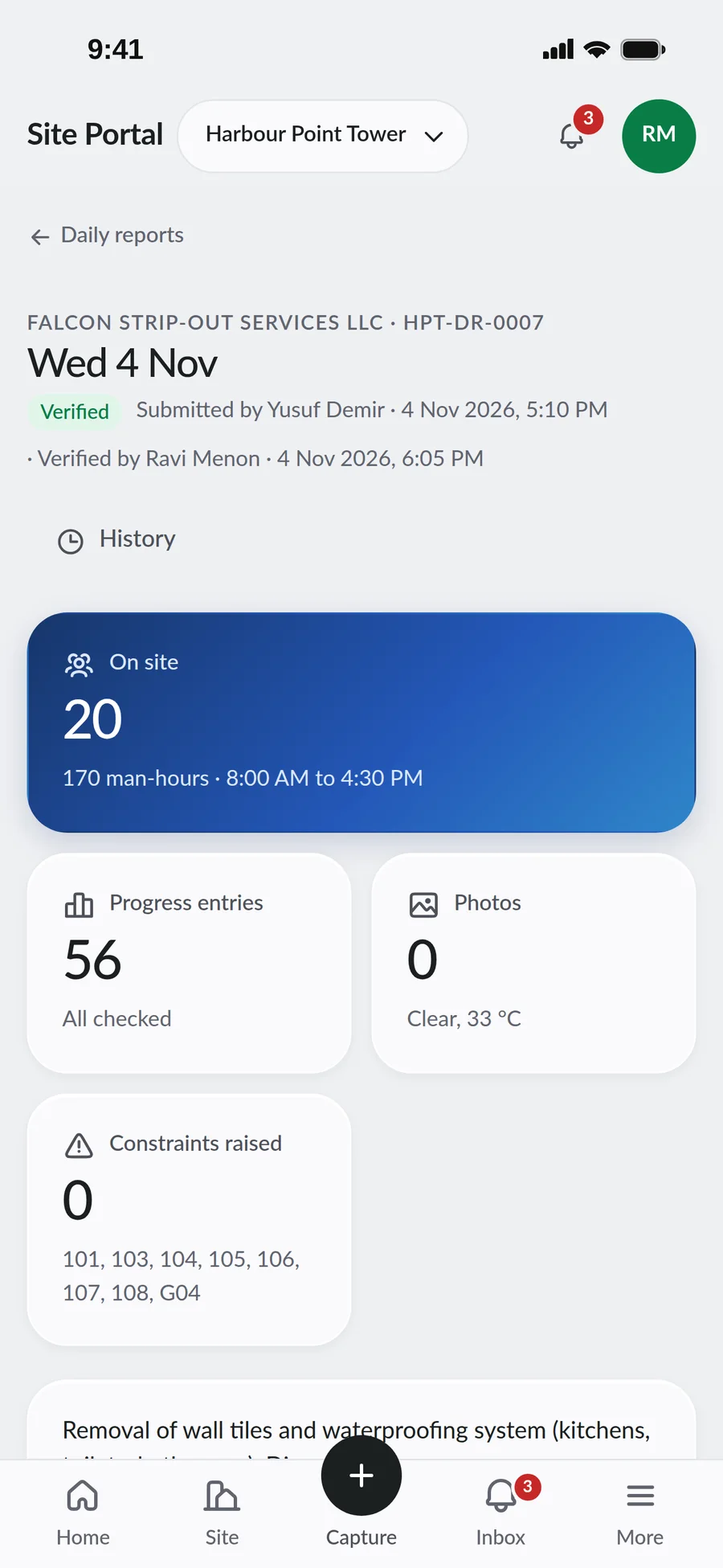
  • Daily reports with manpower, activities and equipment; permits to work with named crews and close-out
  • Safety observations, toolbox talks and workforce compliance with document expiry warnings and blocks
Inside Site Portal
In detail · 52 features

Built the way sites work.

A project portal for a main contractor in Dubai, where every report, permit and photo hangs off the same buildings, floors and units. These are the parts that are built and running.

01

Site and progress

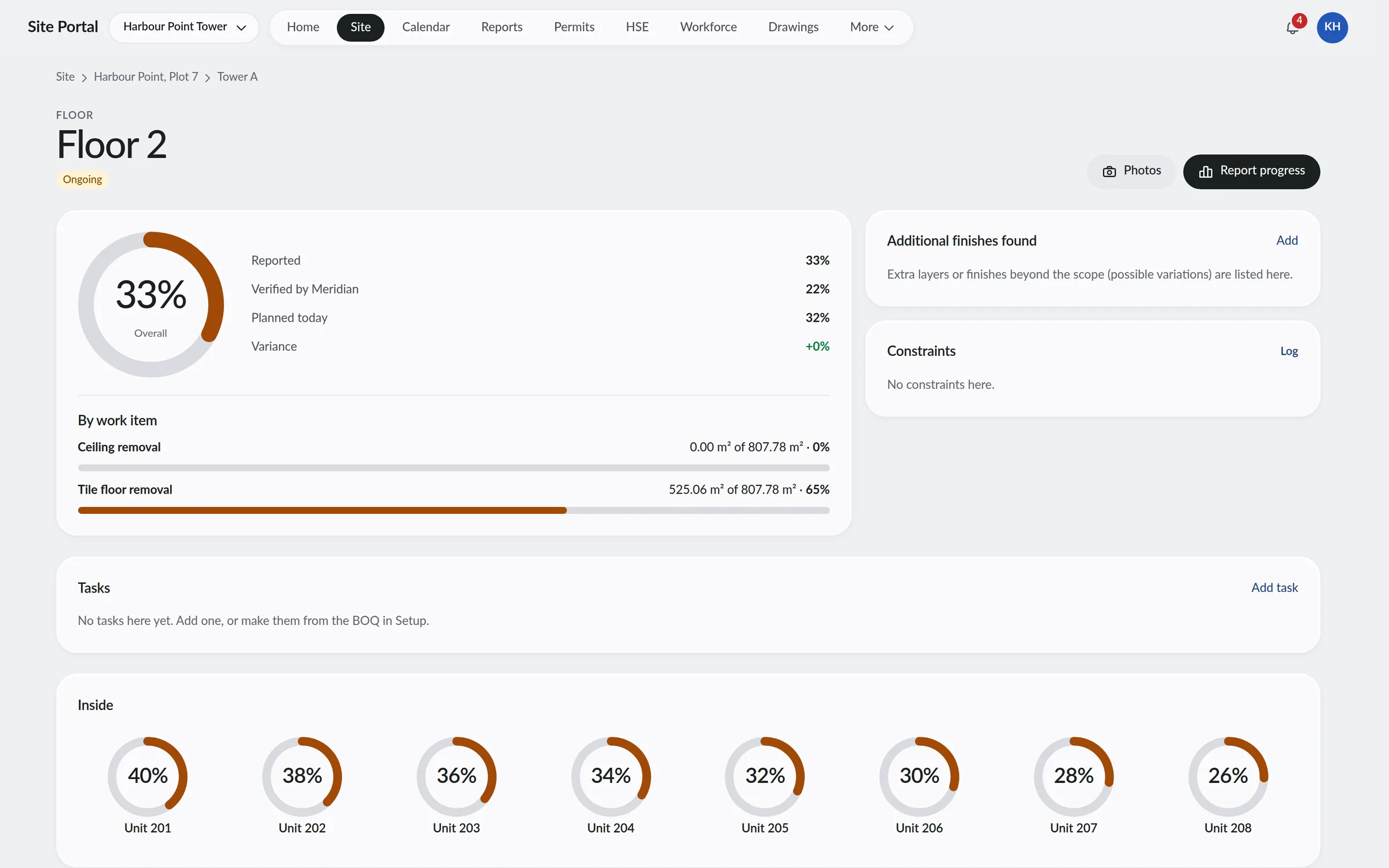
Progress is measured where the work is, then rolled up, never typed in as a total.

The site as a tree

Zones, clusters, buildings, floors, units and rooms, with a generator that creates a floor's units and unit types that carry room areas.

Quantity-weighted progress

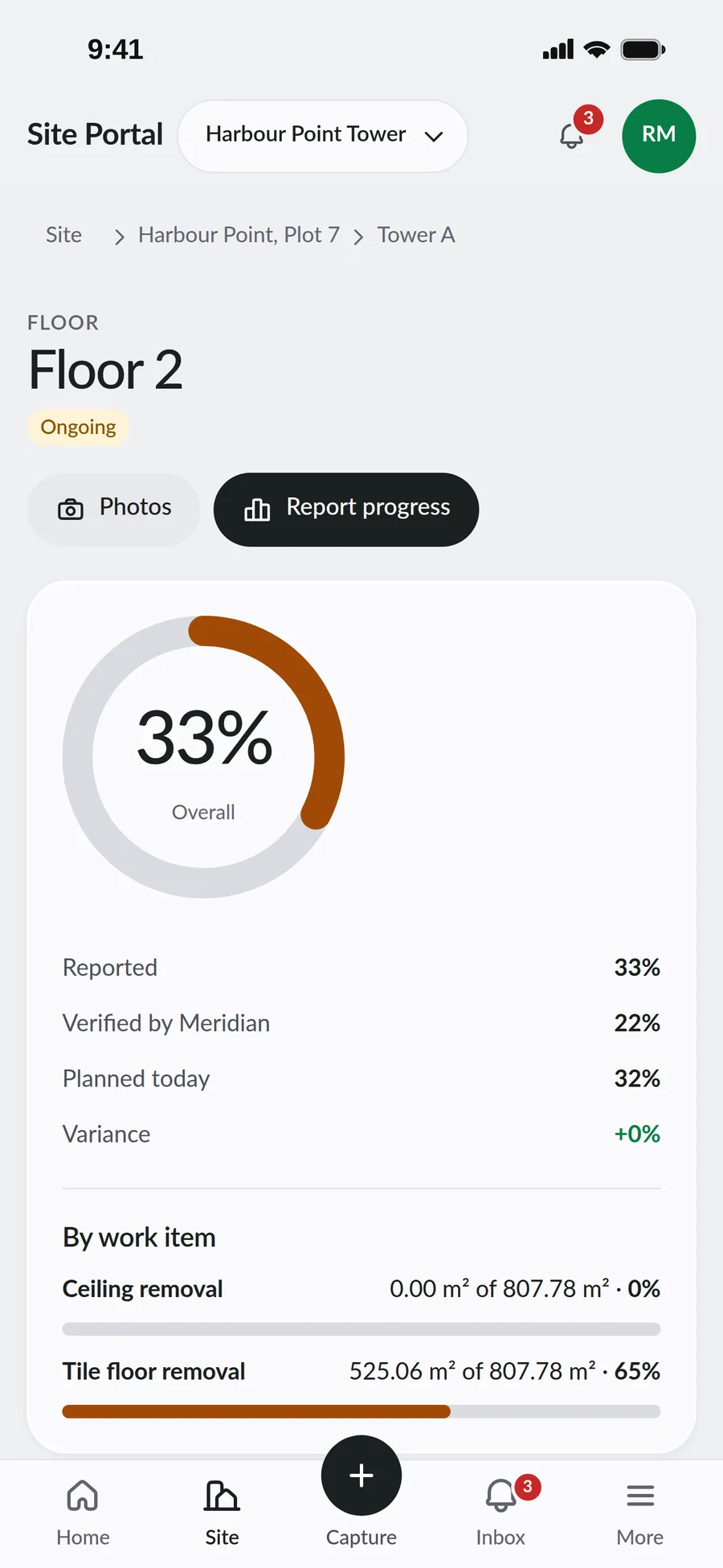
Each unit and work item has a planned quantity, and percentages roll up the tree weighted by those quantities.

Claimed and verified apart

Engineers and subcontractors report progress, the contractor verifies or rejects it, and dashboards show both figures side by side.

Planned against actual

A planned percentage runs between each item's start and finish, so every location shows whether it is ahead or behind on the same date.

Progress on the plan

Pins on a drawing mark each unit with its live percentage, settling in once and condensing to unit codes when zoomed out on a phone.

Tasks and steps per space

Tasks generated from the bill of quantities through editable templates; a step is ticked done with a photo and approved by the contractor.

Condition records

Before hacking, after hacking and at handover, each unit gets a record of damage, damp, extra finishes and hazards with photos, verified as seen.

Subcontract packages

Each package holds its scope matrix of who provides what and an imported bill of quantities, which is issued to and acknowledged by the subcontractor.

02

Daily reports

A day on one record

Manpower by category, plant and equipment used, photos and a narrative for each company and day.

Activities one by one

Each activity is logged separately with the work done, where on the area tree, photos and a note.

Submit, verify, return

Reports are submitted for checking, verified or sent back with a reason, and every version stays in the history.

Calendar that crosses off

Days where every report is verified are crossed off, and the month counts working days still missing a report.

Constraints and look-ahead

Blockers are logged with the responsible party and closed or reopened, next to a short look-ahead of planned work.

Capture button

A button in the bottom bar opens a quick sheet for the things done on site: a report, a photo or an observation.

03

Permits to work

The paper form's wording and order were kept, so nobody had to relearn it.

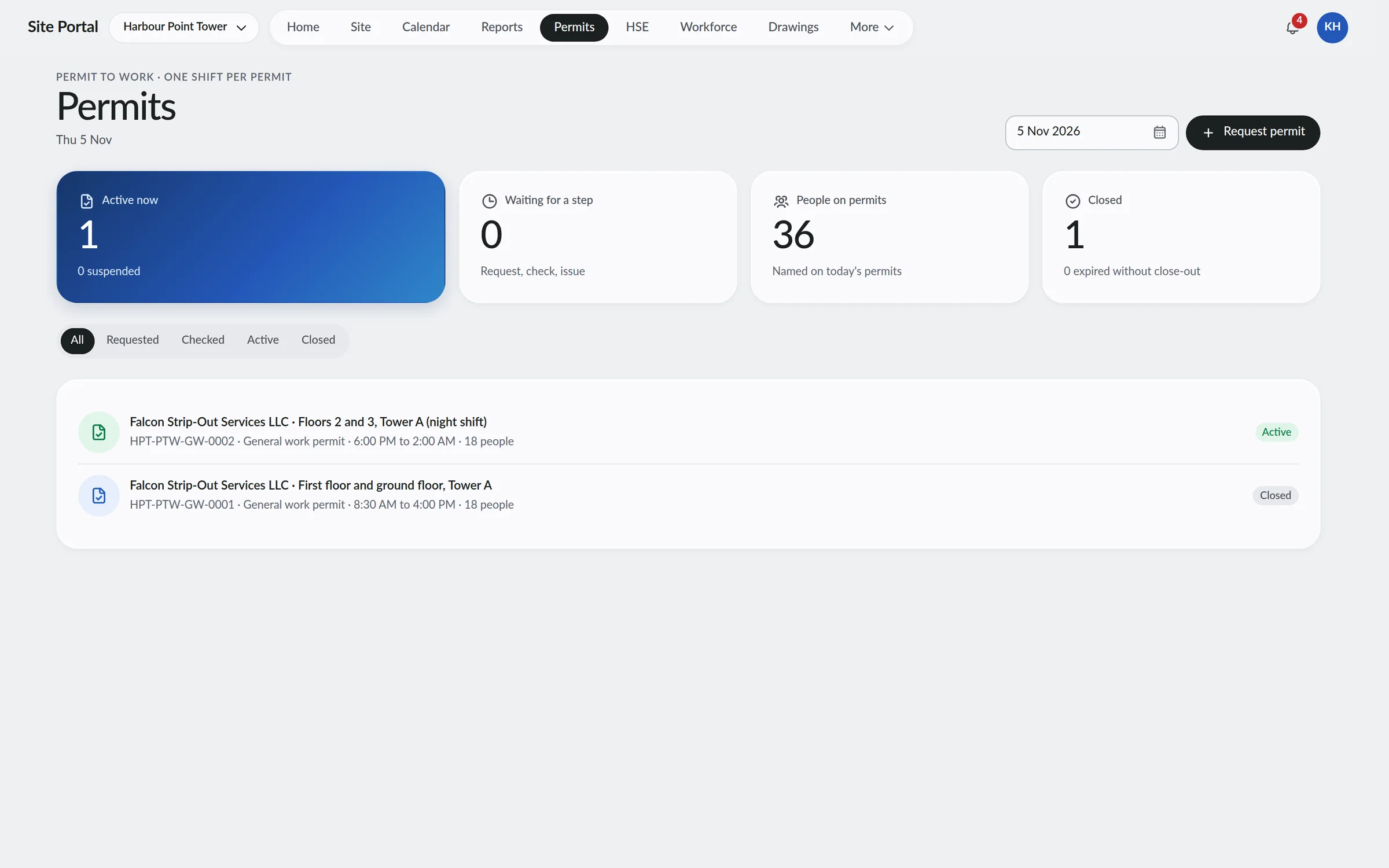
Seven permit types

General, hot work, work at height, excavation, lifting, confined space and electrical isolation, each with its own reference code.

Signing steps on the server

Request, area engineer, safety check, authorisation for high-risk work, issue and close-out, with suspend, resume, reject and cancel at any point.

Two people for high risk

The issuer is never the receiver, and high-risk work needs two different people to authorise and issue.

Joint pre-start checklist

Fourteen hold-point checks, from barricades and PPE to live services and emergency briefing, agreed by supervisor and safety staff.

Heat and height rules

Outdoor work in the summer midday window is refused, and work above the project's height limit must carry the height checks.

Only compliant crews

Every named worker must be cleared to work, and an open stop-work order on the area blocks new permits there.

Fingerprinted signatures

Each signature records name, role, time and a fingerprint of the permit, so a later edit shows the signature was on an earlier version.

Expiry and emergency stop

Permits lapse by server time at the end of their window, and safety staff can suspend every live permit at once with a reason.

04

Safety and workforce

Observations with deadlines

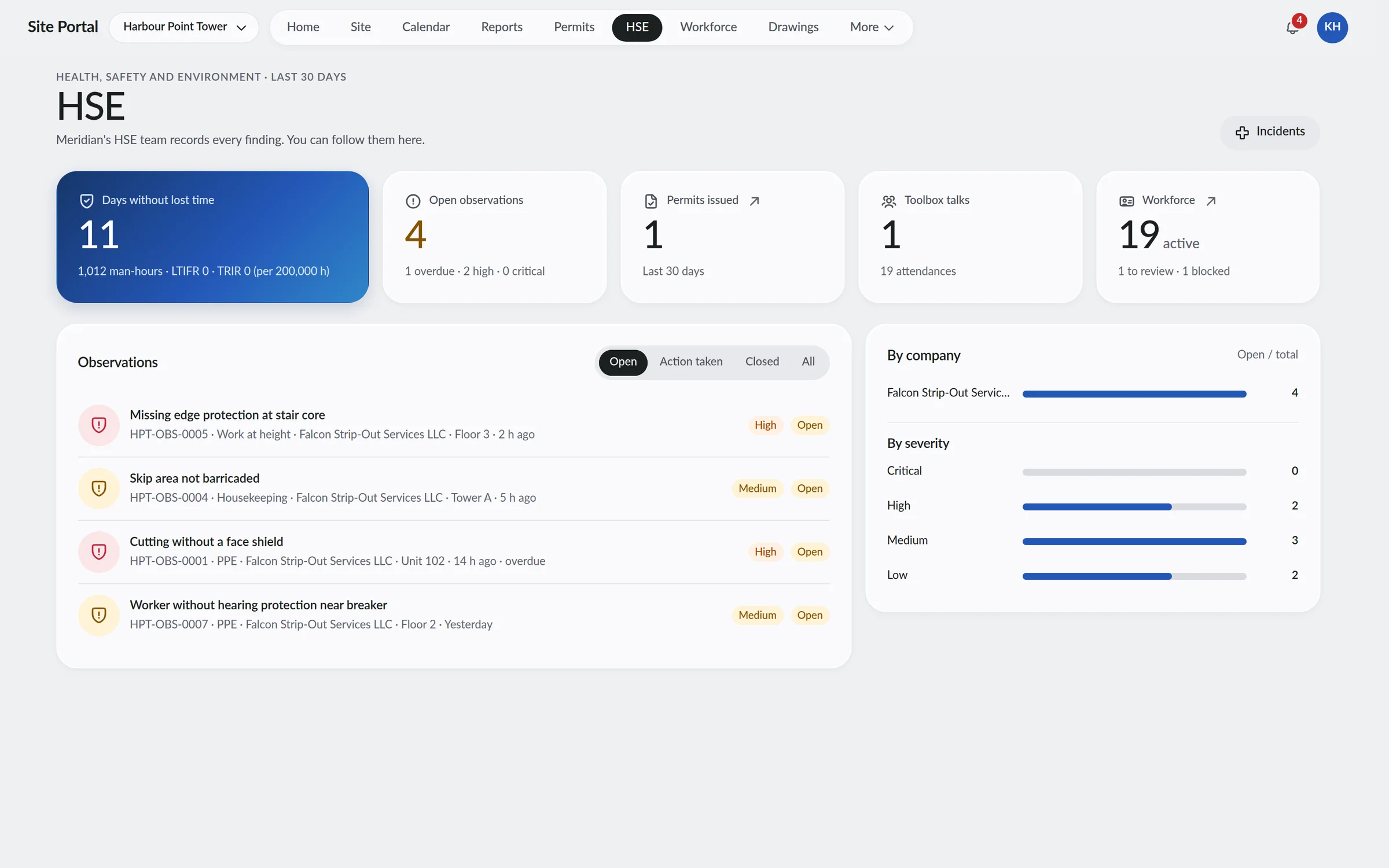
Unsafe acts, conditions, violations, near misses and good practice in fifteen categories, with response times set by severity.

Stop work and fines

An observation can stop work, warn or remove someone from site and carry a fine, and lifting a stop-work order is recorded.

Incidents with authority clocks

Seven incident kinds from near miss to fatality, with each reporting deadline to the authorities counted in hours or working days.

Safety at a glance

Days without a lost-time injury, frequency rate, open and overdue observations, and a register of toolbox talks.

Compliance lights

Each worker shows green, amber or red, computed from the expiry of their ID, visa, labour card, insurance and certificates.

Rules that block

Missing work authorisation or an under-age worker blocks the person, with expiry warnings 90, 60, 30, 14 and 7 days ahead.

Gate pass

A QR code per worker; scanning it shows only the photo, name, company and whether they may enter today.

Personal data kept close

Worker documents are visible to safety staff and the worker's own company only, every view is logged, and plant needs a valid inspection certificate.

05

Drawings, schedule and reports

Drawing register

Drawings and documents by kind and discipline, with revisions and consultant review codes from approved to rejected.

Deep-zoom viewer

PDF sheets are turned into image tiles, so large drawings pan and pinch-zoom smoothly on a phone.

3D view per sheet

A sheet can carry a 3D picture that opens first, with its own pins, one tap away from the drawing.

Read and acknowledged

Documents that need acknowledging list who has confirmed them and when, and show company or client visibility.

Formal notices

Warnings, delay notices, fines and instructions are emailed to the recipient, acknowledged in the app and answered to the project mailbox.

Weekly progress report

A printable report built from verified data and frozen when published, so later corrections never change what was reported.

Critical-path schedule

Activities, links and a Gantt view with the critical path, float and a saved baseline to compare against.

Schedule import

Master schedules come in from a spreadsheet or a Primavera file, with a dry run that shows what would change first.

06

Access and accountability

The same rules run on the server for every request, not only in the menus.

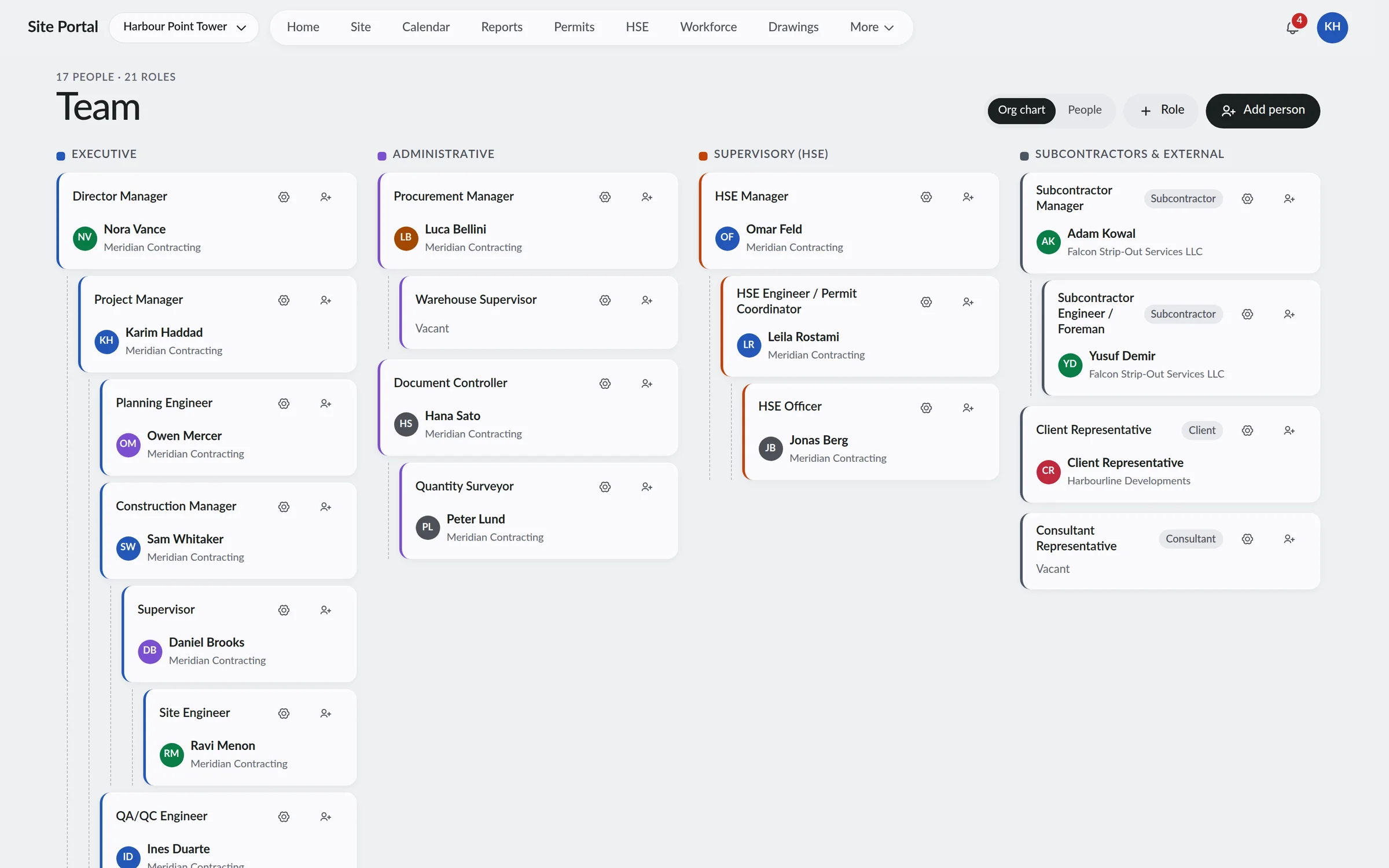
Twenty-seven role templates

From director to subcontractor foreman, each with its permissions and its own short user guide, editable per project.

Level and scope per module

Each role gets a level and a reach (own, company, area or project) for each of nineteen modules, and outside companies never see past their own.

Org chart

Roles grouped by branch and nested under their managers, with several roles per person allowed.

Invitation links

People join through a one-time link that expires after seven days and set their own password.

No marking your own work

Whoever creates a report, claim or permit cannot verify or approve it, and signatures are always personal.

View-only and view-as

View-only accounts are refused every change at one central check, and admins can see the portal as someone else, with that recorded.

Nothing is deleted

Records are voided or superseded, never erased, and a hash-chained history can be re-checked end to end for tampering.

Sign-in protection

Repeated wrong passwords lock the account for fifteen minutes, and each person can see the devices signed in as them.

07

On the phone

Opens without signal

Installed on the home screen, the app opens offline with the last data it had, and photos and drawing tiles stay cached for a month.

Inbox of what is yours

A live list of what is waiting on you: a report to verify, a permit to sign, a finding to answer.

Alerts by urgency

Stop-work orders, incidents and emergency permits always push to the phone; approvals and updates follow each person's settings, and open screens refresh live.

Sign-out clears the device

Signing out removes that phone's push subscription and every cached page and photo.

Photos that stay readable

Uploads are compressed for site signal, photographed documents keep sharper text, location data is stripped and originals are kept.

Light, dark and what's new

Automatic, light or dark theme, and an About page that lists each release in plain words after an update.

Something like this?

We can build yours, or rebuild the one you have.