A photography studio's website, the editor behind it, and the small tools that grew out of its shoots.
Afra Afrasiabi Studio is our own photography studio in Dubai, and this is the software it runs on: a fast static portfolio, a visual editor that works the way a photographer sorts a shoot, and private proposal pages for clients. A crew board for casting models, makeup, hair and photographers came out of the same productions.


A photography studio is judged by its pictures before anyone reads a word, so the site had to get out of their way. The public website is a static export: a full-screen cover, a Work page of section tiles, and albums laid out as a masonry wall that opens into a lightbox. Titles are set in Acme Gothic Condensed, everything else stays quiet, and every photo is served as AVIF or WebP at the width the screen actually needs. There is even a switch to see the whole site in black and white.
Editing a hand-built static site usually means editing HTML. The studio's CMS instead follows how a photographer works: pick a section, open a shoot, drop in the photos, drag them into order and choose the cover. It shows the site as a tree of sections and projects with photo counts, lets you set where a banner crops on desktop and on phone separately, rebuilds the optimized image sizes in the background, and backs up every page before it changes it. The site stays plain static files; the editor only rewrites them.
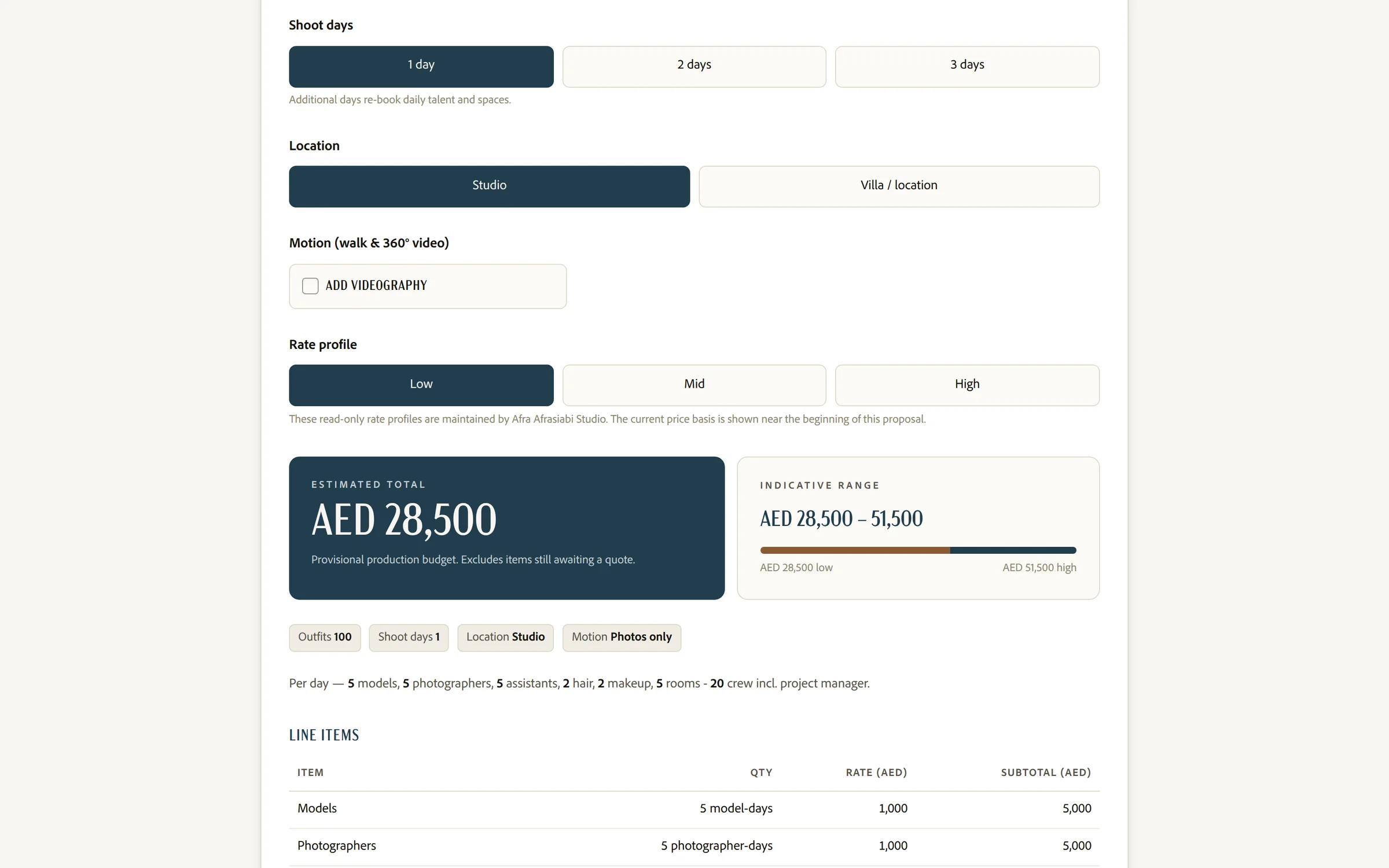
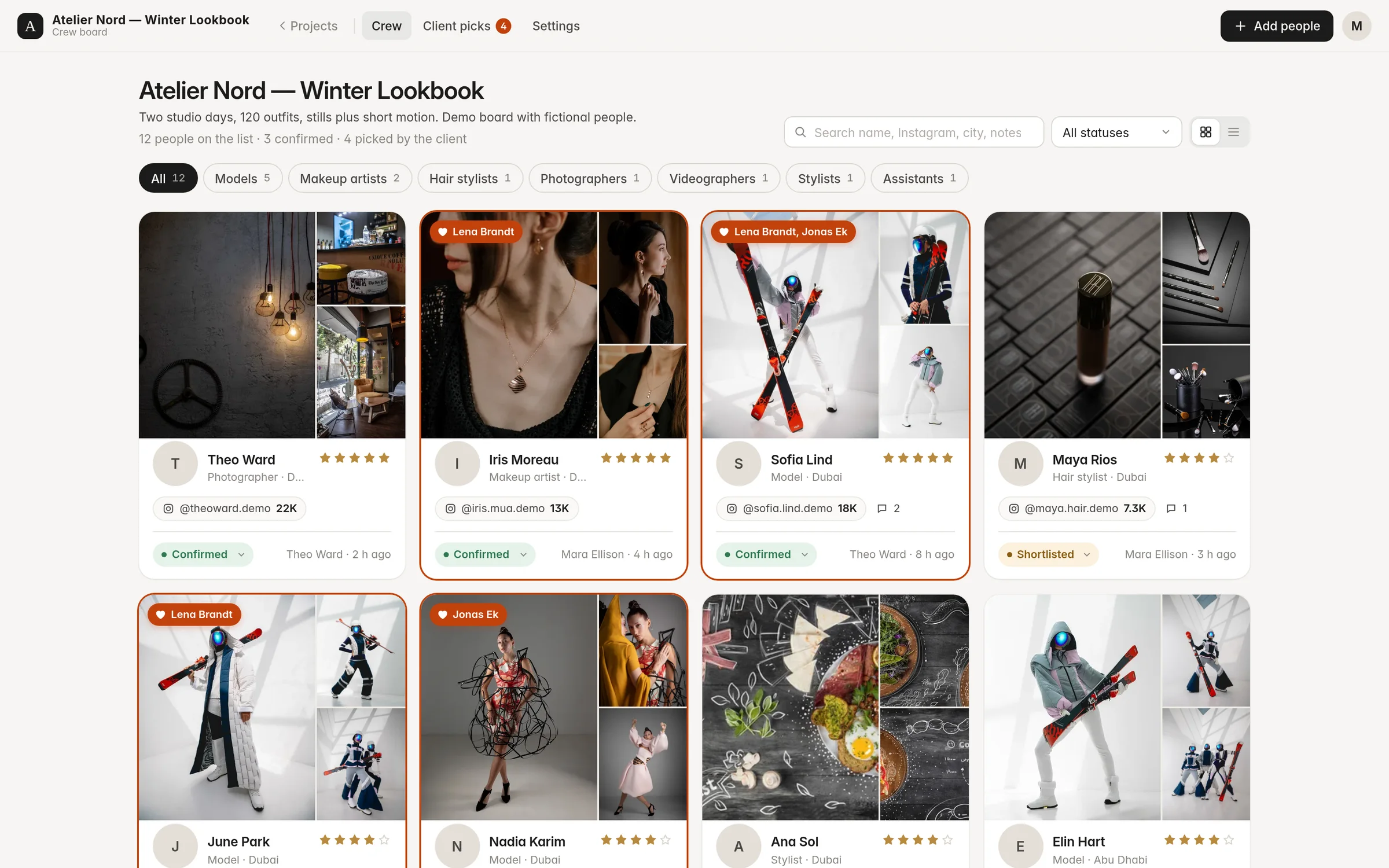
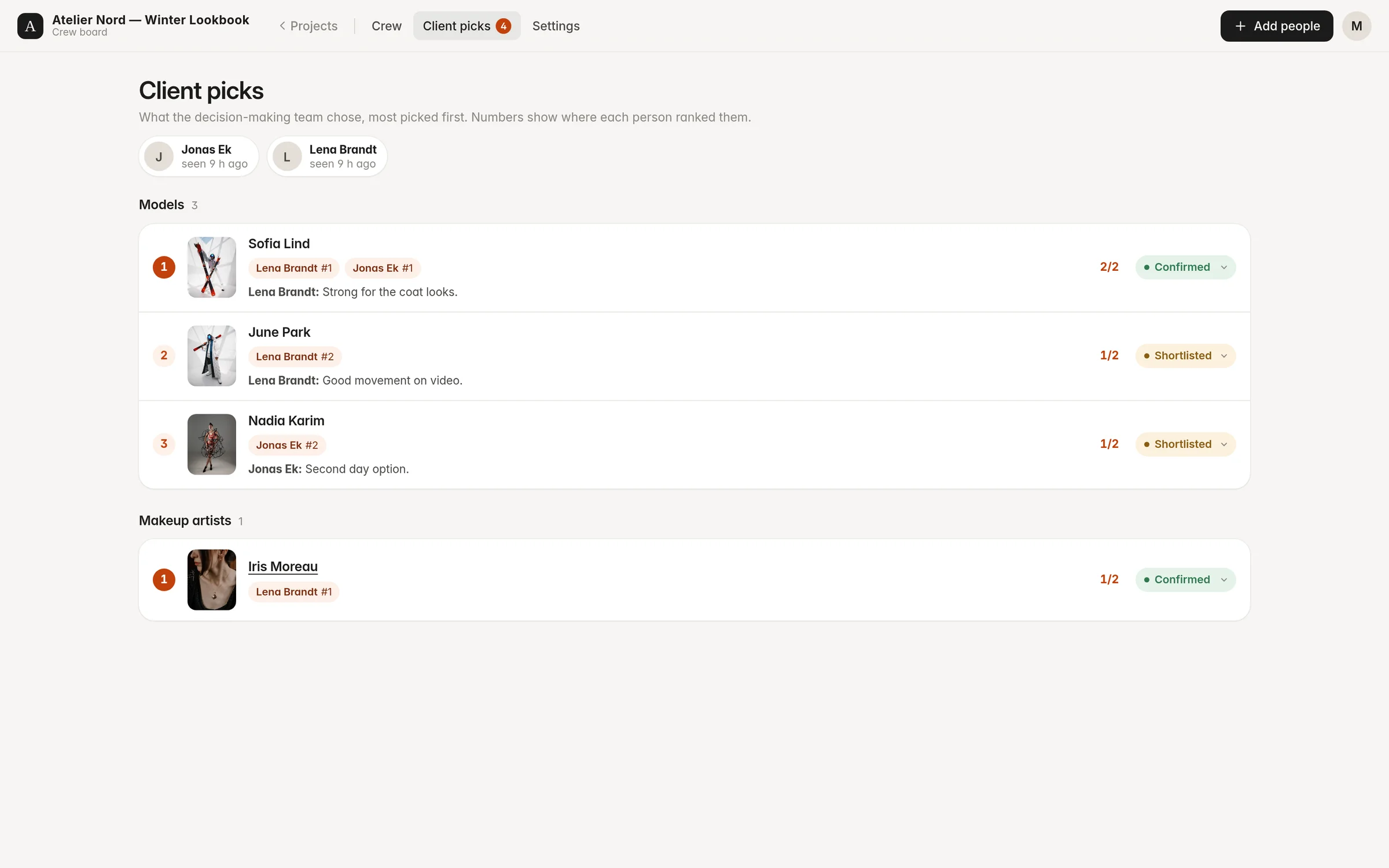
The other tools came from real productions. When a fashion client asked for a budget, a long PDF would not do, so proposals became private web pages with a calculator the client can play with: outfits, days, studio or location, with or without video, priced from rates the studio sets in the CMS. Casting for those shoots lived in chat threads, so Crew Board gathers models, makeup artists, hair stylists and photographers in one shared database, puts each production on its own board, and lets the client's team pick and rank people without seeing contact details or internal notes.
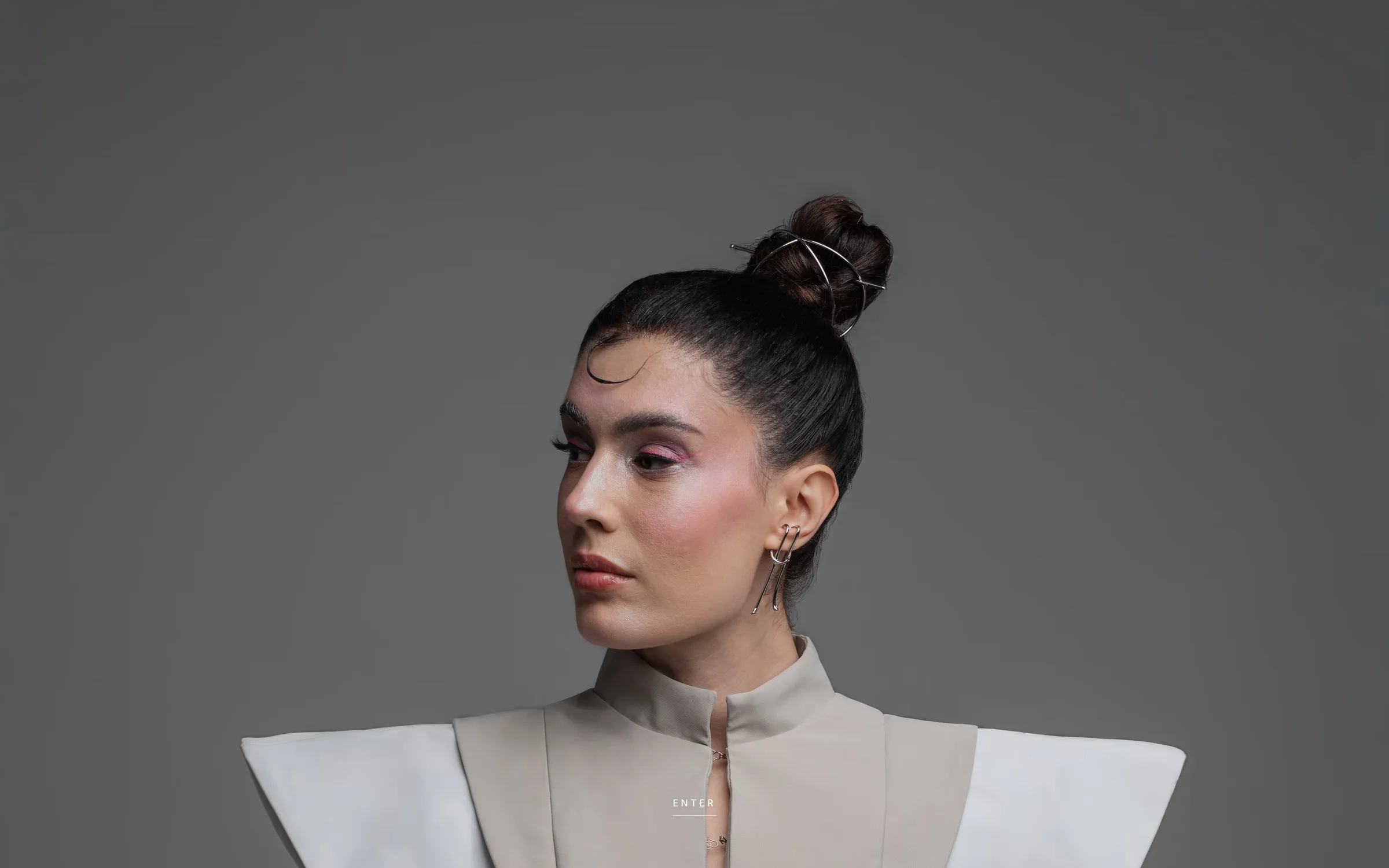
The home page is a single full-screen image and an Enter link. Nothing competes with the picture.
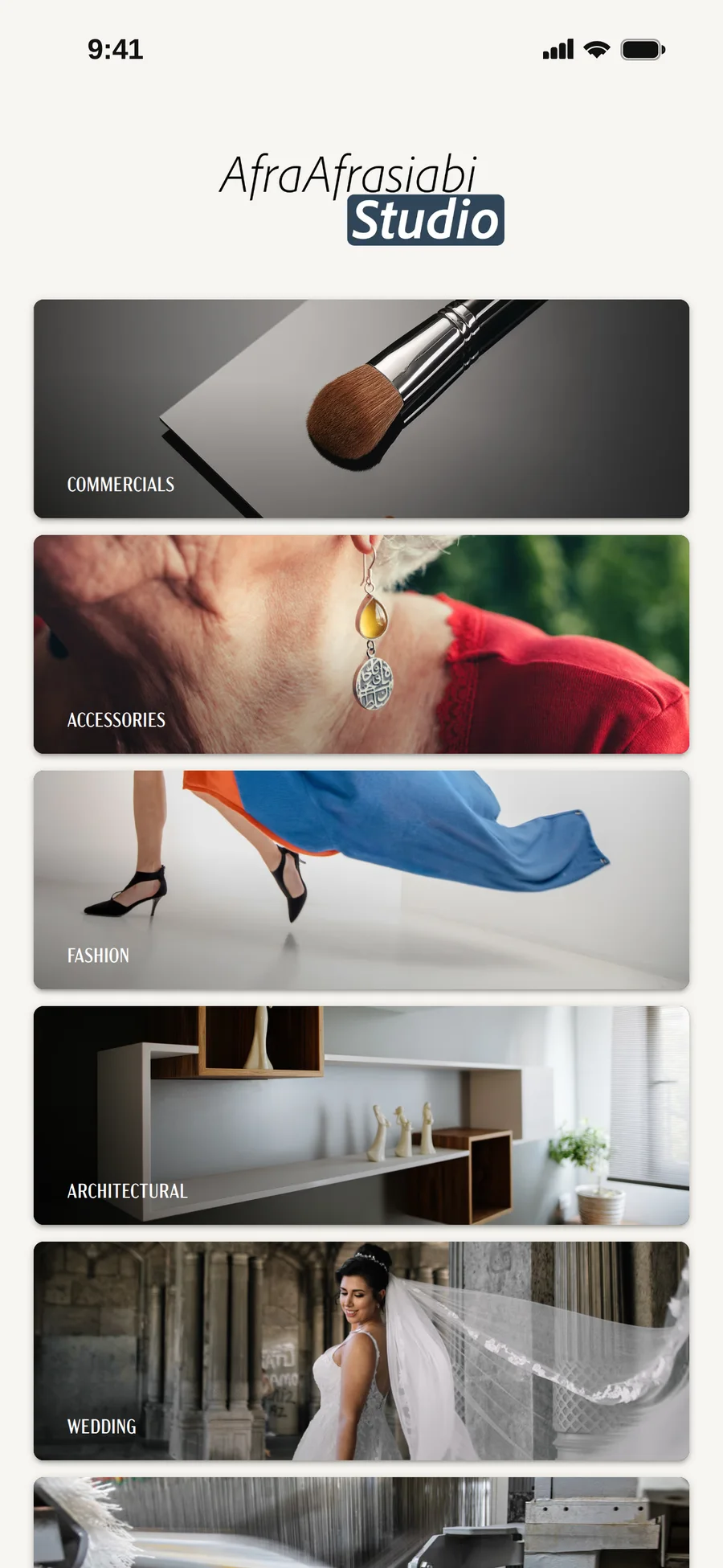
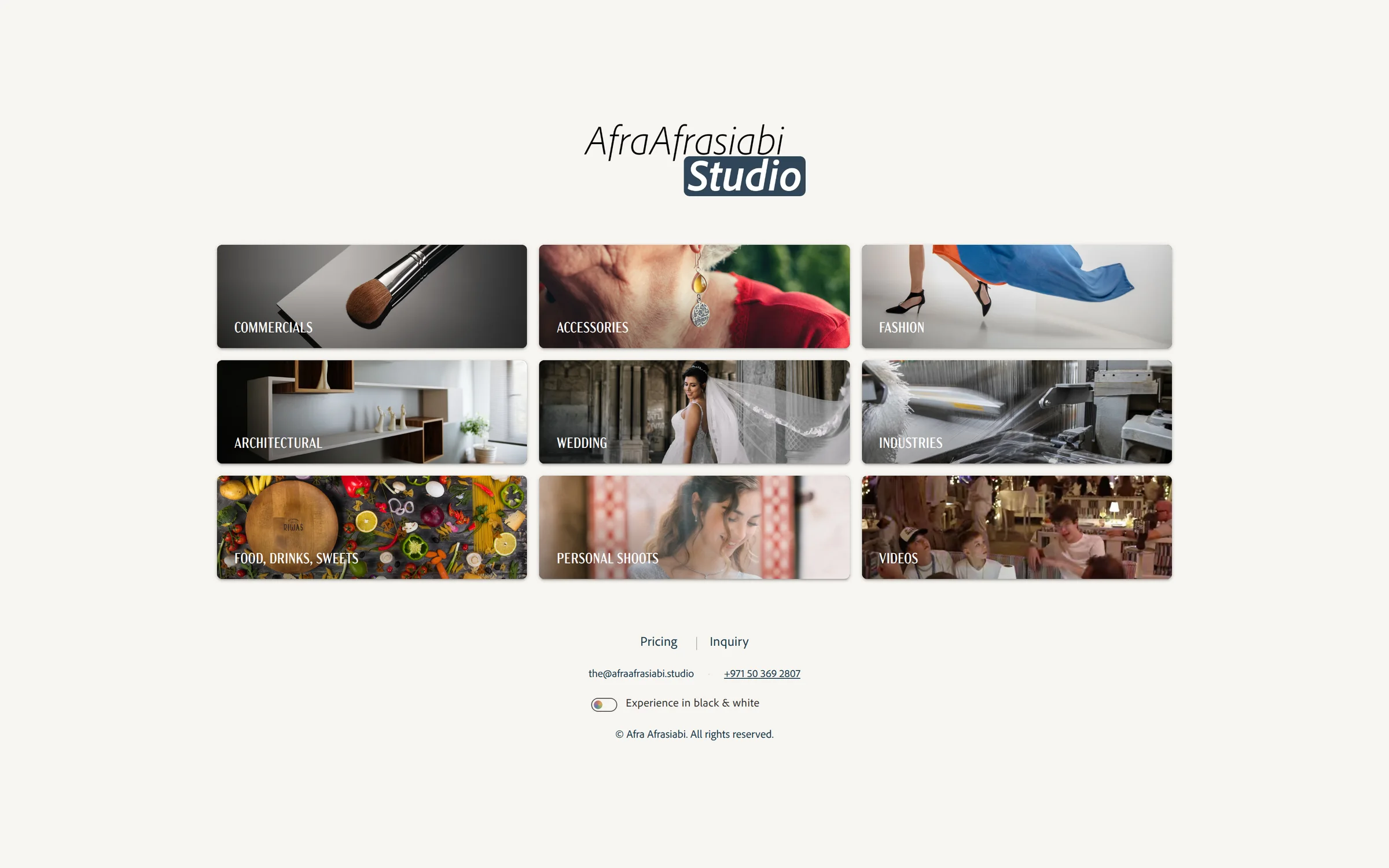
Nine sections, each with its own cover tile. The same tiles, in the same order, make up the site menu.
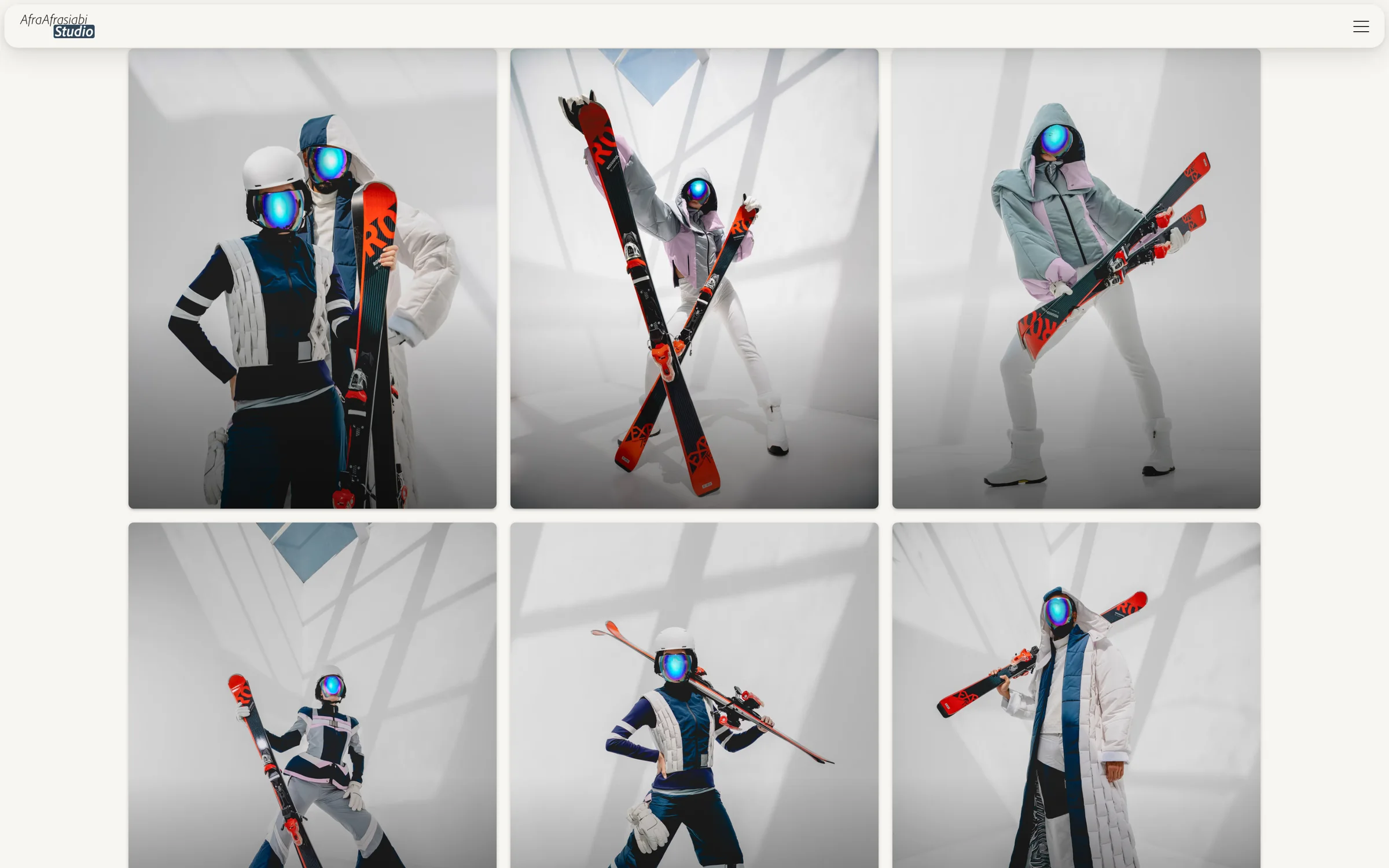
Each shoot opens as a short note and a masonry grid of photos. Any photo opens full size in a lightbox.
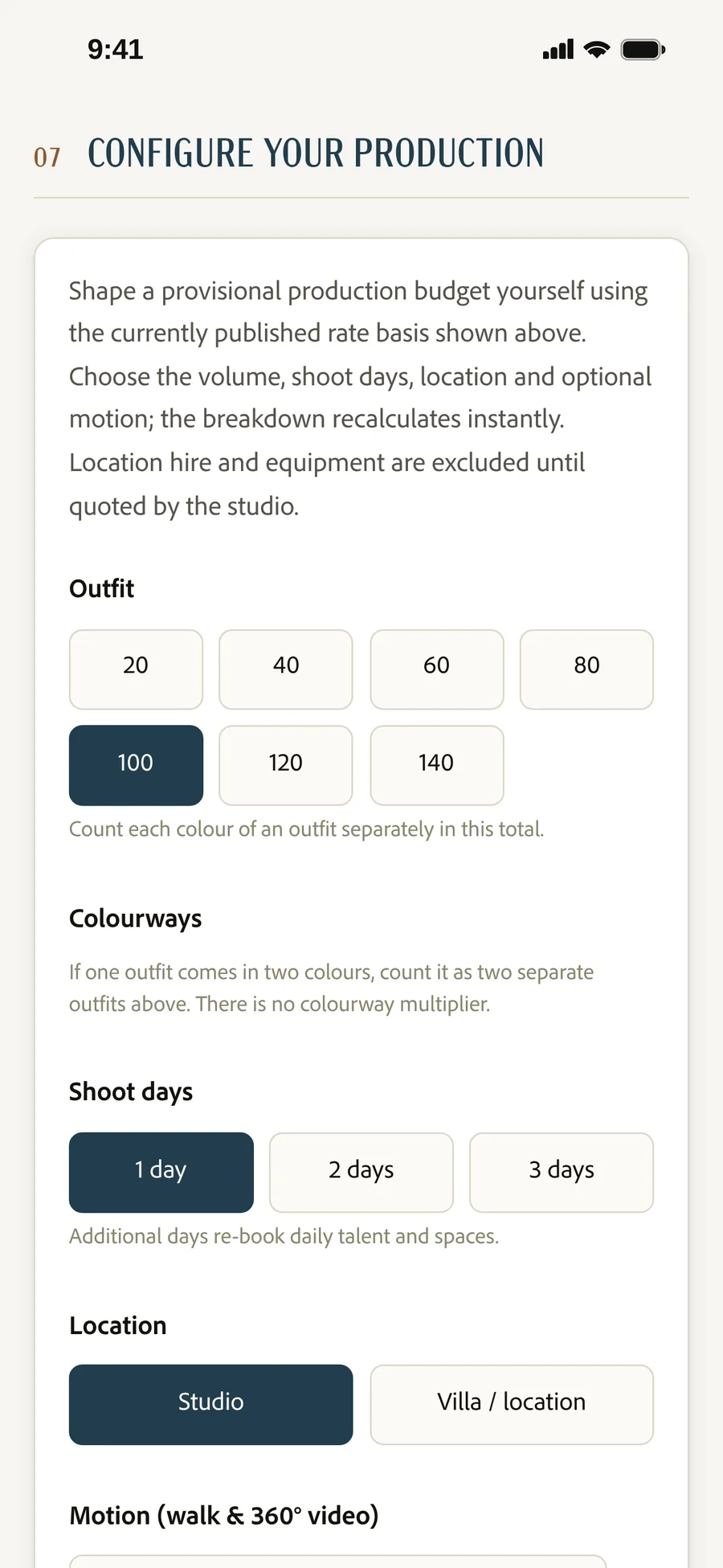
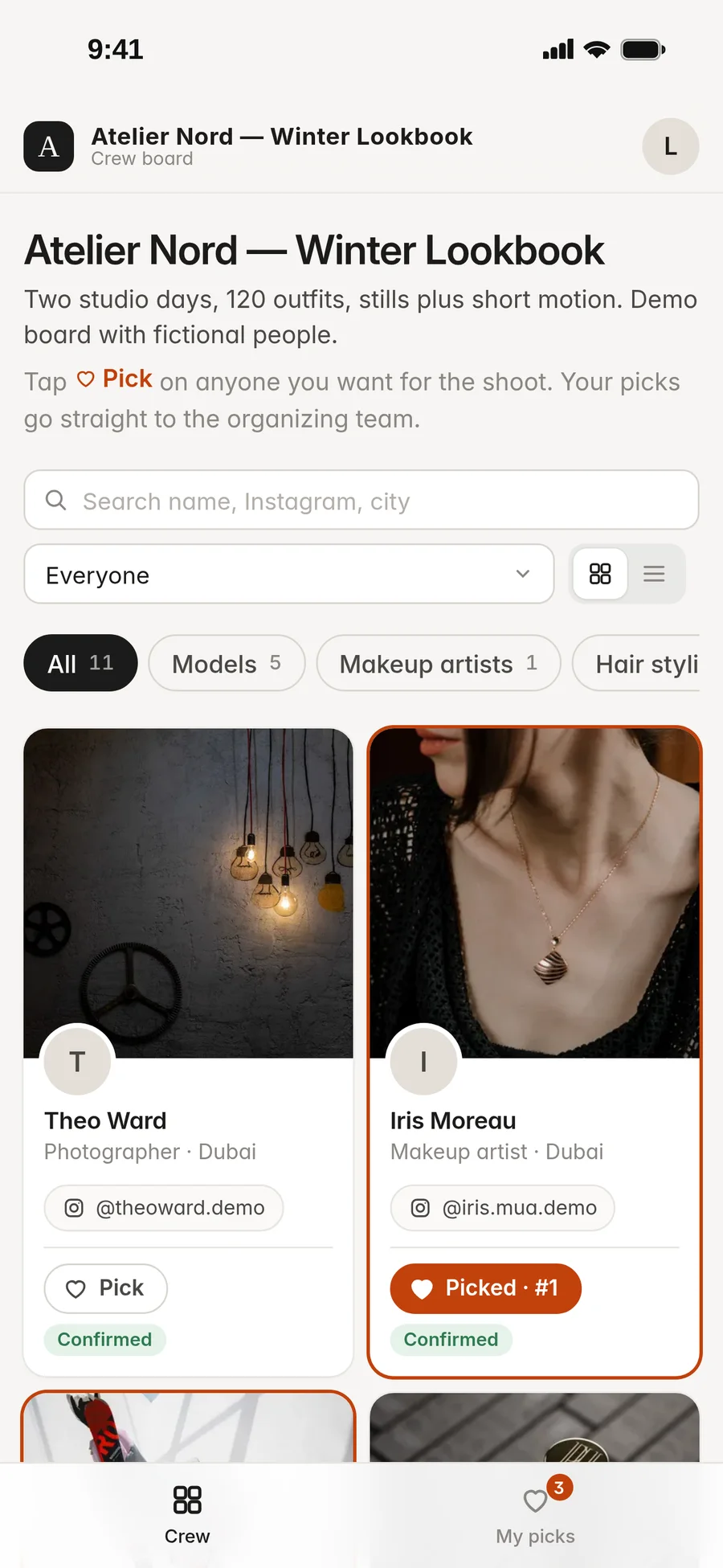
The portfolio, a client proposal calculator and the client's view of a casting board, all at phone width.
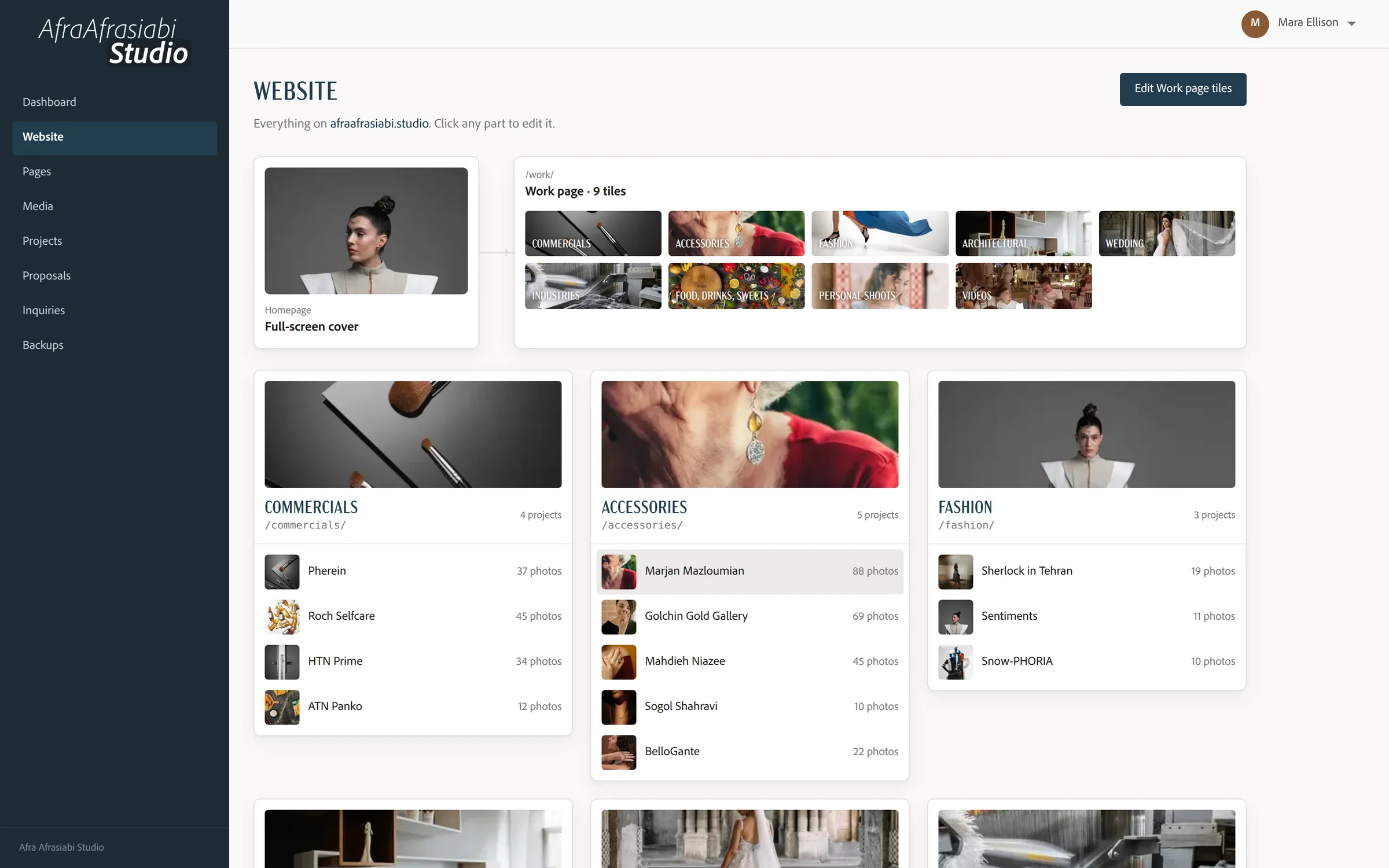
The editor shows every section and shoot with its cover and photo count. Click any part of the site to edit it.
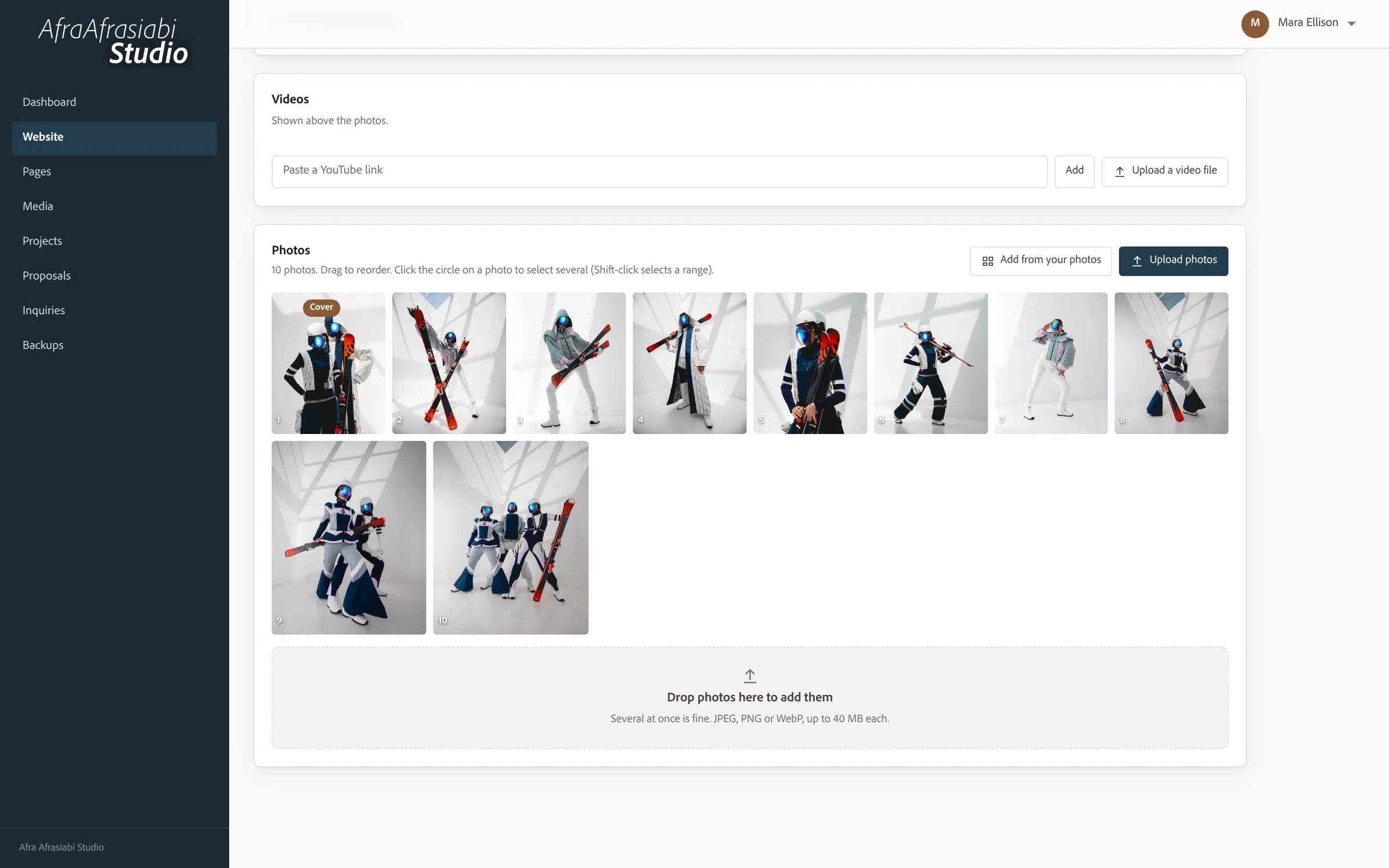
Drag photos into order, select several at once, set the cover and add new ones. Sizes for the web are made in the background.

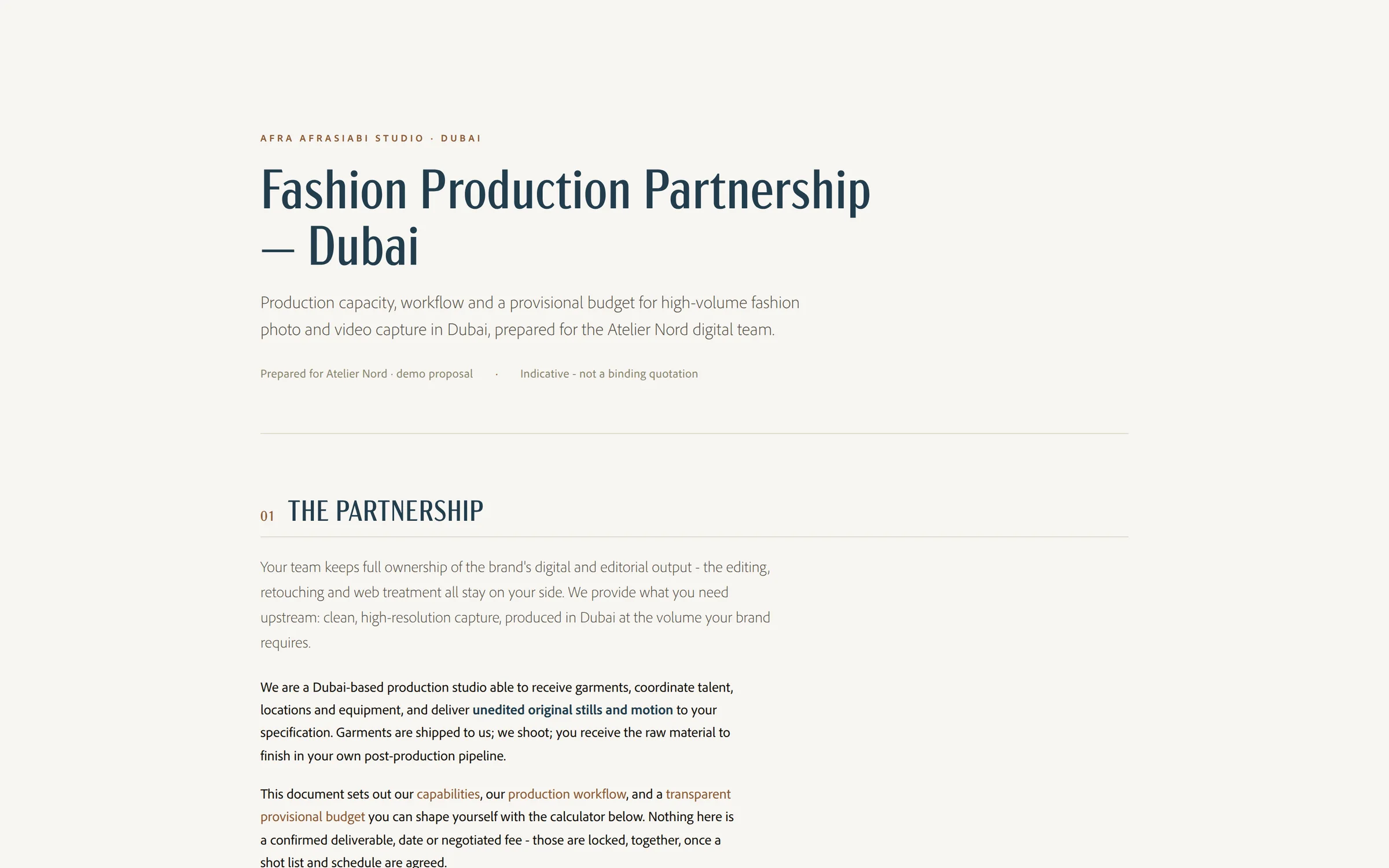
A password-protected page for one client: what the studio delivers, how the production runs and what is not included. Shown here for a fictional client.
Outfits, days, studio or location, video on or off. The estimate, its low-to-high range and the line items update as the client changes them.
Models, makeup, hair, photographers and assistants from a shared database, each with work photos, a status and a rating. Demo people shown.
A photography studio's public website, the editor behind it, private proposal pages and a casting board, all built around how a shoot actually runs.
Everything is static files, so the pictures arrive first.
The home page is a single full-screen image and an Enter link, followed by a Work page of section tiles that also form the menu.
Each shoot opens as a short note and a masonry wall of photos that open full size in a lightbox.
In the lightbox a photo can be dragged down to close it on phones and trackpads, without the drag counting as a tap.
A switch shows the whole site in black and white and is remembered across pages, applied before the page paints.
On desktop, album photos sit in grey and warm into colour under the pointer; on phones and tablets they stay in full colour.
Every photo is served as AVIF or WebP in up to six widths, dithered so smooth studio backdrops do not band.
After the first screen loads, banners, tiles and covers are fetched in the background, skipped on data-saver or slow connections.
Video pages show a still with a play button and only load the privacy-enhanced YouTube player when it is tapped.
Photography, videography or both, project type, date, name and phone are required; email, location, deliverables and notes are optional.
The date cannot be in the past or more than three years out, judged in the studio's own time zone.
Each inquiry is stored with its own reference number before any email goes out, and the visitor sees that reference.
The studio gets a summary with a WhatsApp link and reply-to set to the client, and the client gets a confirmation if they left an email.
Failed sends are retried every five minutes, for seven days for the studio's copy and two hours for the confirmation.
Five inquiries an hour per visitor, capped confirmations, a hidden trap field and a minimum fill time; bots get a polite fake success.
Edits follow how a photographer sorts a shoot, not how HTML is written.
Every section and shoot with its cover and photo count; any part of the site opens for editing from there.
Adding a section creates its page and tile, and the menu is updated on every page of the site.
Drag photos into order, shift-click or select all, set a cover, and hide a shoot from a section without deleting its page.
Drag inside a banner or tile to choose what it shows on a laptop and, separately, on a phone.
Upload photos, add MP4, WebM or MOV files that play muted on a loop, or paste a YouTube link.
Title, a line under it, an optional explanatory note and a search-engine description for each page.
Changes collect in a bar until published, Ctrl or Cmd plus S saves, and discarding asks first.
If a page was changed in another window, saving stops and asks for a reload instead of overwriting it.
Photos must really be JPEG, PNG or WebP, up to 95 MB and 12,000 pixels; videos are checked by their file signature.
The full-resolution file goes to private object storage, and the site gets a 2048-pixel copy at once.
A worker builds the AVIF and WebP sizes, shows the photo as optimizing meanwhile, then refreshes every page that uses it.
Every five minutes any photo on a page that still lacks its sizes is queued again, up to three tries.
Replacing an image refreshes every page that references it.
A photo removed from a page goes to a trash folder, and only when no other page still uses it.
Each page, image and price change keeps the previous version, which can be downloaded or restored, and all pages can be backed up at once.
Pages are written atomically under a lock, so two saves can never interleave into a broken file.
A dashboard with page, image and backup counts and a log of every admin action.
Five wrong passwords lock the account for fifteen minutes, sign-in is rate-limited per address and every change carries a CSRF token.
Title, meta description and HTML can be edited directly when needed, and an empty page is refused.
Every inquiry with its details and whether the studio and confirmation emails were delivered.
A budget the client can shape, instead of a PDF they have to ask about.
Each proposal sits behind its own password, with five attempts per fifteen minutes and a signed one-day session.
Rates are only sent to the page after sign-in, read from the file the studio publishes from the CMS.
Outfits, shoot days, studio or location and video on or off work out the models, photographers, stylists and rooms needed per day.
The total updates with its low-to-high range and every line item as the client changes the options.
Costs not yet quoted are flagged and left out rather than counted as zero, and no estimate shows without a verified price list.
The studio edits low, mid and high rates in the CMS, which checks they rise from tier to tier before publishing.
Casting that used to live in chat threads, on one board per production.
Models, makeup artists, hair stylists, photographers, videographers, stylists and assistants, reused across productions.
Each person on a board has a status from idea to confirmed or declined and a star rating, filtered by role, status or search.
From a username the board fetches the profile picture, bio, follower count and latest six posts, through a connected account when a profile is hidden.
Portfolio and agency links show a title and thumbnail, fetched with a guard against reaching private network addresses.
Drag-and-drop uploads with progress, re-encoded with location data removed, and any photo can become the cover or avatar.
Organizers edit everything; the client's decision makers browse without contact details, internal notes or internal comments.
Decision makers pick people, rank them within each role and add a reason that saves as they type.
Organizers see every pick by role, most-picked first, along with who on the client side has signed in.