A private web mail workspace that runs several custom domains, outside accounts and AI helpers from one calm inbox.
Mail brings every address on every domain into one browser-based workspace. Messages live on our own server with a second copy in object storage, delivery runs through Resend, and it installs on a phone like an app.


Small teams often work across several domains, each with its own people writing in. Hosted mailboxes meant separate logins, separate bills and mail sitting with a third party. Mail replaces that with one workspace: an All inboxes view plus a tab per domain, every address stacked under its domain in the sidebar, combinable with Unread, Starred, Attachments and the usual folders.
It is deliberately a web app rather than a mail server. Resend handles delivery in both directions, and every message and attachment is stored locally in SQLite and on disk, with a second copy in object storage. The interface is plain JavaScript with no build step, so the whole product stays small enough to read end to end.
Security was treated as part of the product, not an add-on: roles scoped to domains or single addresses, authenticator-app two-factor with recovery codes, passkeys, a signed-in devices list and an append-only audit log.
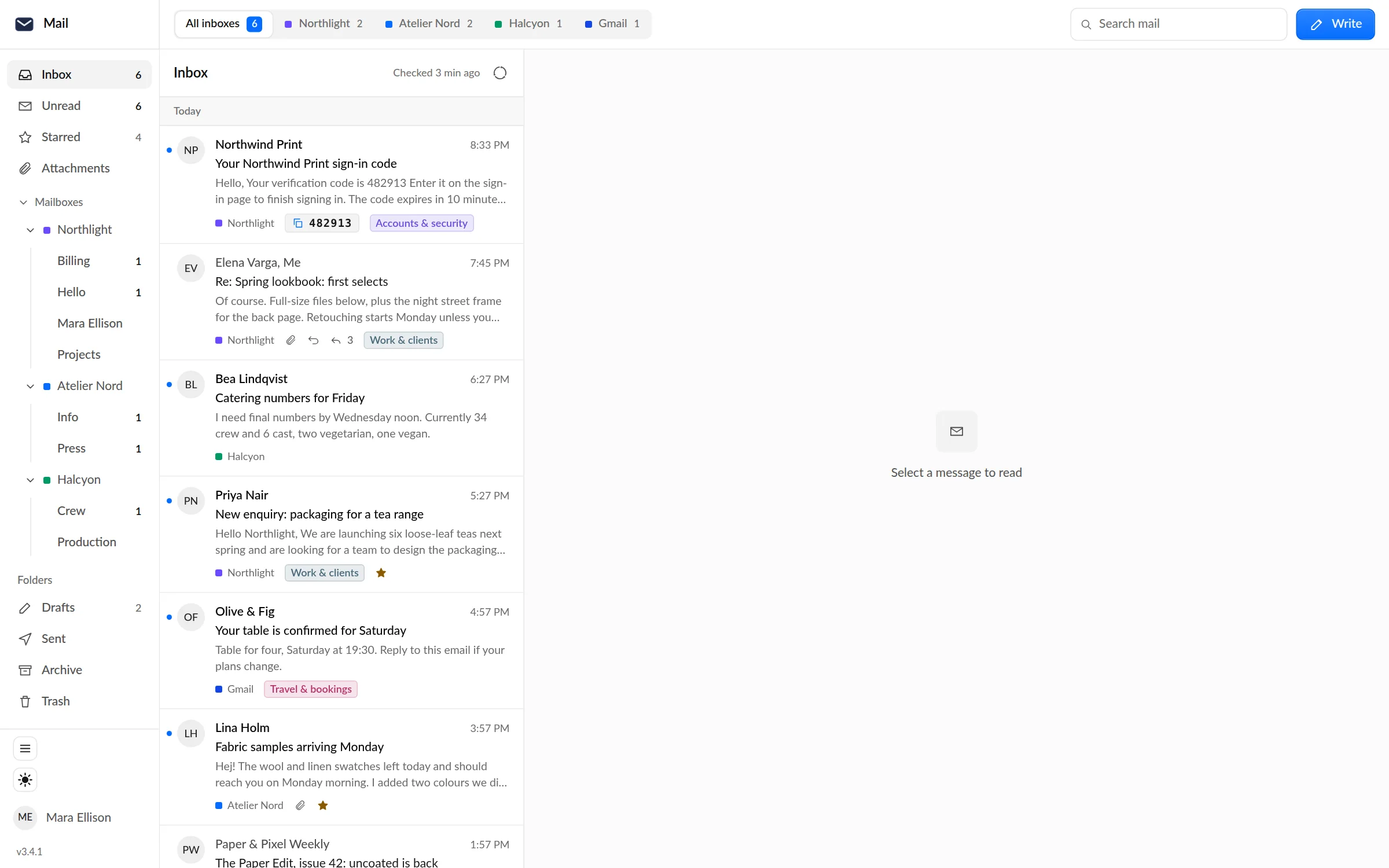
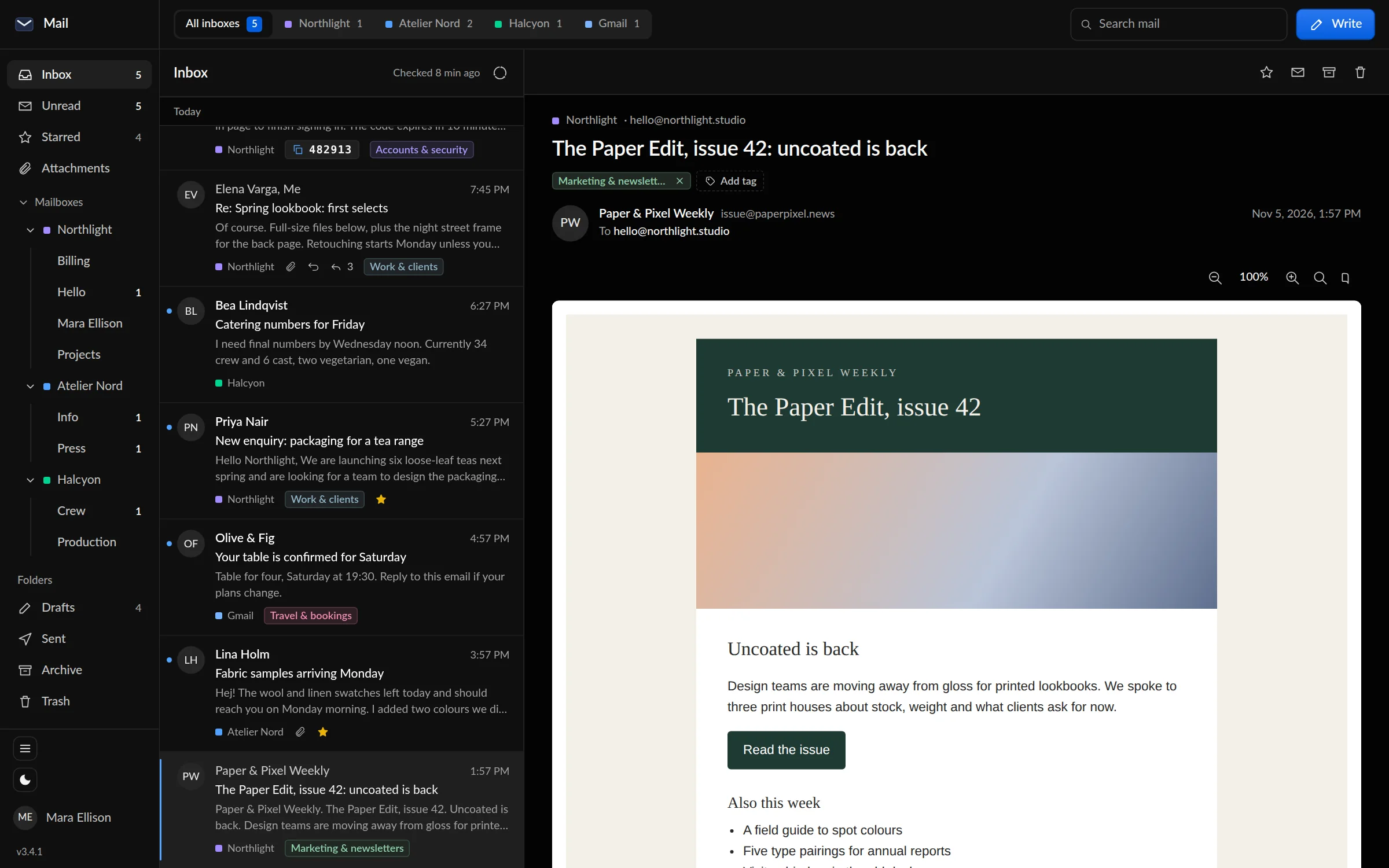
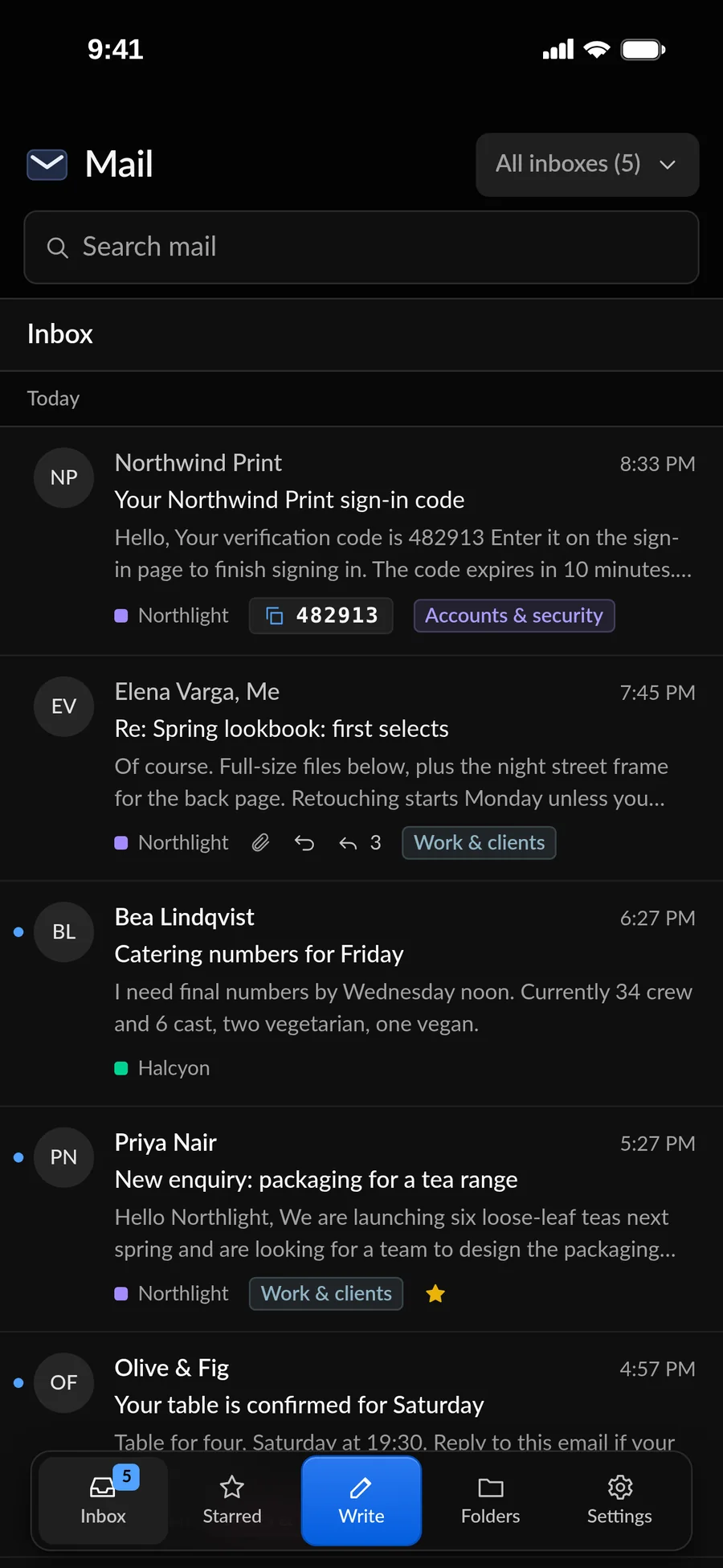
All inboxes with a tab per domain, mailboxes stacked by domain in the sidebar, sign-in codes pulled out as copyable chips.
The highlight slides to the domain you pick and the list fades in from that side. Every motion shares one set of timings.
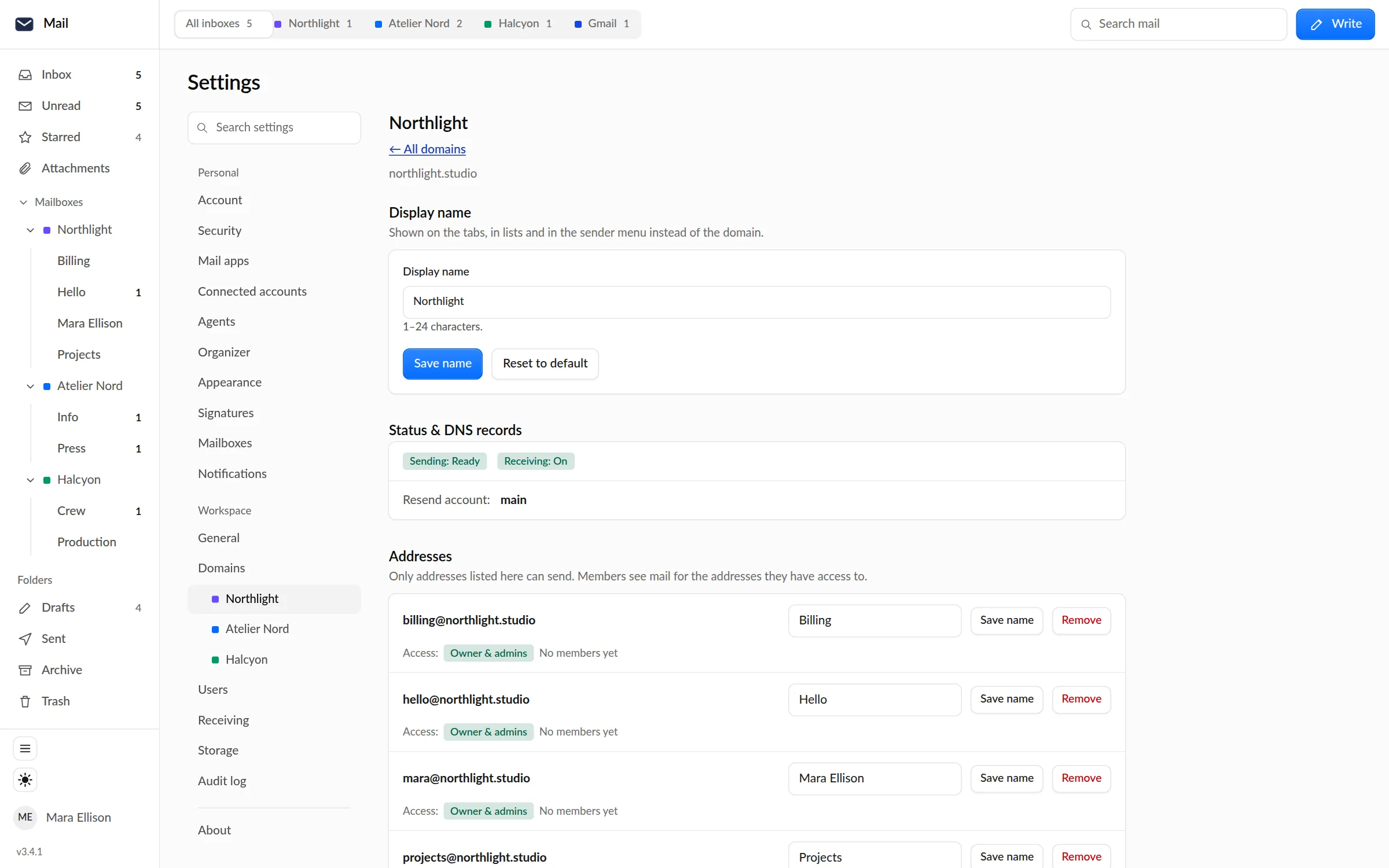
Each domain shows its sending and receiving status, the DNS records to add, and who can use each address.
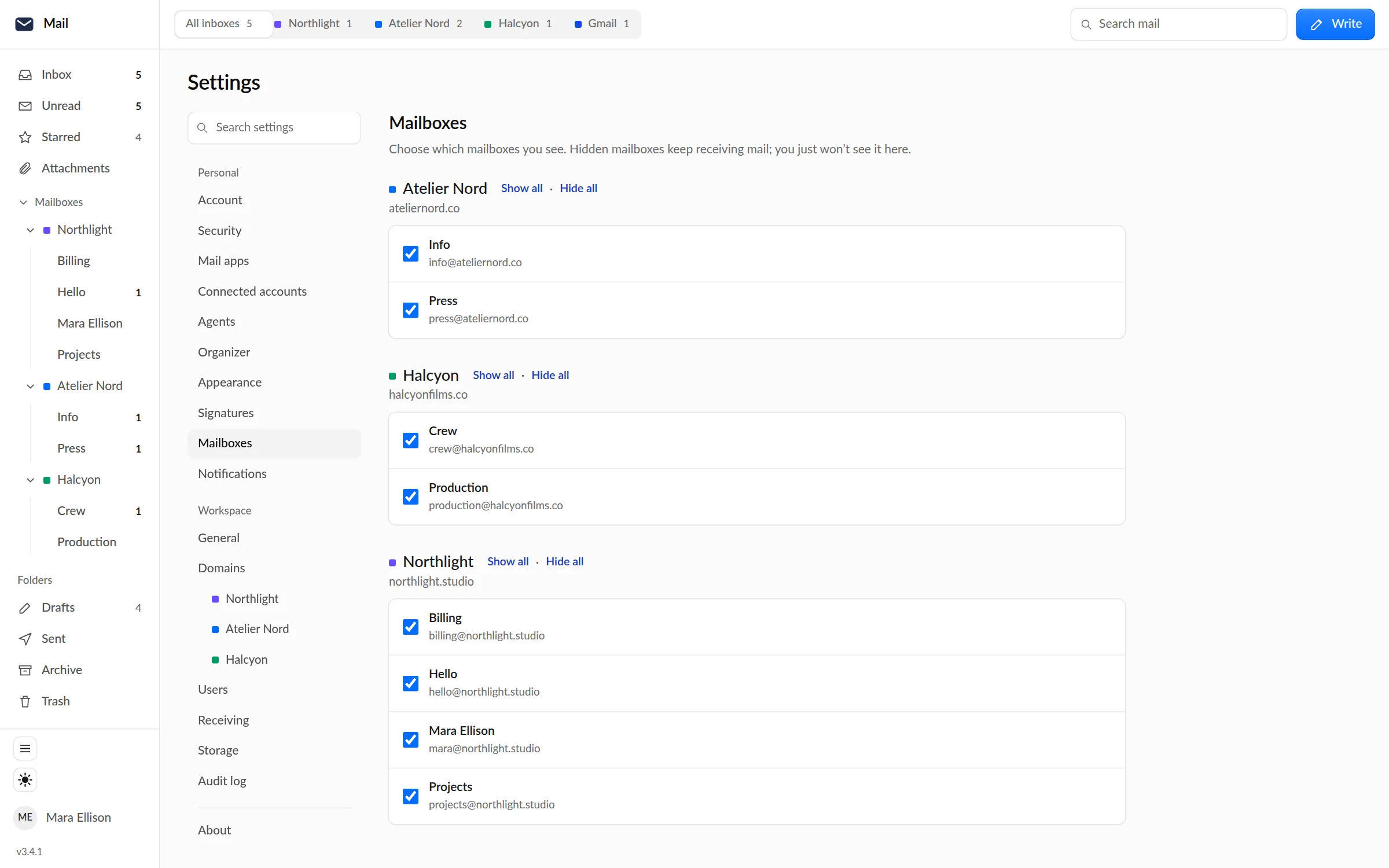
Tick the mailboxes to show, grouped by domain. Hidden ones stay quiet but keep receiving.
Each domain's mailboxes open and close smoothly, with the arrow turning.
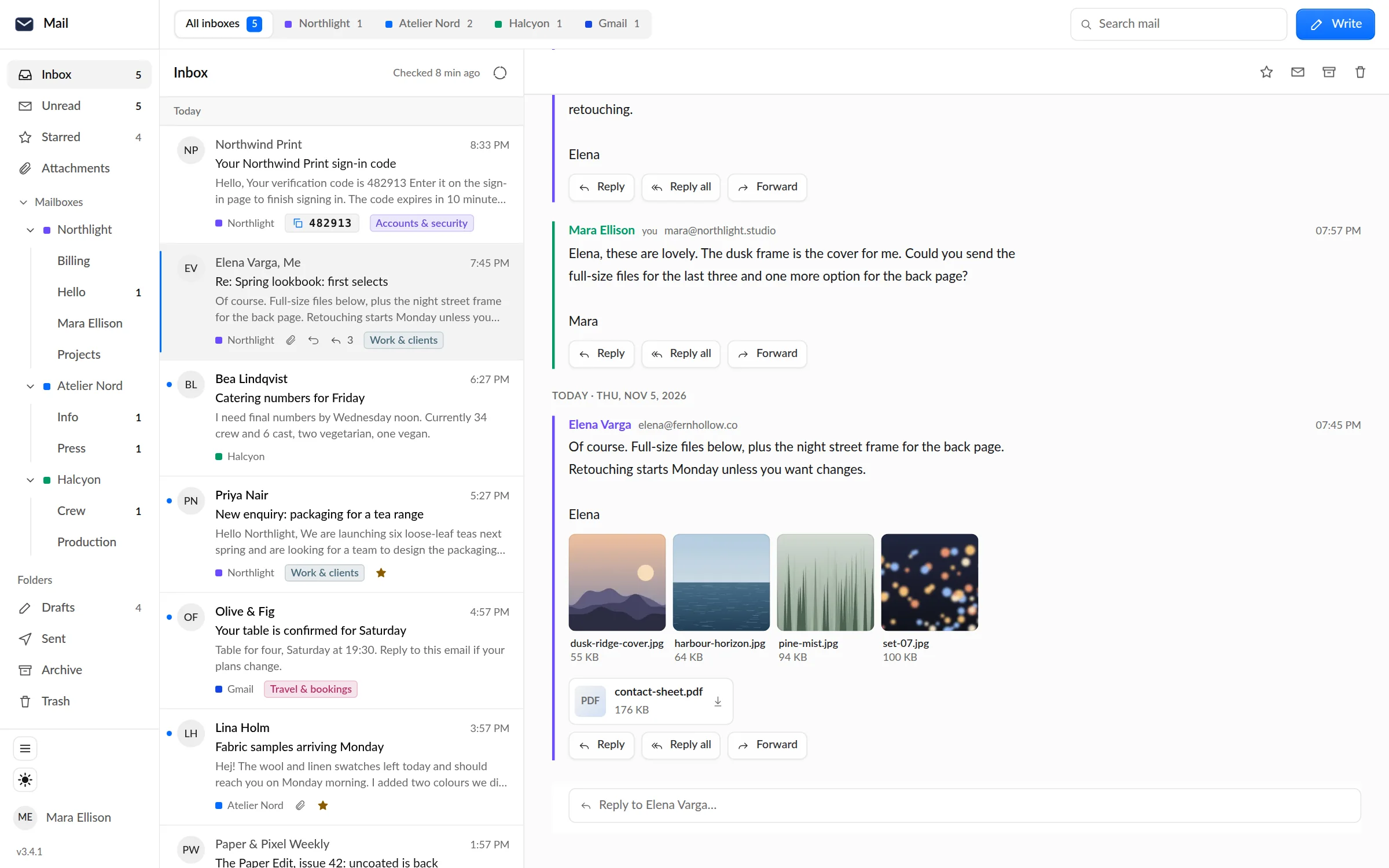
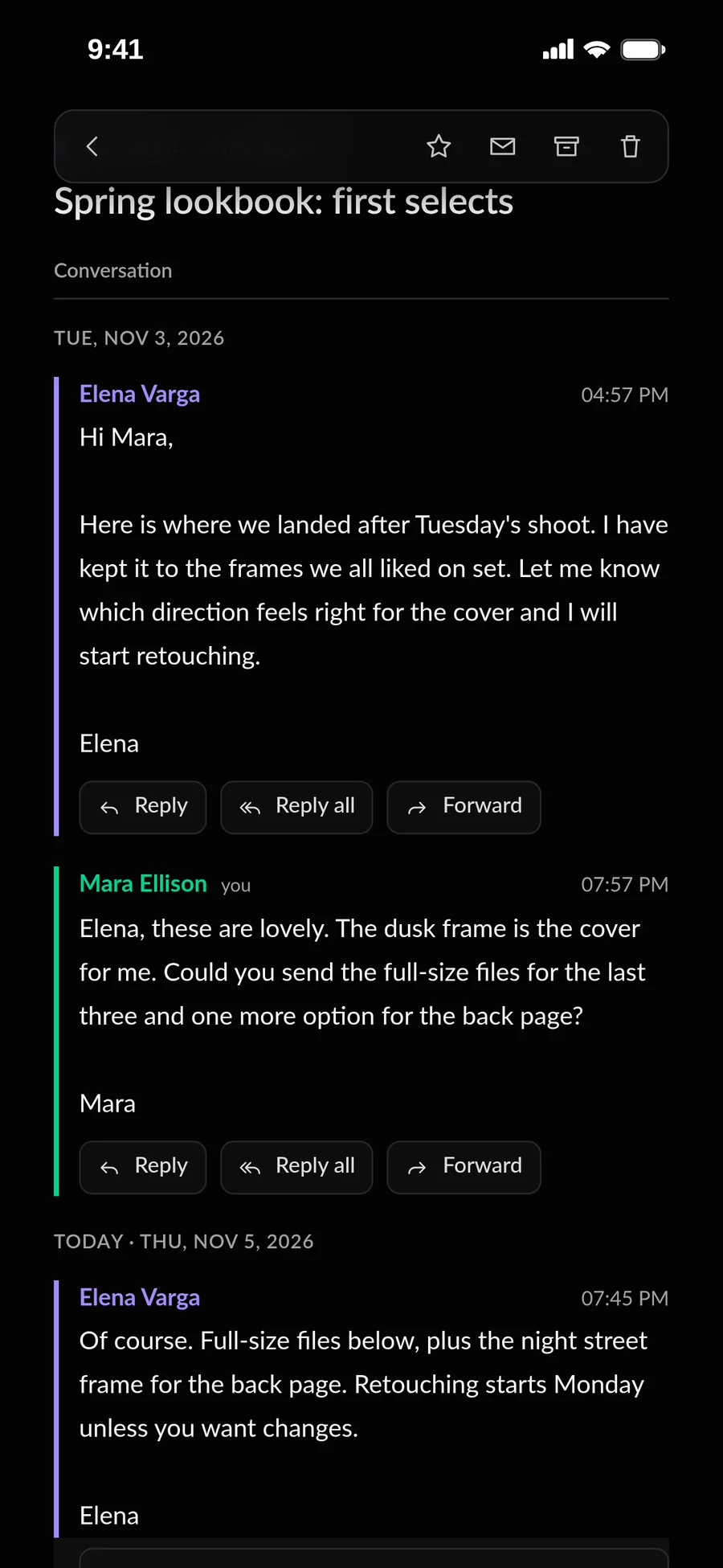
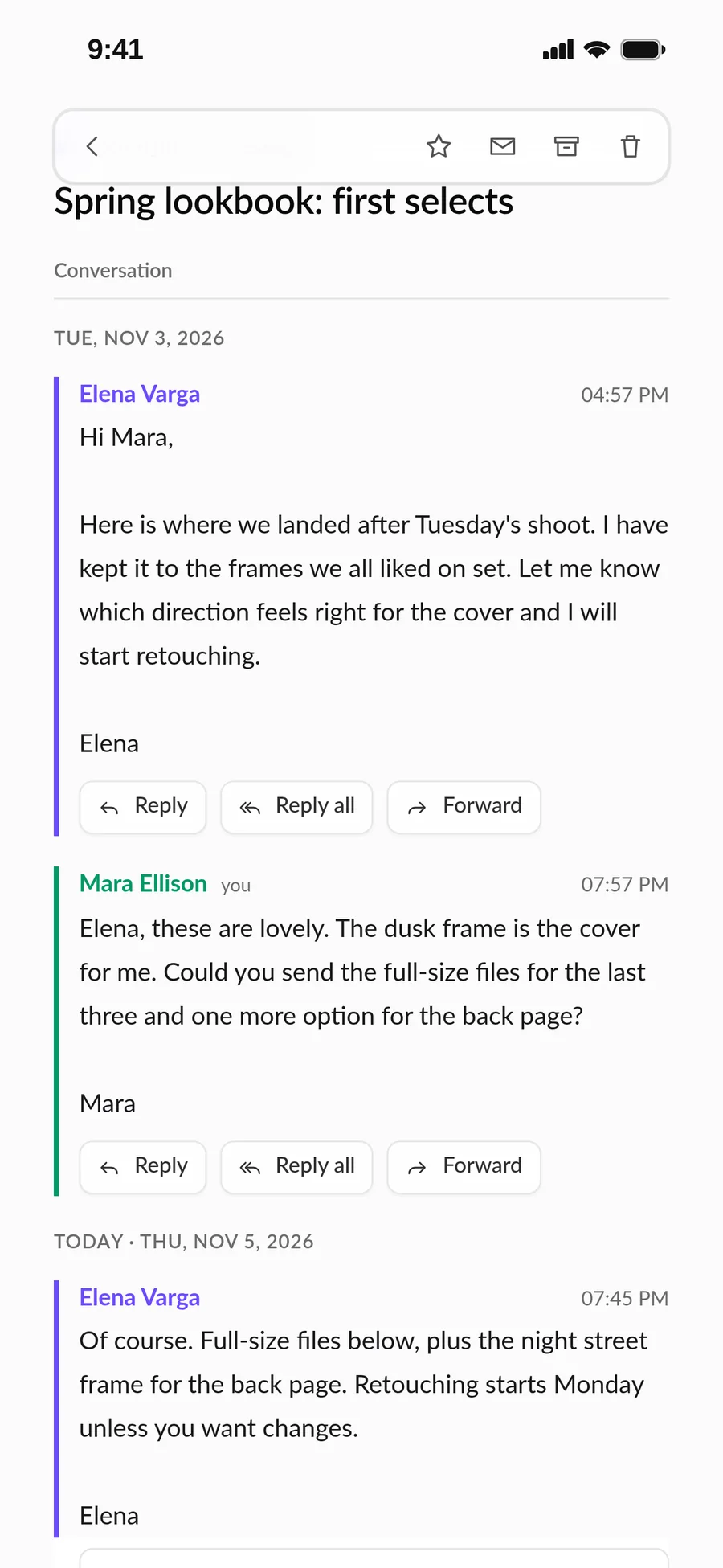
Conversations in a timeline with a coloured rail per sender, photos as thumbnails, quoted history folded away.
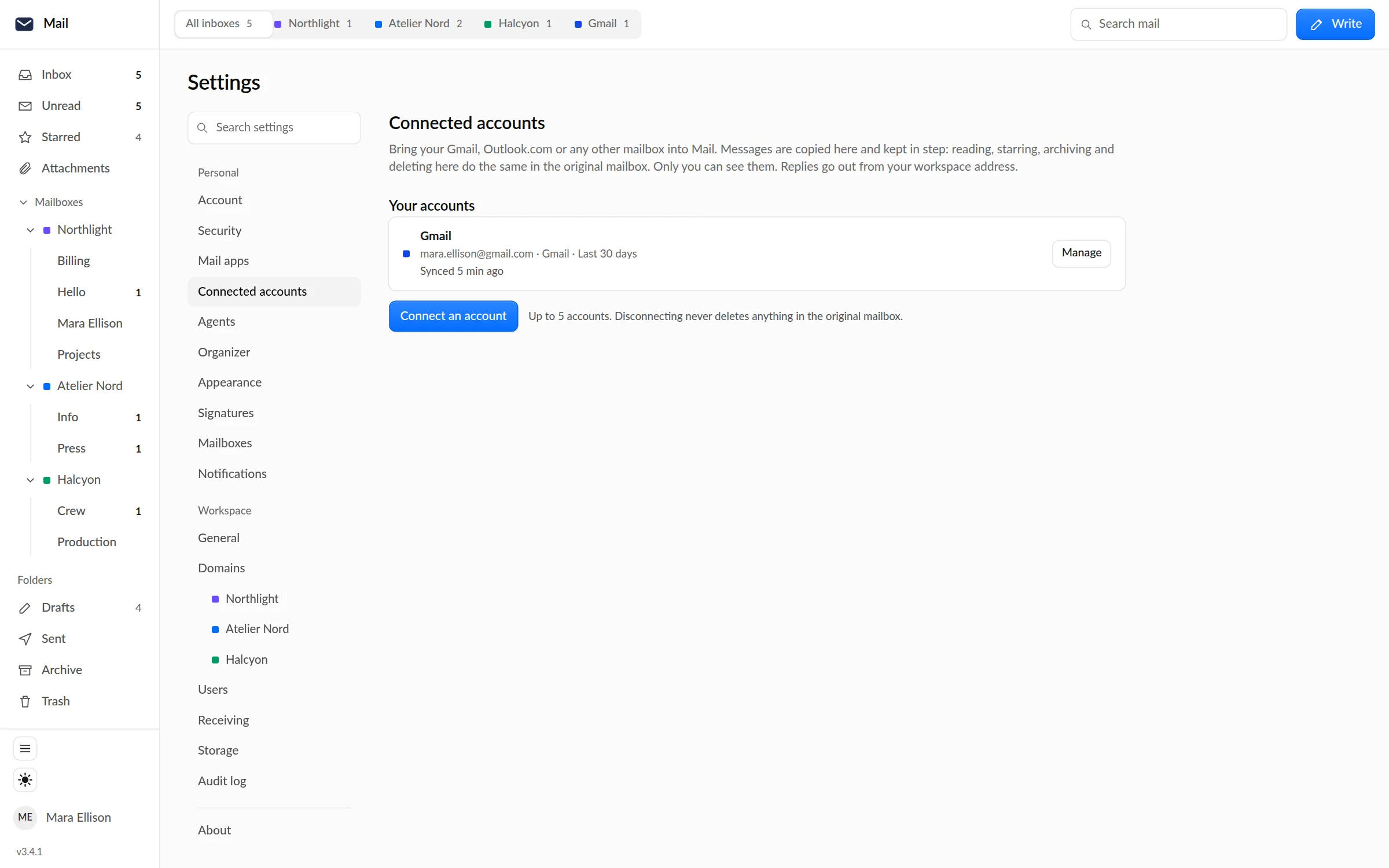
Bring Gmail, Outlook.com or any IMAP mailbox in with two-way sync, and take any address out to Apple Mail, Gmail or Outlook with its own app password.
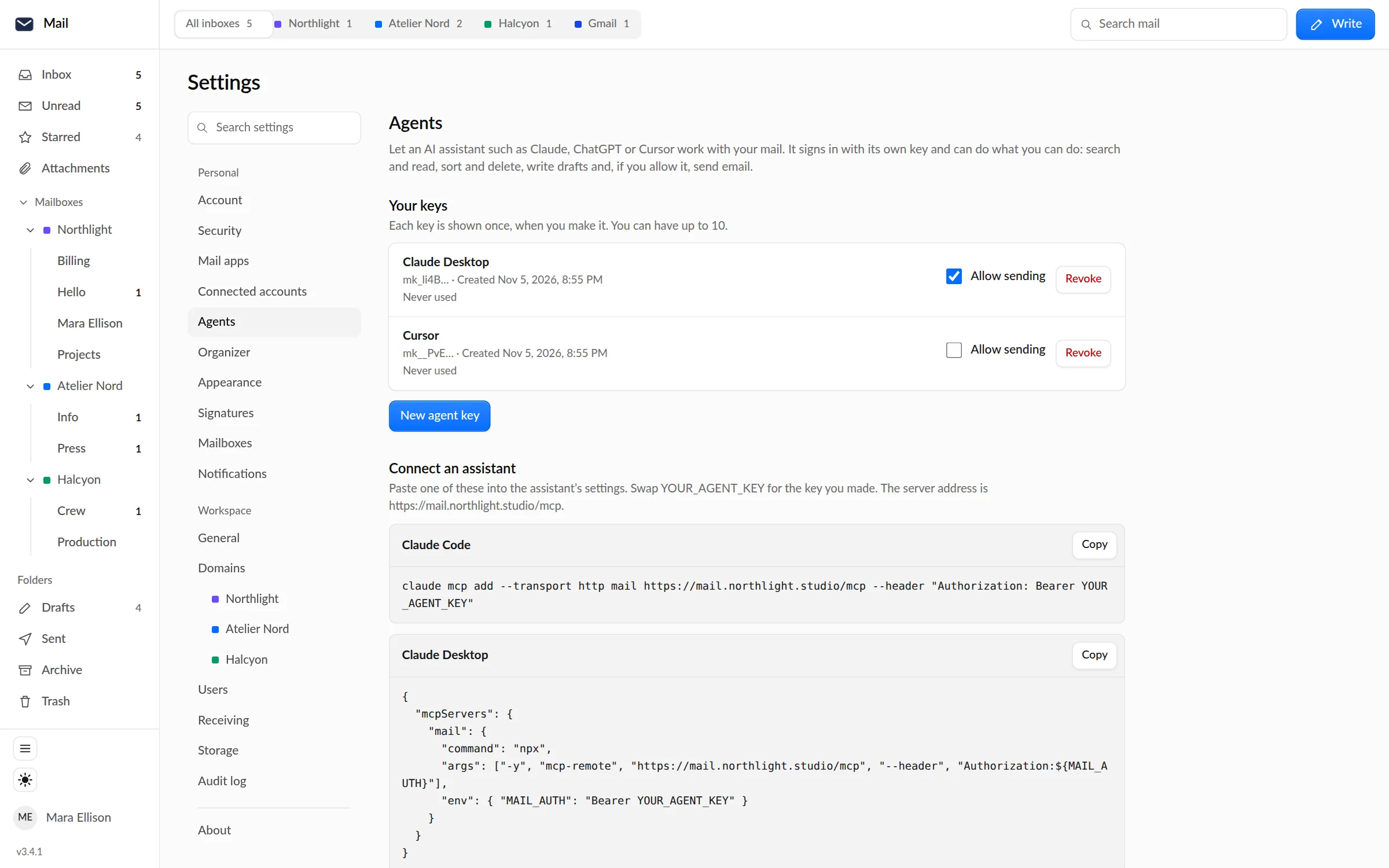
Named keys with sending on or off, rate limits, and ready-to-paste setup for Claude and others.
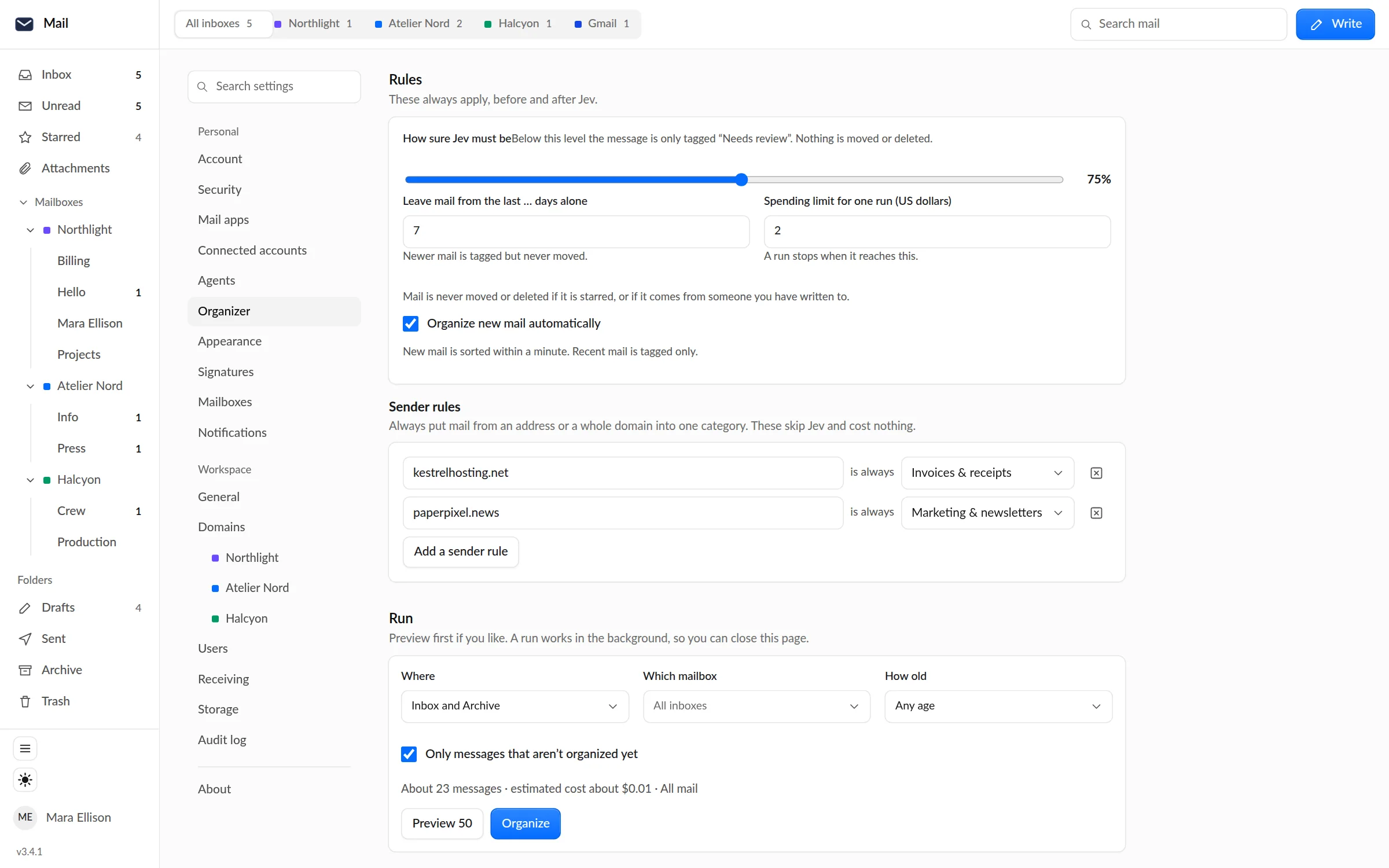
Your categories and rules, a preview with the cost before anything moves, and undo for every run.

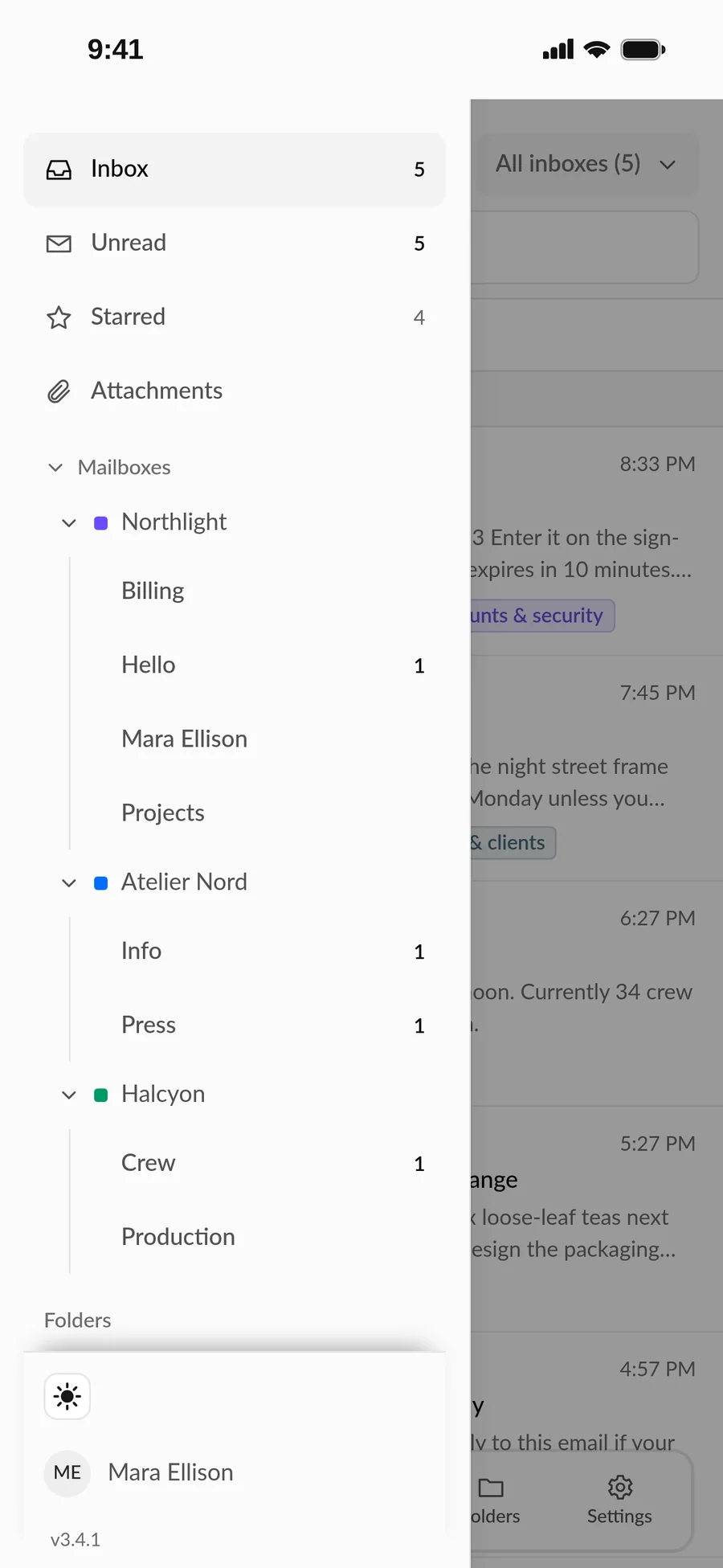
Drag the edge to resize, or fold it to a strip of icons that glide into three groups. Unread mail stays visible as a dot.
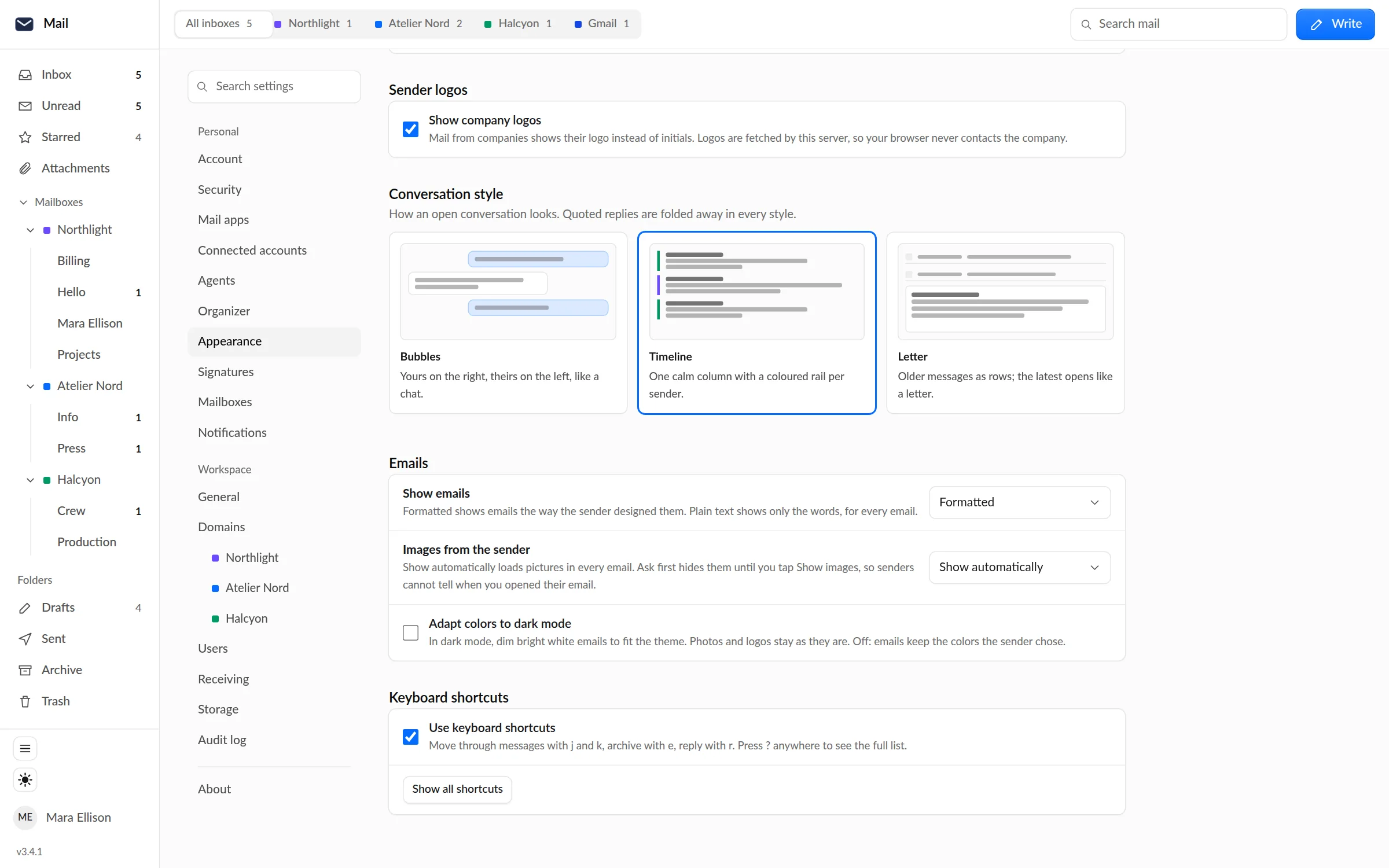
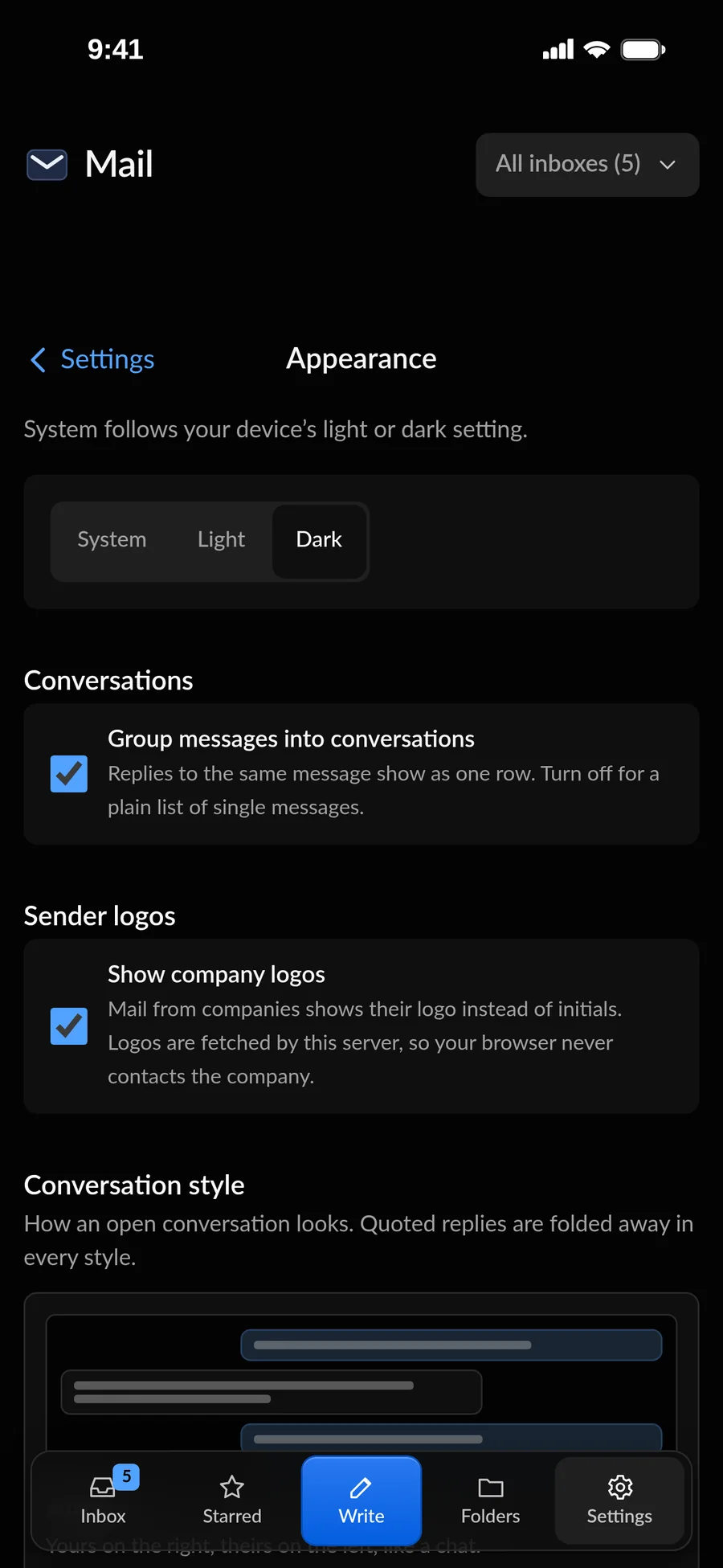
Formatted or plain text, images automatic or ask first, colours adapted to dark mode or left as sent.
A bright newsletter toned down for night reading, with its photos left exactly as sent.
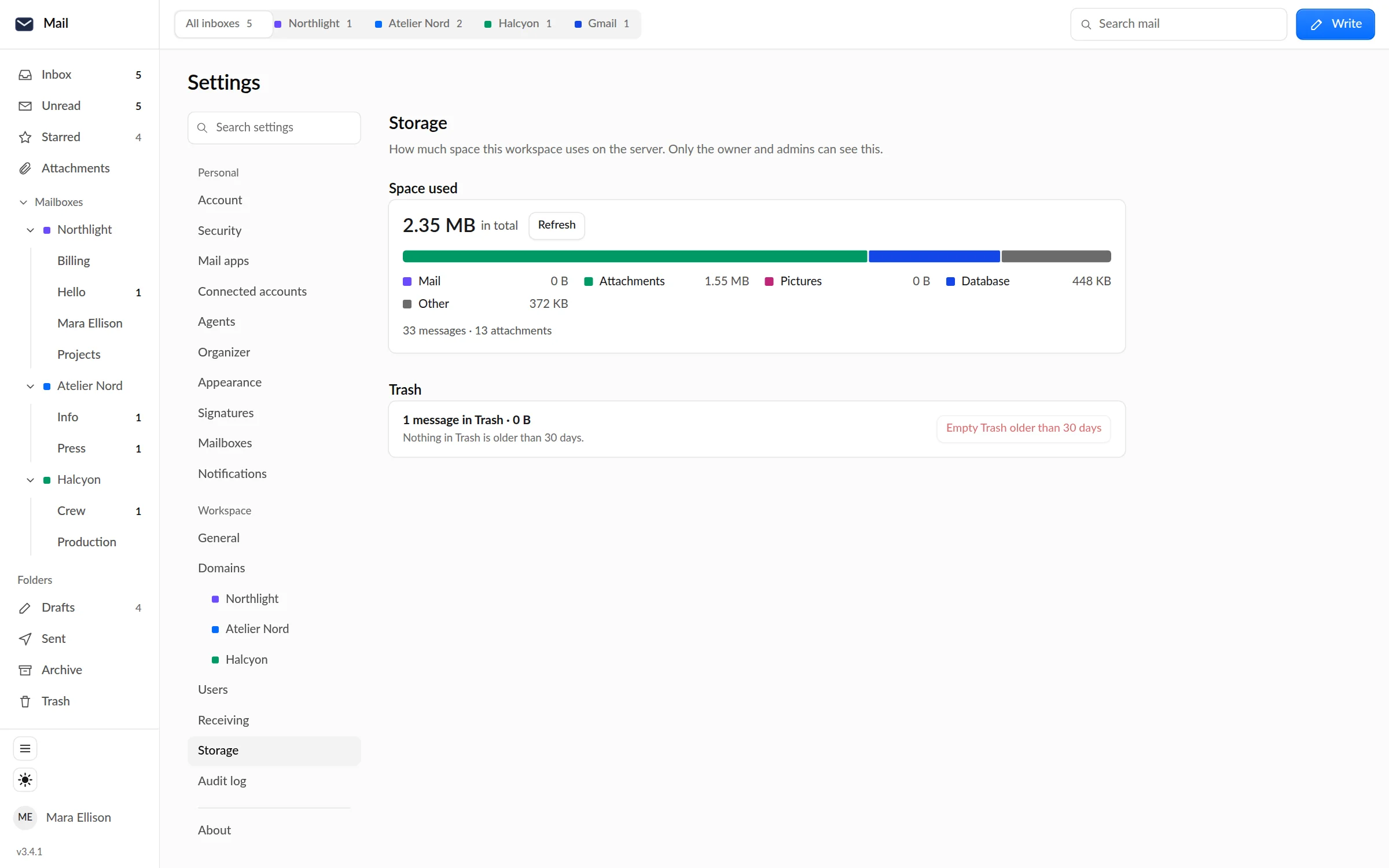
What mail, attachments, pictures and the database take up, and Trash emptied in one click.
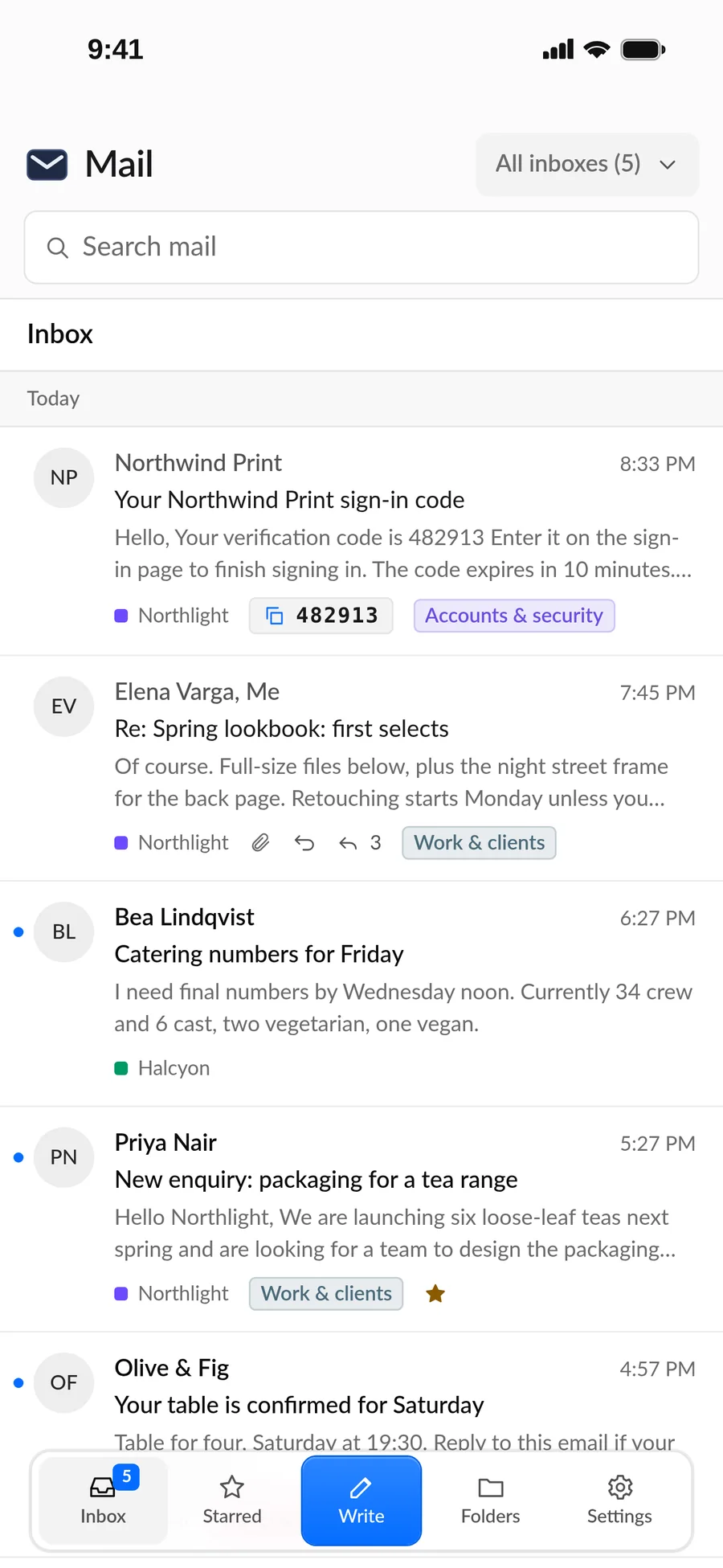
Installed from the browser, with a floating bottom bar, pull to refresh, and the same mailboxes and folders.
Mail went through 54 releases. These are the things it does today, grouped the way you meet them: your domains, the accounts you bring in, the help it gets from AI, and the care in how it reads, writes and moves.
Any number of custom domains in one workspace, each with its own addresses, colour and people.
Each custom domain gets its own settings page with sending and receiving status, the DNS records to add, and a note when only one half is ready.
All inboxes, or one domain at a time. Each domain has its own colour, so it is always clear where a message belongs.
Every address you can use sits in the sidebar under its domain, with its own unread count. Each domain folds open and closed.
Tick which mailboxes to see, with Show all and Hide all per domain. A hidden mailbox keeps receiving and you can still write from it.
Give each person no access, a whole domain, or just specific addresses, and create a new address for them on the spot.
Pick the sending address in the composer. Each address keeps its own signatures for new mail and for replies.
Domains can run on different Resend accounts, so one domain's mail goes out with its own key while the others keep theirs.
Invite links, three roles and an audit log of who signed in, from where, and what they changed.
Bring outside mail in, and take your workspace mail out to any phone or computer.
Add your own Gmail with an app password, Outlook.com with a sign-in code, or any mailbox with its server name and password.
Read, star, archive, trash or move a connected message here and the same thing happens in the original mailbox.
Load the last 7 days, the last 30, or everything. Load all mail later and it fills in the background with progress shown.
Nobody else sees a connected account, not even the owner. Replies still go out from your workspace address.
On disconnect, keep the copied mail or remove it. Nothing in the original mailbox is ever deleted.
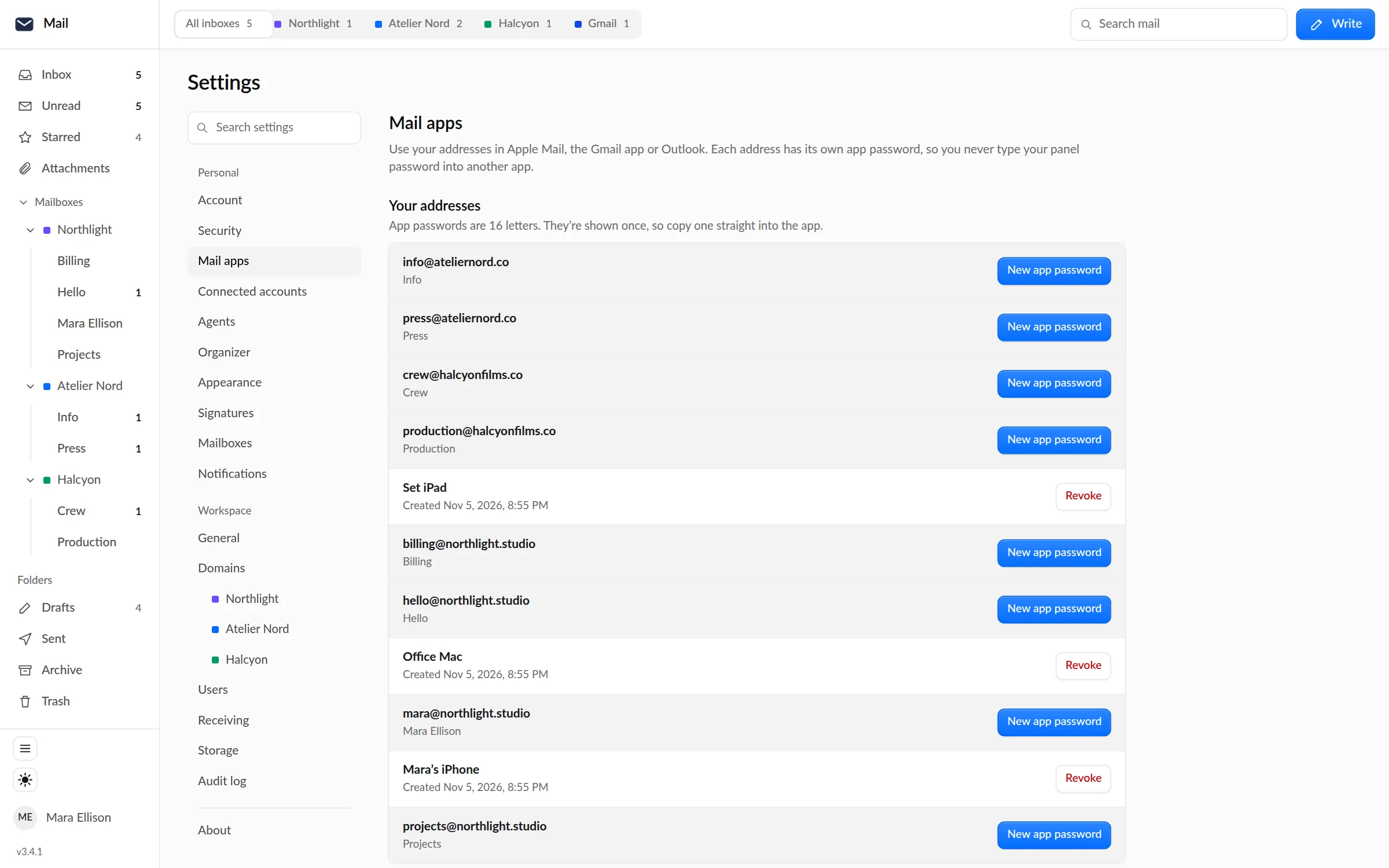
Make an app password for one address and use it in Apple Mail, the Gmail app or Outlook, on your phone or someone else's.
Sixteen letters, shown once, named per device and stored only as a one-way hash. Revoking one stops it within a minute.
Per-device push on phones and desktop browsers, one notice for a burst of mail, and a lock-screen option that only says "New email".
AI can help sort and handle mail, always on a short leash and always on the record.
Make a key for Claude, ChatGPT, Cursor or another assistant. It can search and read mail, mark, move and delete it, write drafts and, if you allow it, send.
Turn Allow sending off and a key can read and organise but never send. Each key can be paused in one click and is capped at 120 calls a minute and 30 sent emails an hour.
Whatever an assistant changes or sends goes into the audit log under the key's name.
Categories with a name, a plain description, a colour and an action: tag, mark read, archive, move, suggest deleting, or trash.
See what would happen to up to 50 messages, with a cost estimate. Nothing changes until you press Organize.
Suggested deletions wait for your confirmation, and messages the model was unsure about land in Needs review.
Every run is kept with its cost, and Undo puts mail back where it was.
Tags show in the list and the reader, with a Tags list in the sidebar and one bar to move or delete everything under a tag.
Mail shown the way it was sent, with tools for the moments that need them.
Replies and forwards group into one row with a count. Older messages fold into single lines.
Bubbles, a Timeline with a coloured rail per sender, or Letter. Quoted history folds away in every style.
When an email clearly carries a sign-in code, it shows in large type above the message with a Copy button. Order numbers and prices are left alone.
Mail from companies shows the company's logo. The server fetches it, so your browser never contacts the company.
Zoom formatted mail from 50% to 200%, find a word inside it, or read a clean text-only version.
Image attachments show as square thumbnails with name and size, photos first. PDFs and other files keep a file row.
Word starts ("invo" finds invoice), exact phrases in quotes, Persian and Arabic text, best matches first.
j and k to move, e to archive, s to star, r, a and f to reply, c to write, / to search. Press ? for the full list.
A composer that formats as you type and never loses what you wrote.
Headings, lists, quotes, code and links turn into formatting as you write. Paste a whole Markdown file, tables included.
Font, size, colour, highlight, headings, lists, alignment and links, trimmed to the essentials on a phone.
Attach, drag in or paste, up to 25 MB per message, each file with its size and progress.
As many as you like, with separate defaults for new mail and replies, and a picker that swaps them without touching your text.
Replies and forwards keep the original in a folded quote below your cursor.
A Markdown button shows the underlying text and switches back without losing anything.
Every choice about how mail looks is yours, set once in Settings.
Switched from a small sun and moon button above your account. The icon animates when it changes.
Choose once and every email follows. Formatted is the default.
Images load on their own, or stay hidden until you allow them, so senders cannot tell you opened the message.
Bright white emails can be toned down at night, with photos and logos left exactly as sent.
Right-to-left text reads right to left wherever it appears, set in Vazirmatn, while the layout stays put.
600px newsletters shrink to the screen, so you only ever scroll up and down.
One motion system across the app, tuned until nothing snaps.
Everything moves between 120 and 360 ms, closing a little faster than opening. Reduce motion turns all of it off.
The domain highlight slides to the tab you pick and the message list fades in from that side.
Compose, confirmations, menus and shortcuts fade in, and fade out again when closed, Escape included.
Drag the edge wider, up to about 420 pixels. Double-click it, or use the arrow keys, to reset.
One button folds the sidebar to a strip of icons, which glide into three groups. Unread mail shows as a dot.
Each domain's mailboxes unfold and fold away with the arrow turning.
On phones it floats above the page, shrinks to icons as you scroll down and grows back as you scroll up.
Pull the list down past the point where the arrow darkens, let go, and it springs back when the check is done.
Mail is kept on your own server first, with a second copy and a clear view of what it costs in space.
Settings shows what mail, attachments, pictures and the database take up, and empties Trash older than 30 days in one click.
Attachments and original messages are saved on the server first, then copied to object storage, which refills anything missing.
Sign in with a fingerprint, face or device PIN. Keep up to ten, each with where it works and when it was last used.
Authenticator-app codes with ten recovery codes to copy or download.
Every active session with its address and last activity, each one revocable.
Failed sign-in limits are tracked per device location, so nobody can lock the owner out.
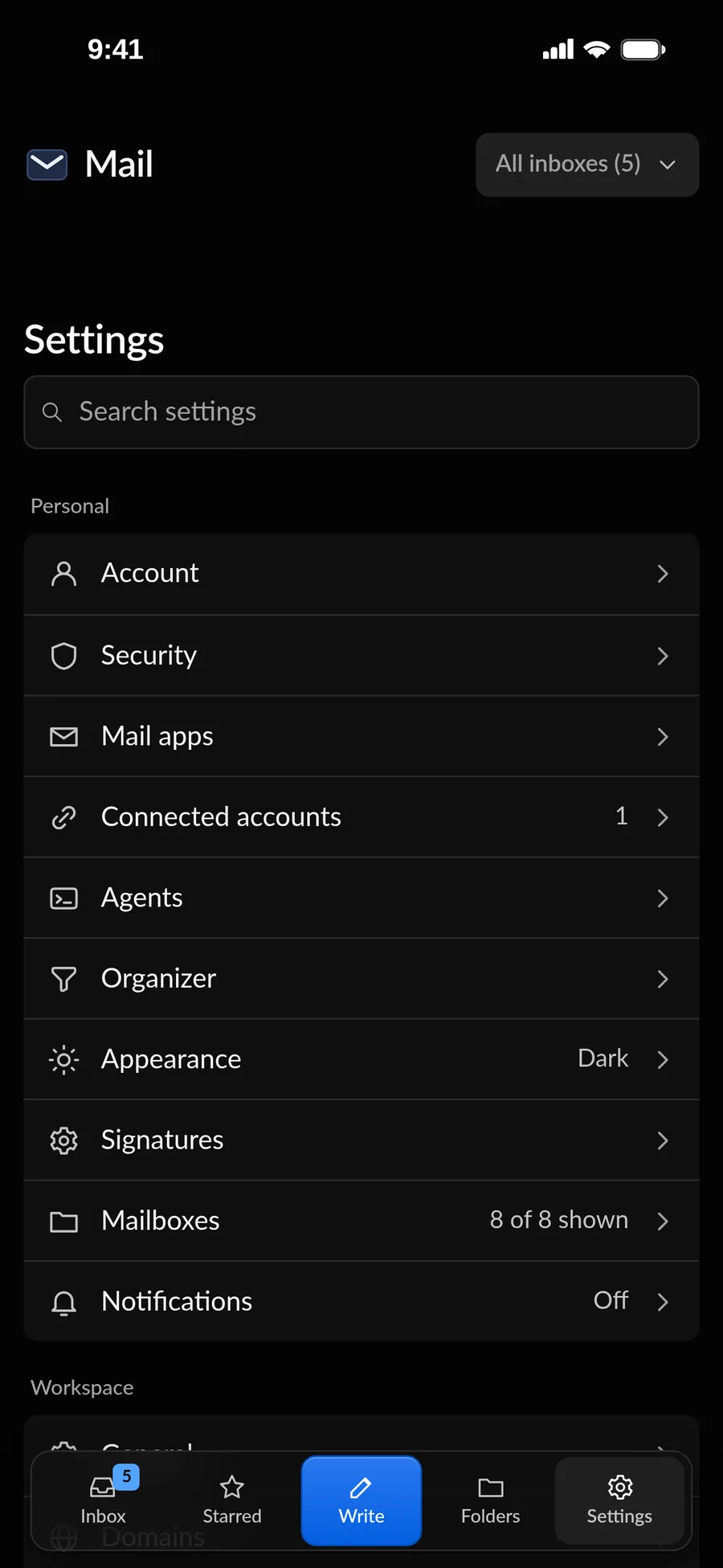
Find a settings page by name or by what is on it, for example "password" or "Outlook".
Mail is checked every 60 seconds, and old background records clear themselves out.