A private status board that follows one project and shows its owner what is live, what changed and whether it is healthy.
A watchtower is a small read-only website that sits beside a project and reads its repository, its servers and its deploy records. The owner opens one page and sees the live version, recent work, uptime and open decisions without asking anyone.

A watchtower is a status board for one project. It reads the project's git repository, the running containers, the deploy and backup records and a few curated files such as decisions and progress trackers, then lays them out as calm pages: an overview, history, builds or releases, health and documents. It never edits anything; it only looks.
Every serious project should have one. Without it, the owner learns how things stand by asking, and the answer is a summary of someone's memory. With a watchtower the answer is already on screen: which version is live, how far it sits behind the latest work, whether the site answered every check this week, when the last backup ran and which decisions are still open. Progress becomes something you can check at any hour, not something you wait to be told.
Ours are built as separate small services, never inside the product they watch. They mount the repository read-only, issue only GET requests, and reach Docker through a guard that answers for named containers only. Collectors sync the repository, probe health endpoints on a schedule and record each deploy, restart and health change as an event. Pages sit behind their own sign-in, can strip addresses and secrets before rendering, and raise a visible alert when a threshold is crossed, such as a run of failed sign-ins or a backup that has gone stale.
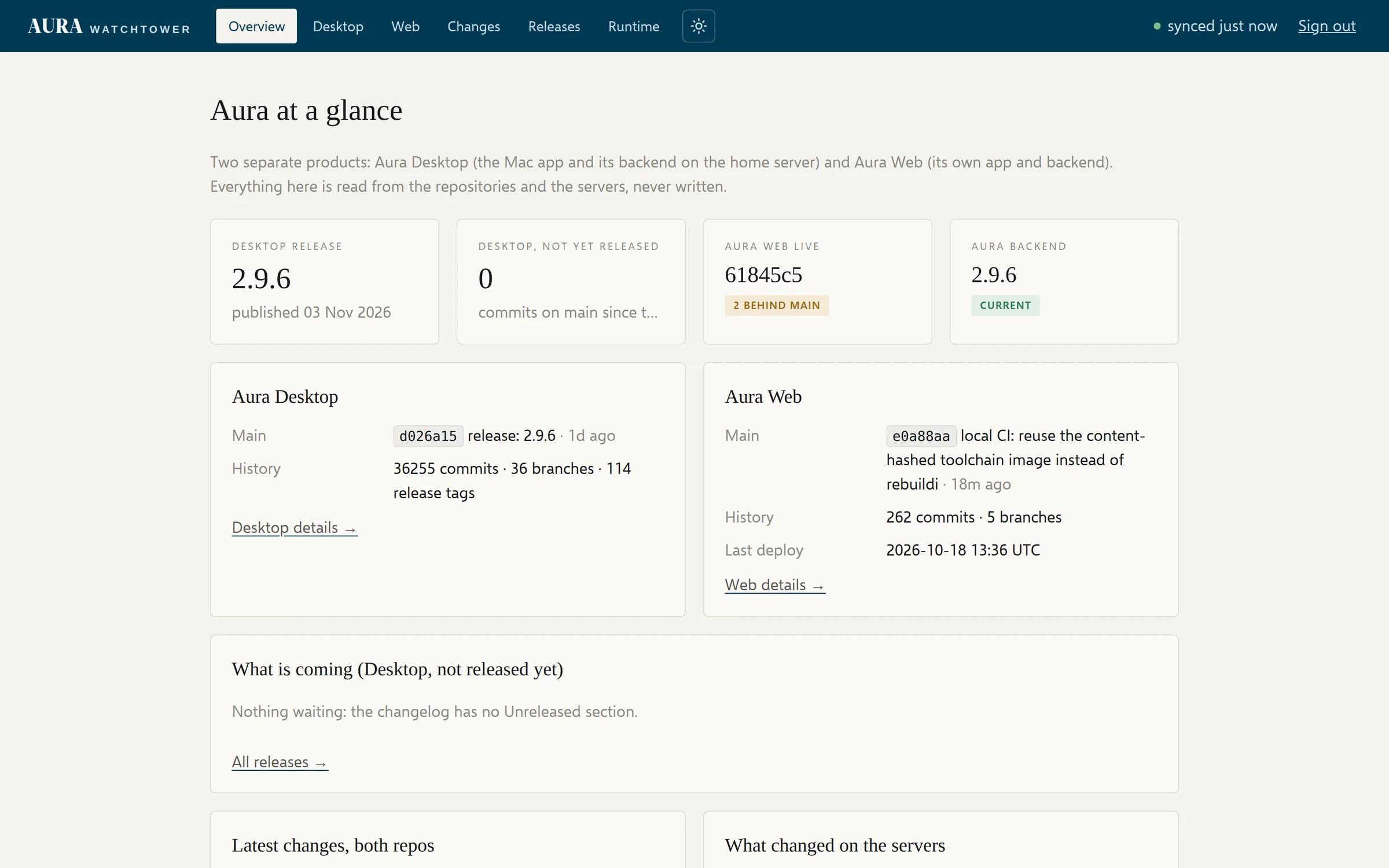
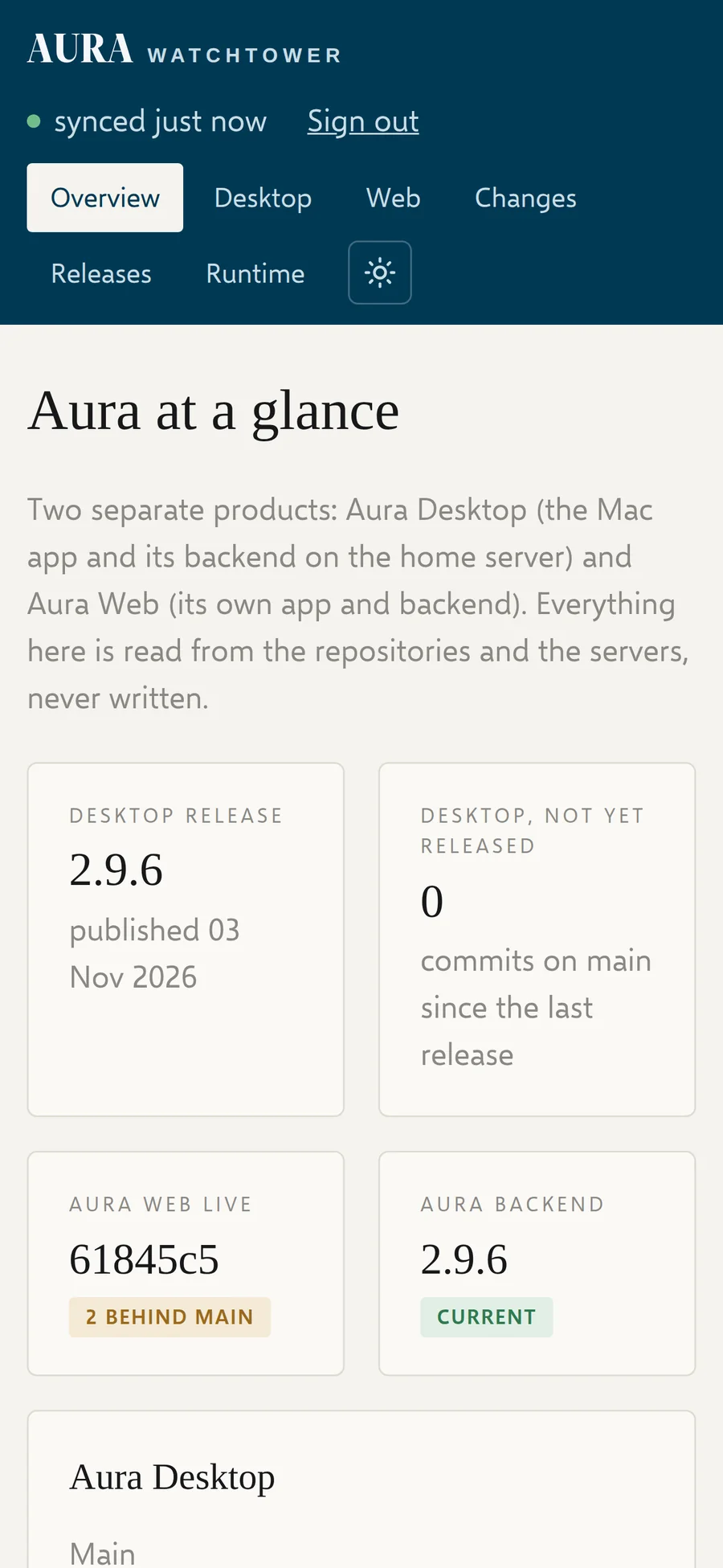
Desktop release, unreleased work, the live Aura Web commit and backend version side by side.
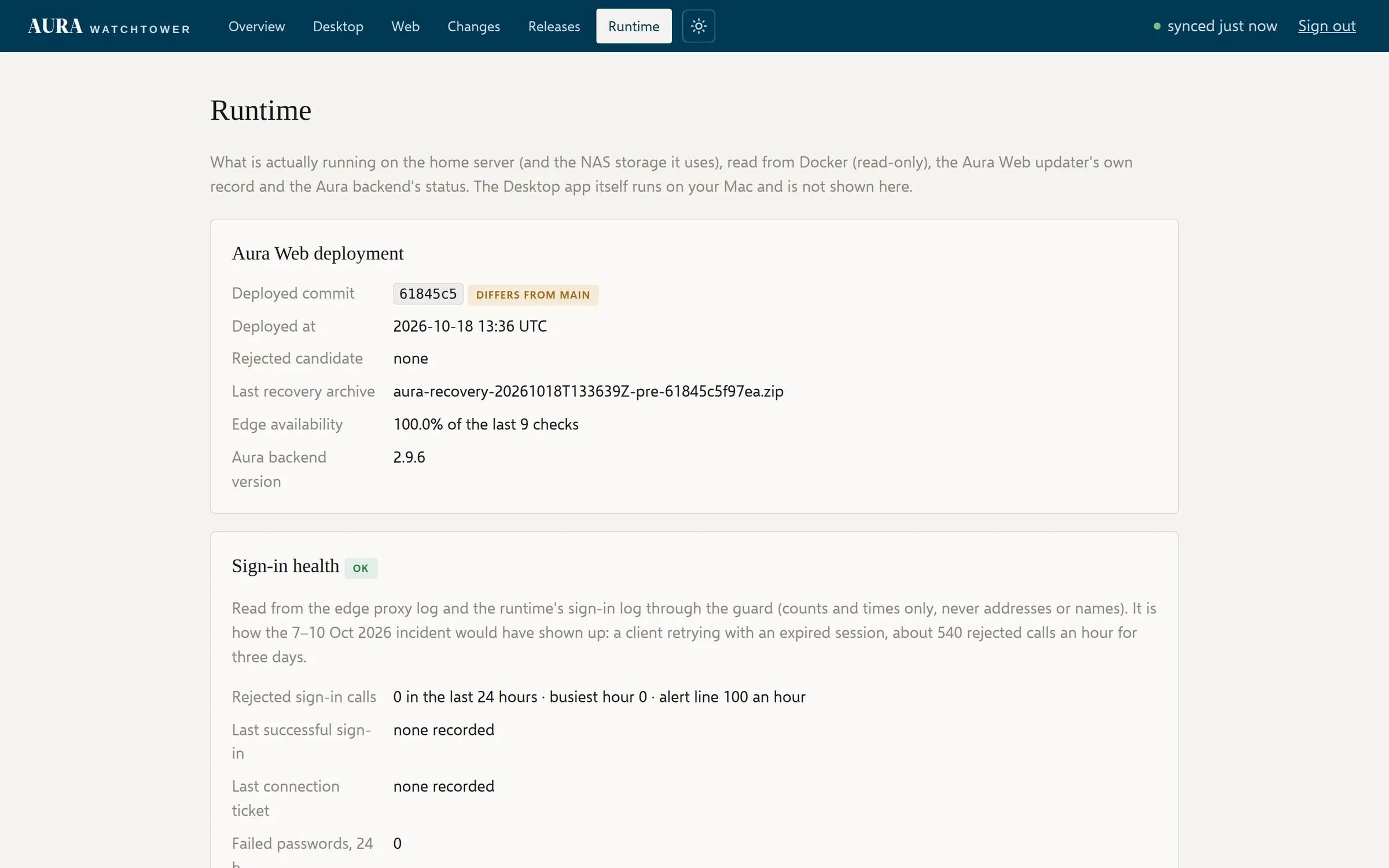
Deployed commit, recovery archive, edge availability and an hourly sign-in health check with an alert line.
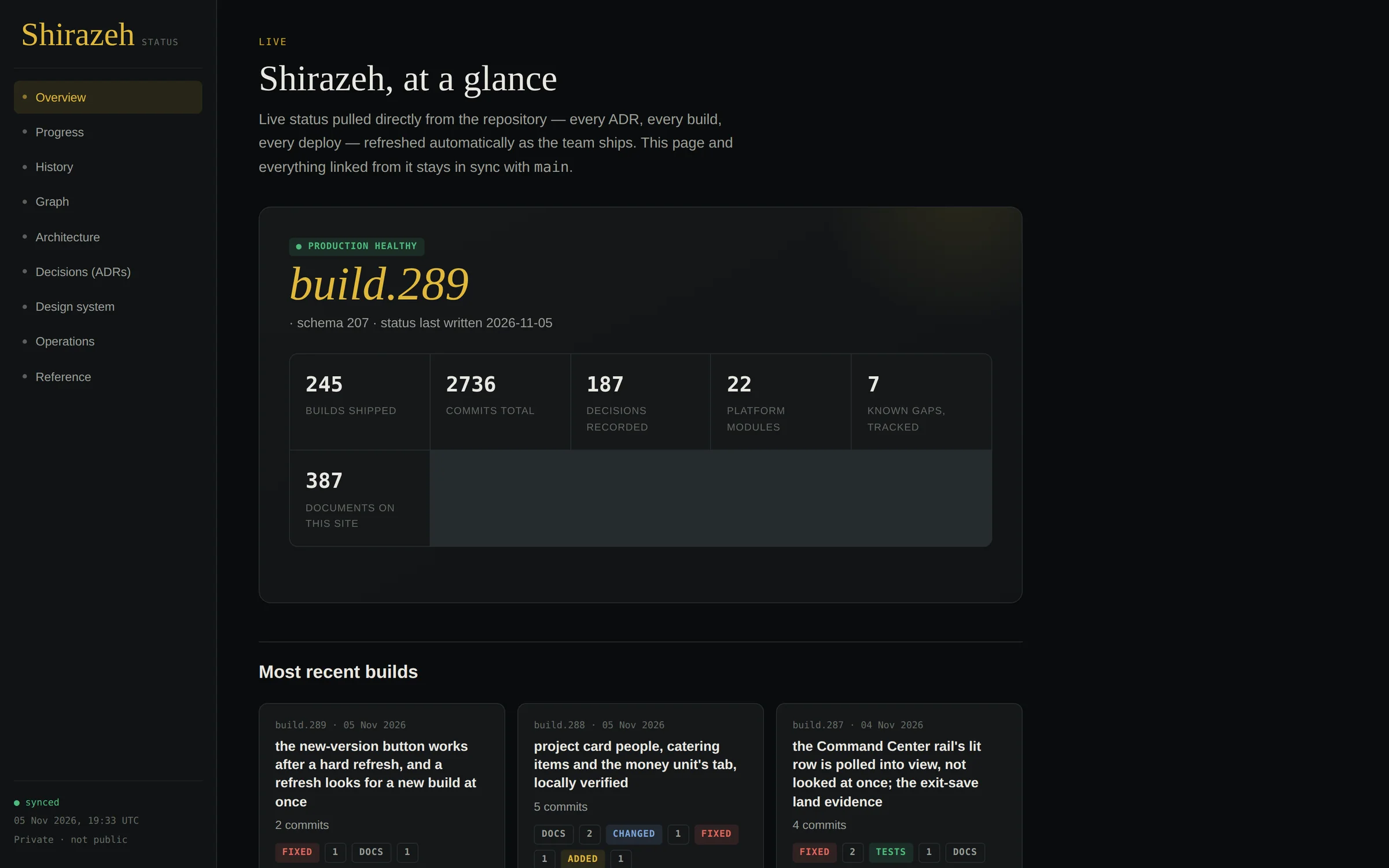
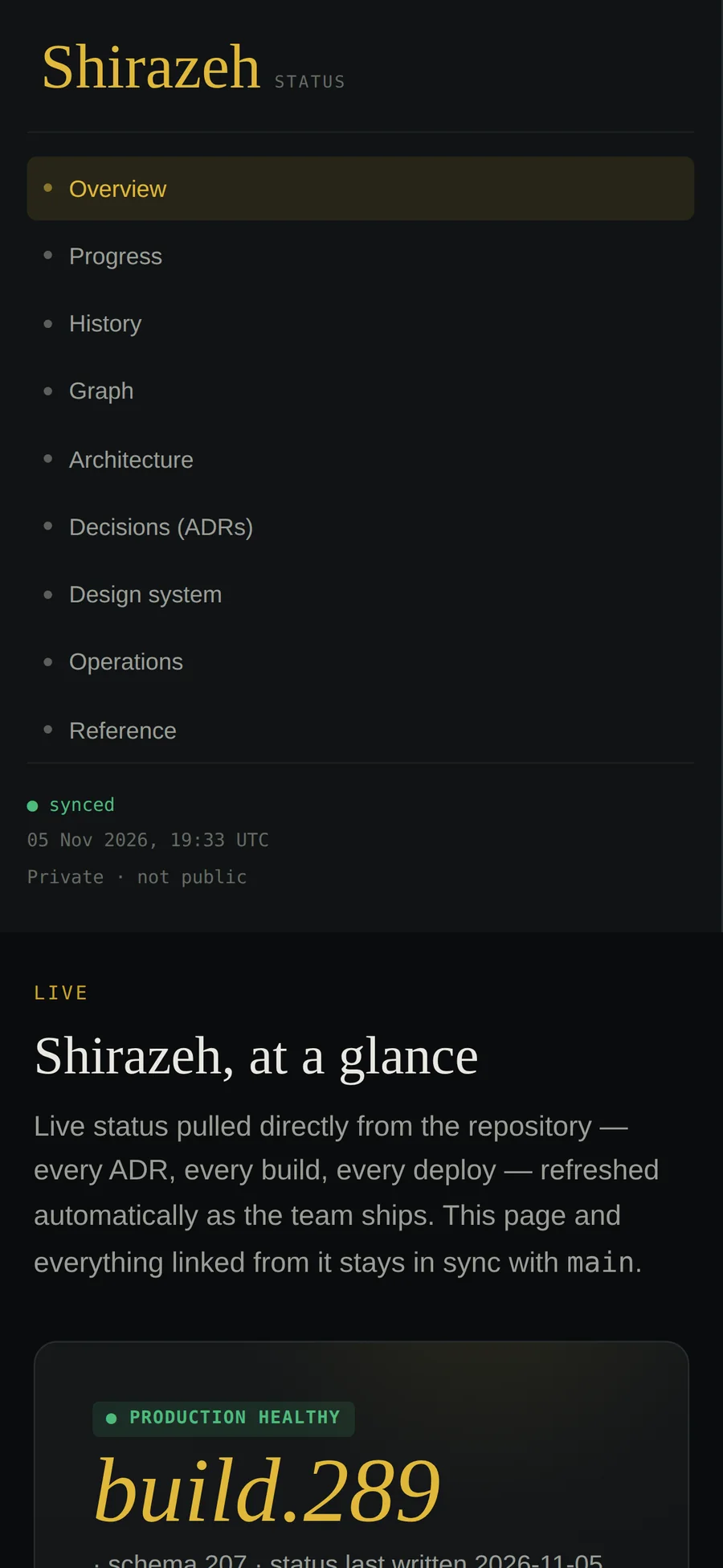
Production health, builds shipped, decisions recorded and the most recent builds with what each changed.

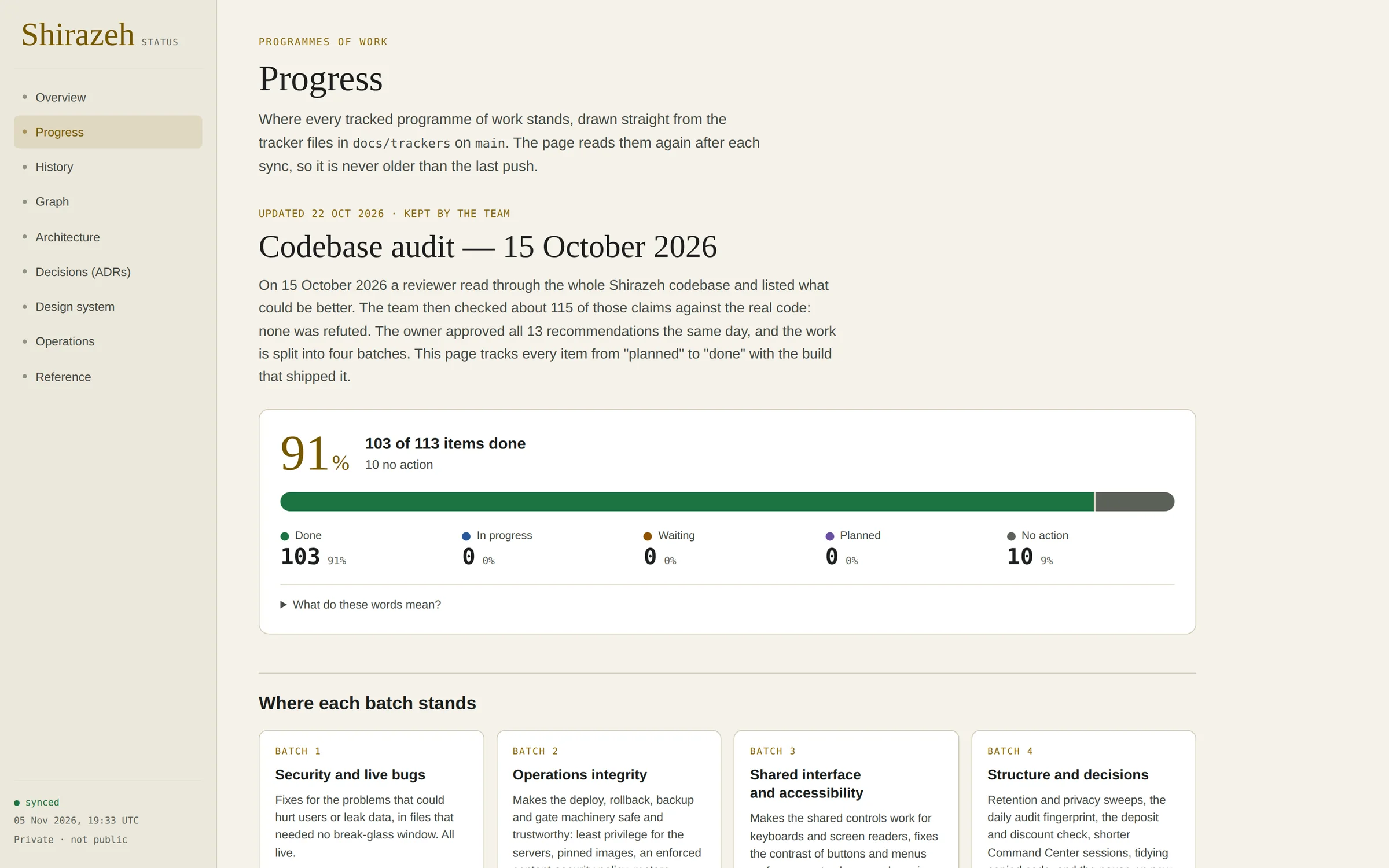
Tracker files in the repository drawn as one progress bar per programme, batch by batch.
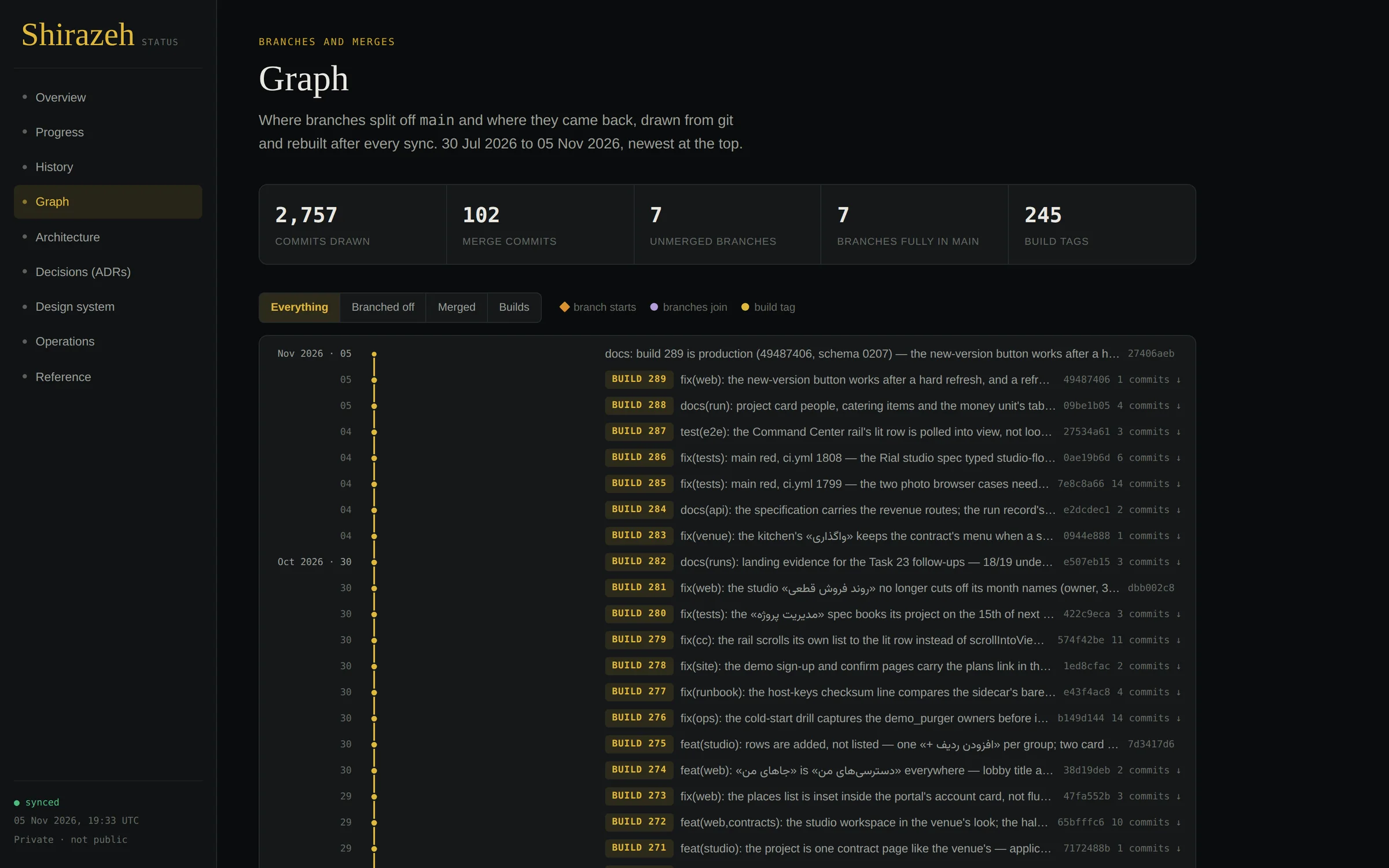
The project's history as a graph, so it is clear what shipped, when, and from where.
Four small read-only boards, each beside one project: a desktop app and its web build, a construction portal, a client website and a platform. These are the signals and safeguards they actually have.
The first question an owner asks is which version is running.
Each board shows the commit that is live and how many commits it trails the main branch.
The website board numbers builds by commits on main and marks a deployed commit as inferred when the image carries no label.
The desktop app's board shows the latest release, the changelog split into what has gone and what is coming, release files and recent CI runs.
When the web updater rejects a candidate build, the board records it next to the deployed commit and the recovery archive.
Image, health, uptime and restart count for a fixed list of containers, read through a guard rather than Docker itself.
Deploys, restarts and health changes are written as events on disk, so the record survives a restart of the board.
The portal board probes the app both on the server and through the public edge, recording response time, version and storage.
Because it checks both paths, the board can tell a broken public route apart from a stopped app.
Uptime for the last 24 hours and 7 days, a strip of response times and a list of outages with their length and reason, from 90 days of samples.
Every deploy attempt with its commit, result and seconds taken, including rollbacks, as written by the health-gated deploy script.
Database size and file count from the nightly backup, turning red if it failed or is more than 30 hours old.
Rejected sign-in calls per hour with an alert line of 100, polled every two minutes, which raises a banner and a dot on the Runtime tab.
Boards that keep a working copy refresh it every 30 seconds and show when they last synced or if syncing failed.
Recent commits from one or both repositories, filterable by author, area of work and repository.
Commits are grouped by the label at the start of their message, so the share of fixes, features and docs is visible.
Any commit opens with its message, files touched and lines added and removed.
Open branches with how far ahead and behind they are, and on the platform board a graph of where branches split off and came back.
Commits on main grouped day by day, so a quiet or busy week shows at a glance.
Tracker files kept in the repository are drawn as one progress bar per programme, with items grouped by status.
The portal board's team page lists work in progress with its branch, flags claims idle for a day, and lists what is waiting on the owner.
Architecture decision records from the repository, newest first, with the latest few on the overview.
The website board carries a curated project brief, agreed decisions and a milestone list that update when the repository changes.
A board can look at a project but never touch it.
Boards read the project's repository from a read-only mount with plain git and keep no write access to it.
A small sidecar answers only fixed questions about named containers and refuses every other request, so the board never holds the Docker socket.
For sign-in health the guard returns only counts and timestamps, never the log lines with addresses or user names.
On the desktop and platform boards, IP addresses, shell access commands, key paths and tokens are redacted before any repository text is shown.
Each board has its own shared password, a signed cookie and a lockout after repeated wrong attempts.
Requests arriving through the public tunnel always need the password, even where the private network is allowed in.
If a repository or Docker read fails, the desktop board keeps serving its last good snapshot and shows the error instead of going down.
Pages carry a no-index header and a strict content policy, so a board never turns up in a search engine.
Every board reflows to a single column, so a check takes seconds on a phone.
A sun and moon toggle on the desktop board, remembered between visits, with fonts served from the board itself.