A cinema-grade media experience, built over Jellyfin.
A complete replacement interface for a self-hosted media server: home, libraries, detail pages, people, search and a full player, on the web and the phone. The engine underneath stays standard; everything you touch is ours.


Jellyfin is a solid, open media engine. Its stock interface is functional and not much more. We wanted something that felt like walking into a cinema.
Theater is a scaffold-up rebuild of the experience: a hero carousel, editorial rows, filterable libraries, rich detail pages with cast and ratings, and a player that handles direct play, transcoding, subtitles, skip-intro and next-episode. The same build adapts to phones with a bottom tab bar, and to TVs.
The engine's code stays standard. That is the point: you can keep the engine you trust and replace what people actually see.
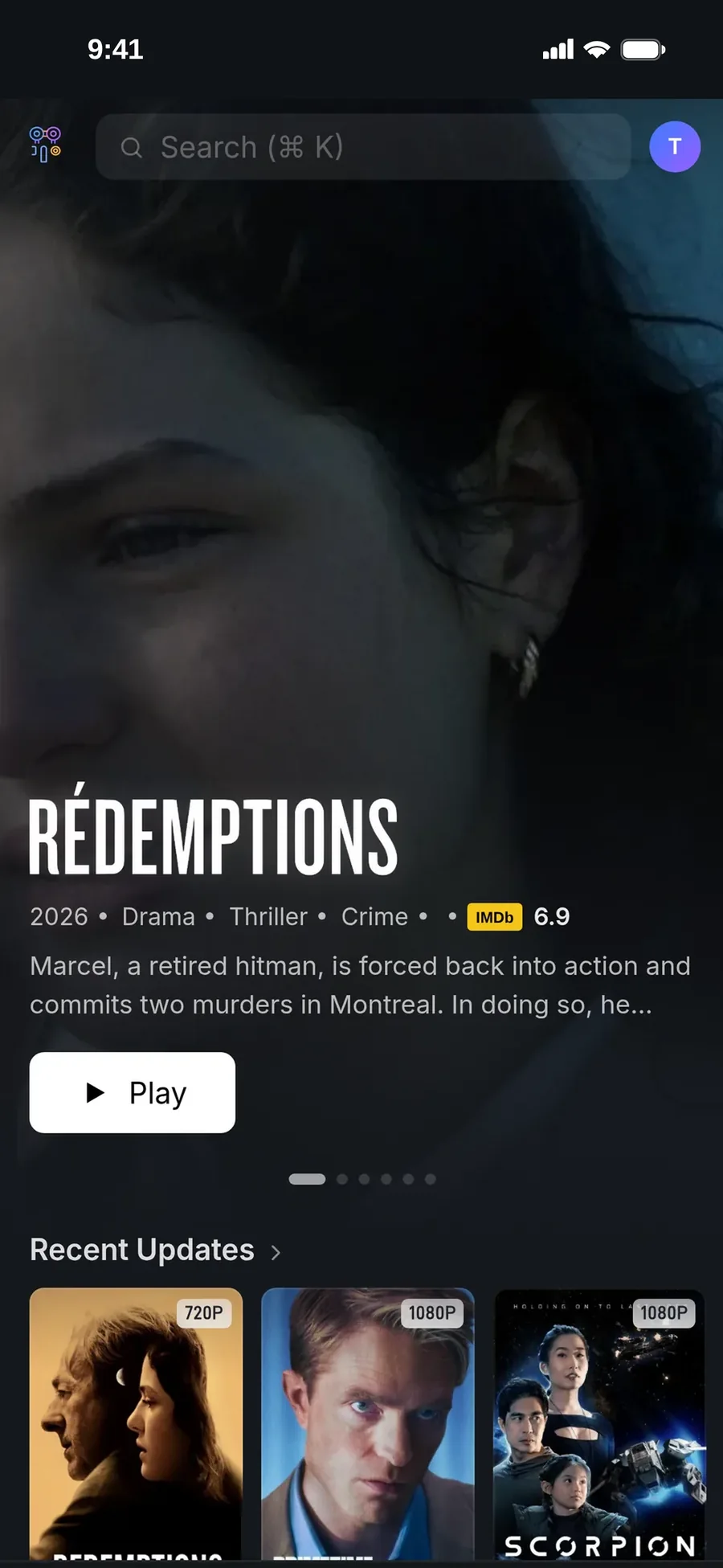
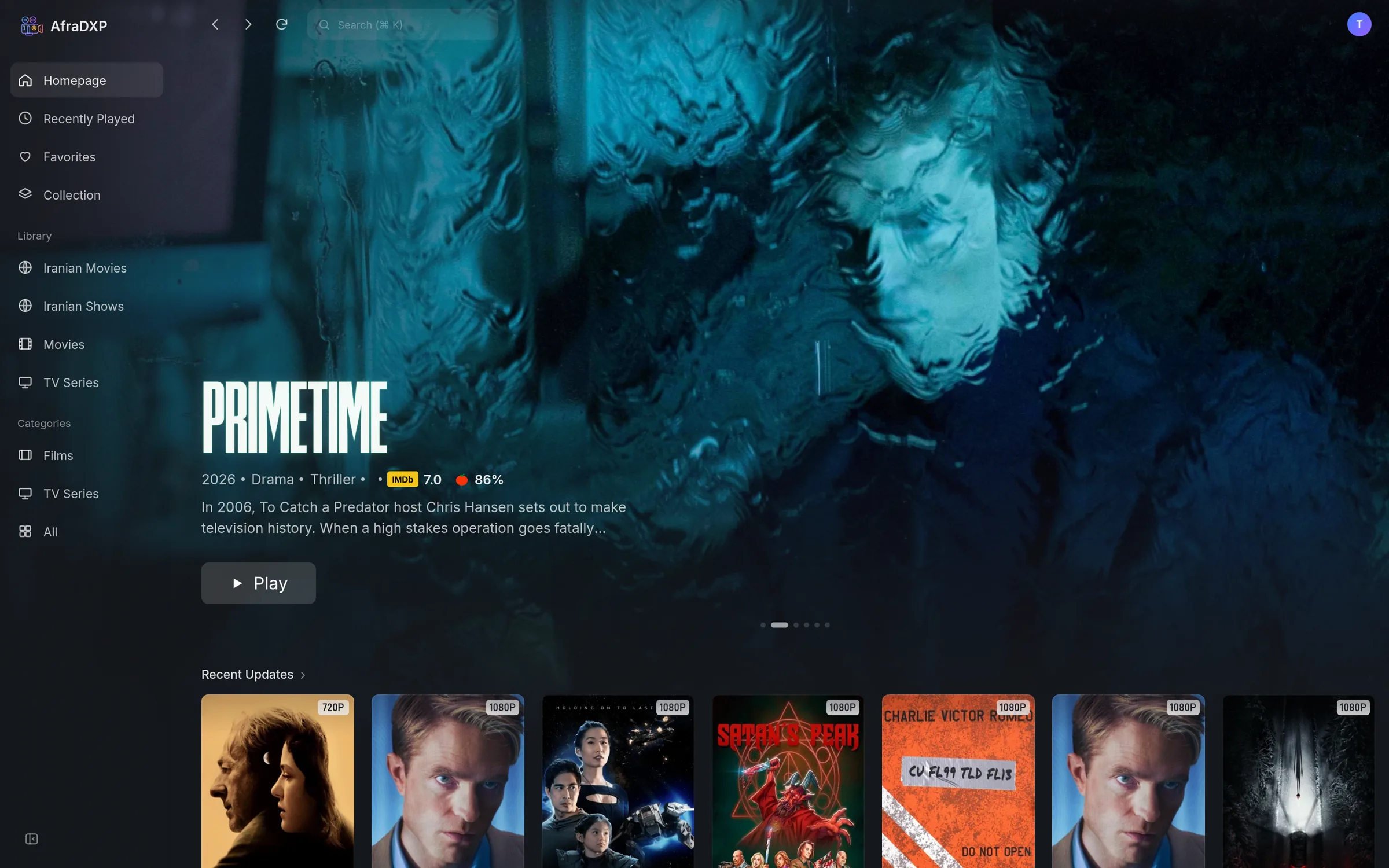
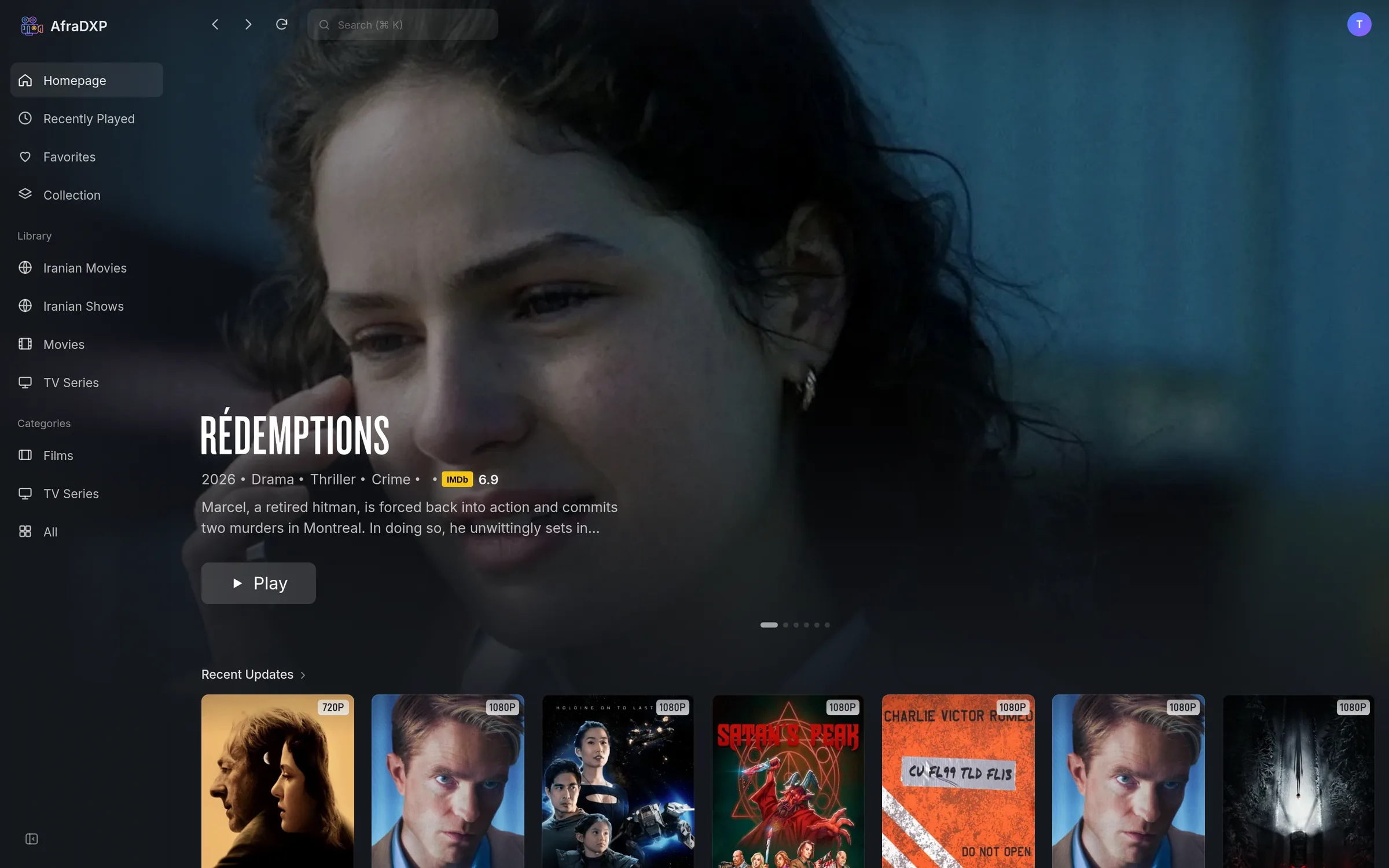
A rotating hero for what's new, then rows for recent updates, continue watching and the curated collections.
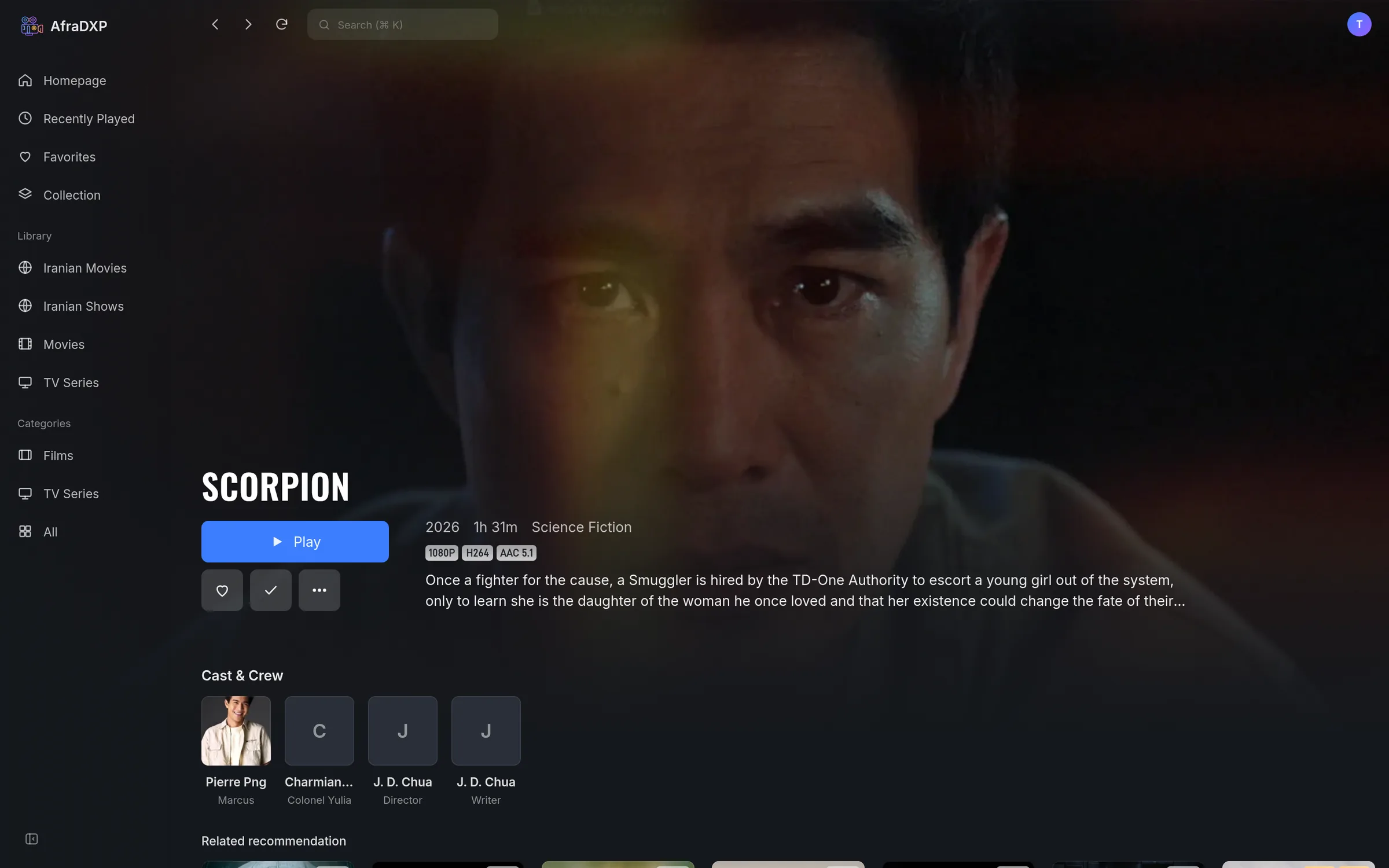
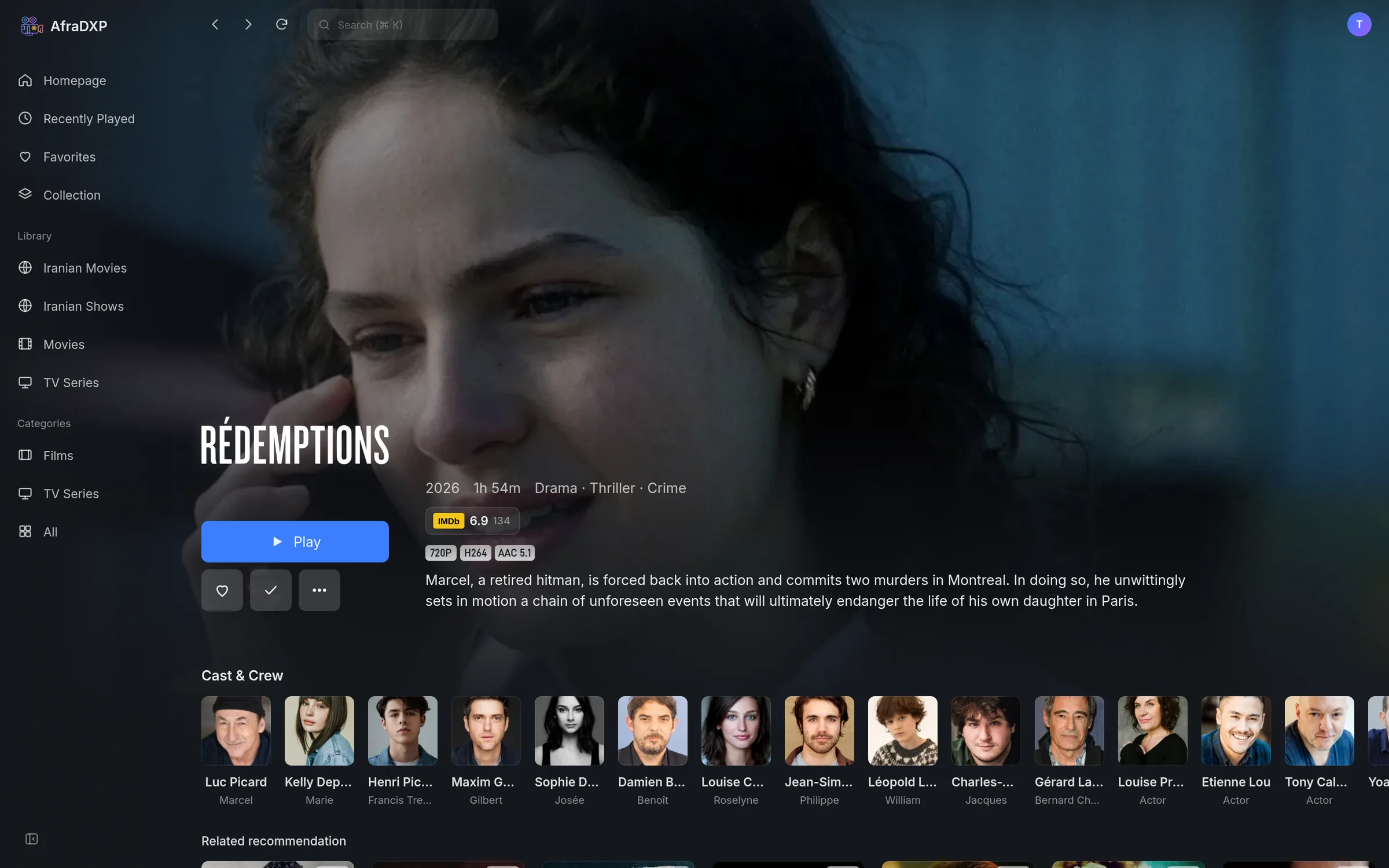
Backdrop, logo, ratings, cast with photos, and recommendations, all from the server's own metadata.
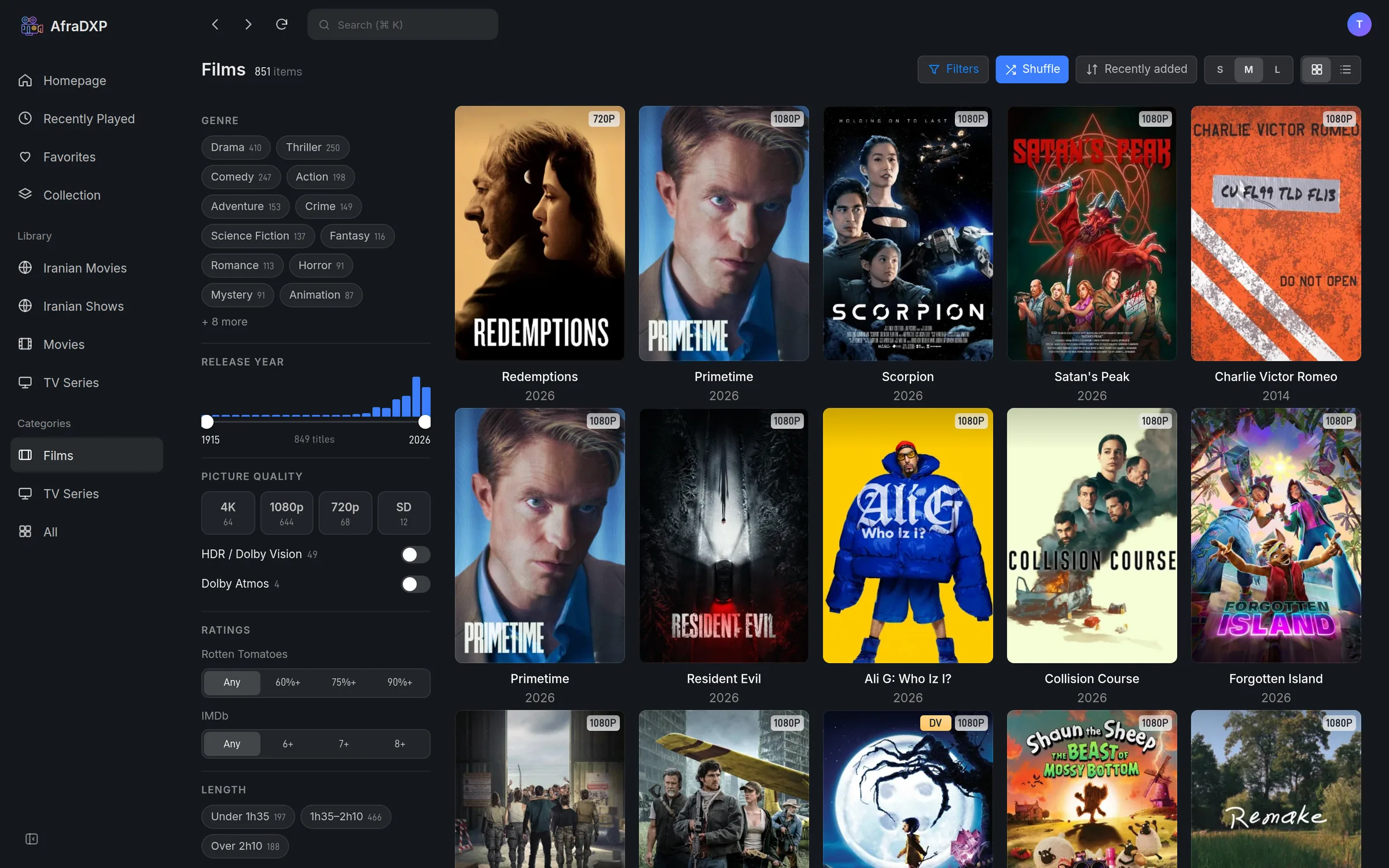
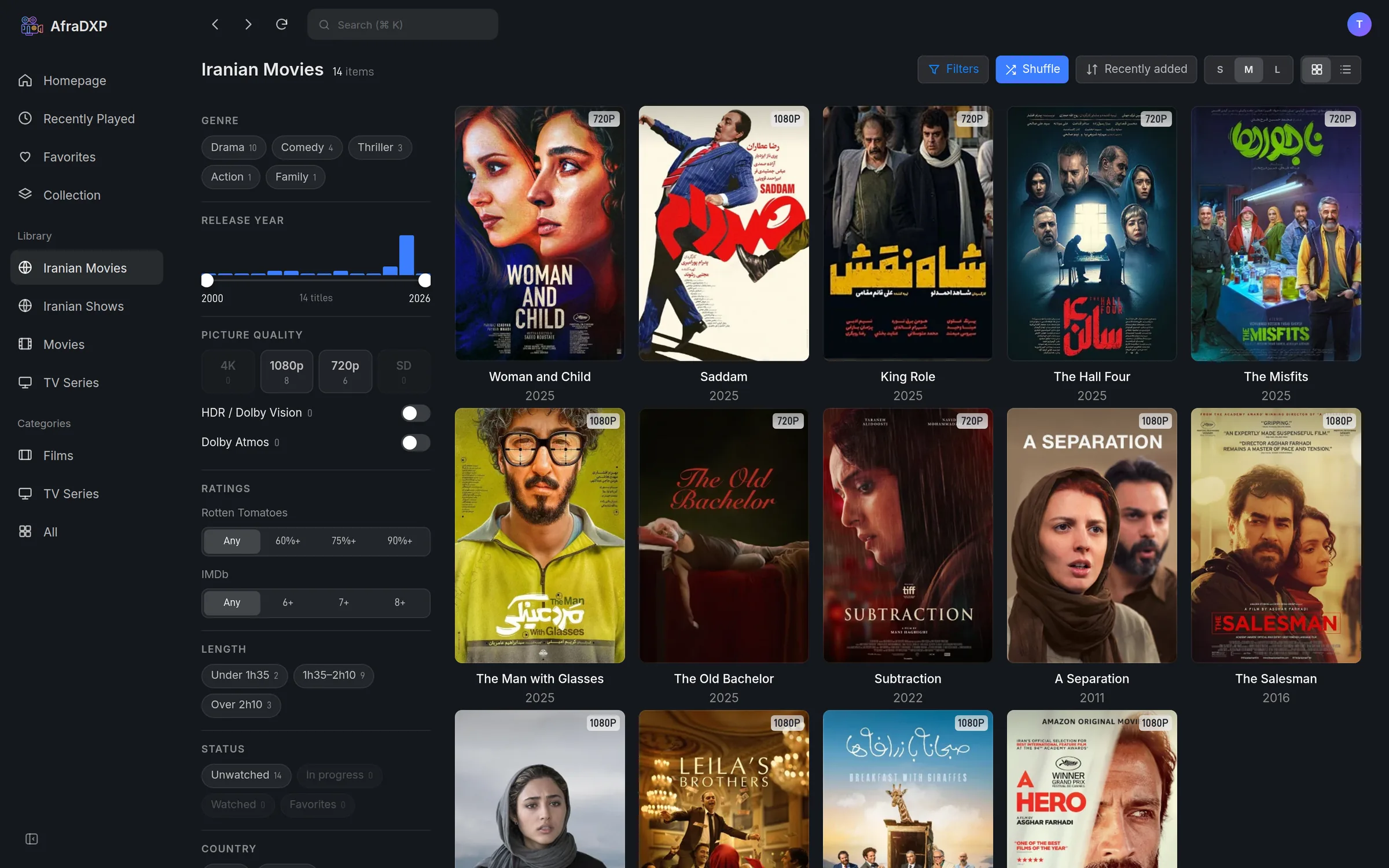
Genre, year, resolution, HDR and audio format. Grid or list, three sizes, sorted the way you think.

A bottom tab bar, thumb-sized controls and the same hero. One codebase, laid out twice.
Everything below is in the shipping interface today. The media server underneath is unchanged; every screen, control and transition people touch was built for Theater.
The first screen behaves like a marquee, not a file list.
The newest films and series with a backdrop rotate every seven seconds with their title logo, year, genres and ratings, pausing while you hover.
Half-watched titles and the next episode of each series are merged into one row, with one card per show.
Recent updates, new episodes tagged with season and episode, highest rated, favourites and collections each get their own scrolling row.
Persian films and series sit in a row of their own, with the original Persian title shown under the English one.
Results update a moment after you stop typing, and Cmd or Ctrl K jumps to the search field from anywhere.
A search for an actor matches the start of a name, ignores accents, and puts exact matches and people with photos first.
Your last ten searches are kept as chips you can reuse or remove one by one, beside a row of the best-rated films in the library.
Rows and the hero show shimmering placeholders in their final shape, so the page never jumps when content arrives.
Filters count before you click, so no choice leads to an empty page.
Each option shows how many titles it would leave, options that would leave none are disabled, and active filters appear as removable chips.
Pick several genres and switch between titles that match any of them or all of them.
A small bar chart of the library by year sits under a two-handled slider, so you can see where the titles are before narrowing the range.
Filter by 4K, 1080p, 720p or SD, and toggle HDR or Dolby Vision and Dolby Atmos on their own.
Ask for Rotten Tomatoes 60, 75 or 90 percent and up, or an IMDb score of 6, 7 or 8 and up.
Film length or episode length buckets, unwatched, in progress, watched or favourites, and country of production narrow the list further.
Sort by date added, rating, Rotten Tomatoes, newest, oldest, name or shortest, or let Shuffle open a random title from the current filtered set.
Switch between a poster grid in small, medium or large and a compact list with runtime, year, rating and quality, and the choice is remembered.
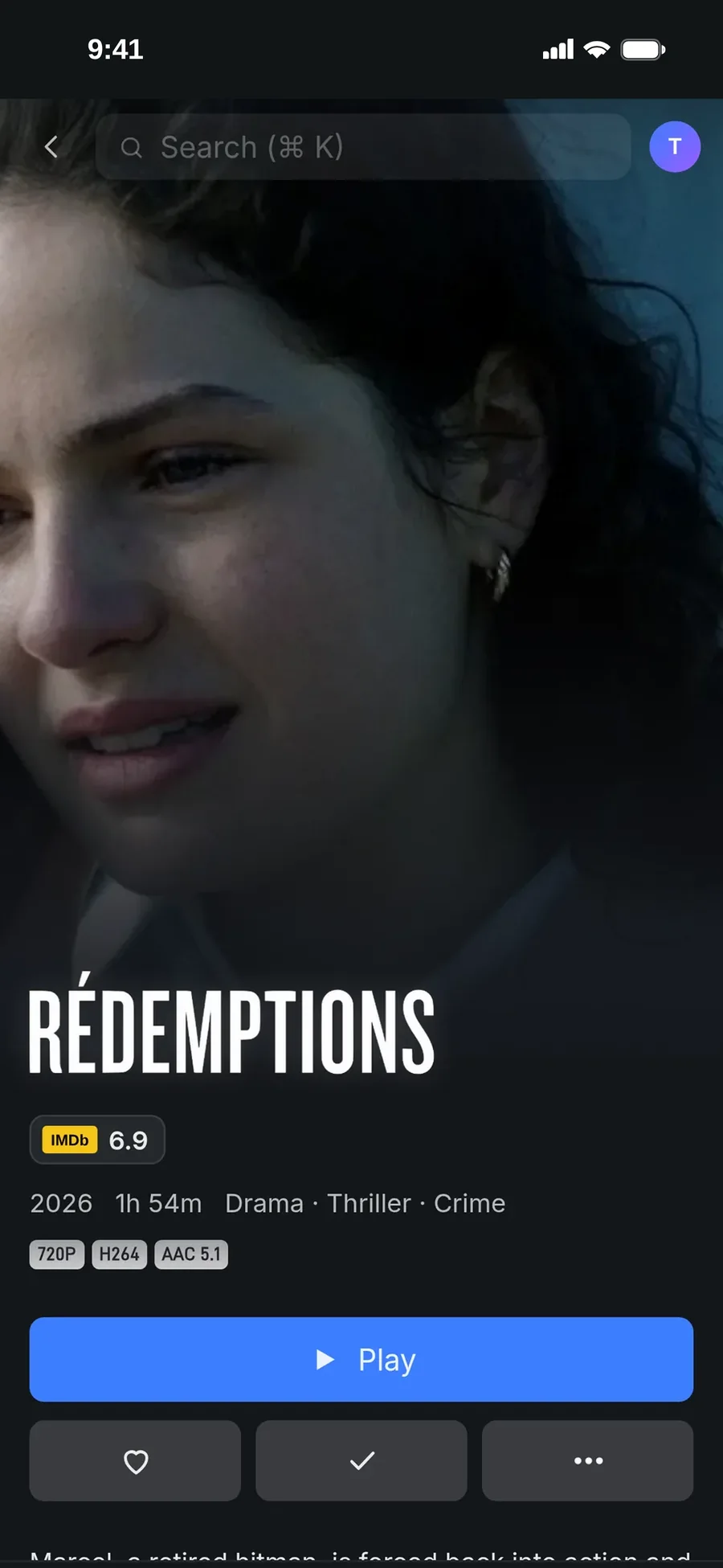
Each film or series opens on full-bleed artwork with its title logo, falling back to set type when no logo exists.
The main button reads Play, Continue with minutes left, or the exact next episode, with a separate Play from start and a ring showing how much you have watched.
IMDb score and vote count link to the title on IMDb, the Rotten Tomatoes score shows a fresh or rotten icon, and TMDB fills in when neither exists.
Resolution, Dolby Vision or HDR, video codec, audio codec with channel layout and a subtitle marker are read from the actual file.
Season tabs open on the season of your next episode, a numbered strip marks watched episodes, and episode cards show runtime and progress.
Cast cards with photos lead to a person page with their filmography, and a row of related recommendations closes the page.
Built on the browser's own video element, with no third-party player skin.
Each device states what it can decode, so files play untouched when possible and are converted only when needed, with a badge saying which is happening.
Jumps inside the buffered part are instant, and a jump beyond it stops the old server conversion before starting a new one.
Hovering the timeline shows actual frames from the film, fetched a sheet at a time only for the part you are pointing at, never a stand-in poster.
A button appears during marked intros or recaps and jumps straight past them.
Near the end of an episode a card with the next episode's still and a countdown bar appears, and playback continues into it.
Change audio track or subtitles mid-film and playback resumes at the same moment, with subtitle timing corrected for streamed playback.
Speed from 0.75x to 2x, remembered volume, picture in picture and fullscreen, plus Space, arrows, F, M and Esc on the keyboard.
Position is reported every ten seconds, on pause and even when the tab closes, so Continue Watching is current on every device.
A subtitle button on each title sets Persian, English or off for that title, shows FA or EN once chosen, and the player starts with it.
An admin can fetch one Persian or English subtitle that matches the exact file, with its encoding and Persian letters fixed, ad lines removed and timing synced to the film's audio.
A Details panel lists container, size and bitrate, every video, audio and subtitle stream, colour data, frame rate, channels and languages.
If the same film exists more than once in the library, the panel says how many copies there are and compares them side by side.
One codebase, with input and sizing tuned per screen.
On phones a bottom tab bar for Home, Movies, Series, Iranian and More replaces the sidebar, with spacing that respects the notch and home indicator.
Filters slide up as a bottom sheet with a button that reads Show 42 titles, and Escape or the backdrop closes it.
It installs to a home screen or dock as a standalone app with its own icons, caching only the app shell and never touching video streams.
When installed on iPhone, the app measures the gap iOS leaves under fixed bars and extends them to the true bottom edge.
The TV app moves focus spatially with the D-pad, draws large focus rings, and returns focus to the card you came from.
OK plays and pauses, holding left or right speeds seeking from 10 to 30 to 60 seconds with a frame preview, and remote media keys work.
On TV, Back closes menus, then dialogs, then player controls, then the player, then pages, before leaving the app.
In the desktop app the header becomes the window's title bar, leaving room for the native window buttons while every control stays clickable.
Collapsing the sidebar slides the whole page into place on the GPU, cards that change rows fade in instead of crossing the screen, and quick double clicks reverse smoothly.
Hero slides crossfade over nearly a second while the backdrop eases in over eight seconds, like a slow camera move.
When the system asks for reduced motion, every animation and transition is switched off.
Persian titles are detected automatically and set in a Persian typeface, so bilingual libraries read correctly in both scripts.
Admins get overview, activity, libraries, users, devices, scheduled tasks, settings and system tabs in the same visual language, refreshing every ten seconds.
Users, libraries and devices are created, edited, renamed or removed in a slide-over panel, including passwords, photos and library folders.
Server, metadata, playback and hardware-acceleration settings are edited in plain forms, with restart and shut down behind confirmation.
A daily job rebuilds IMDb and Rotten Tomatoes scores for every title from a copy of the server's data, so it never locks the live library.
A maintenance job adds missing cast photos and upgrades small ones when a much larger image is available.
Pages offer Try again, the app says when the server cannot be reached, and an unplayable file suggests trying another audio or subtitle track.