See how everything connects, before you change any of it.
A node-and-link canvas for mapping the wiring of large digital systems: services, repositories, containers, clients and the paths between them. Draw by hand, or let it lay the board out like a circuit.

Every system past a certain size stops fitting in anyone's head. Which client calls which service? What breaks if this container stops? Diagrams drawn in slide tools are out of date the week they are made.
Circuit is a working canvas, not a picture. Build a map by hand with keyboard-first editing, or press Trace and it re-lays the whole board top to bottom like a printed circuit: parents above children, wires on buses, no crossings in the tree. Nodes can bind to real repositories and containers and show their live health. Any node can open into its own workspace, so a map can go as deep as the system does.
We use it to plan our own infrastructure. It works just as well for a client's integration landscape, a data flow or an org chart.
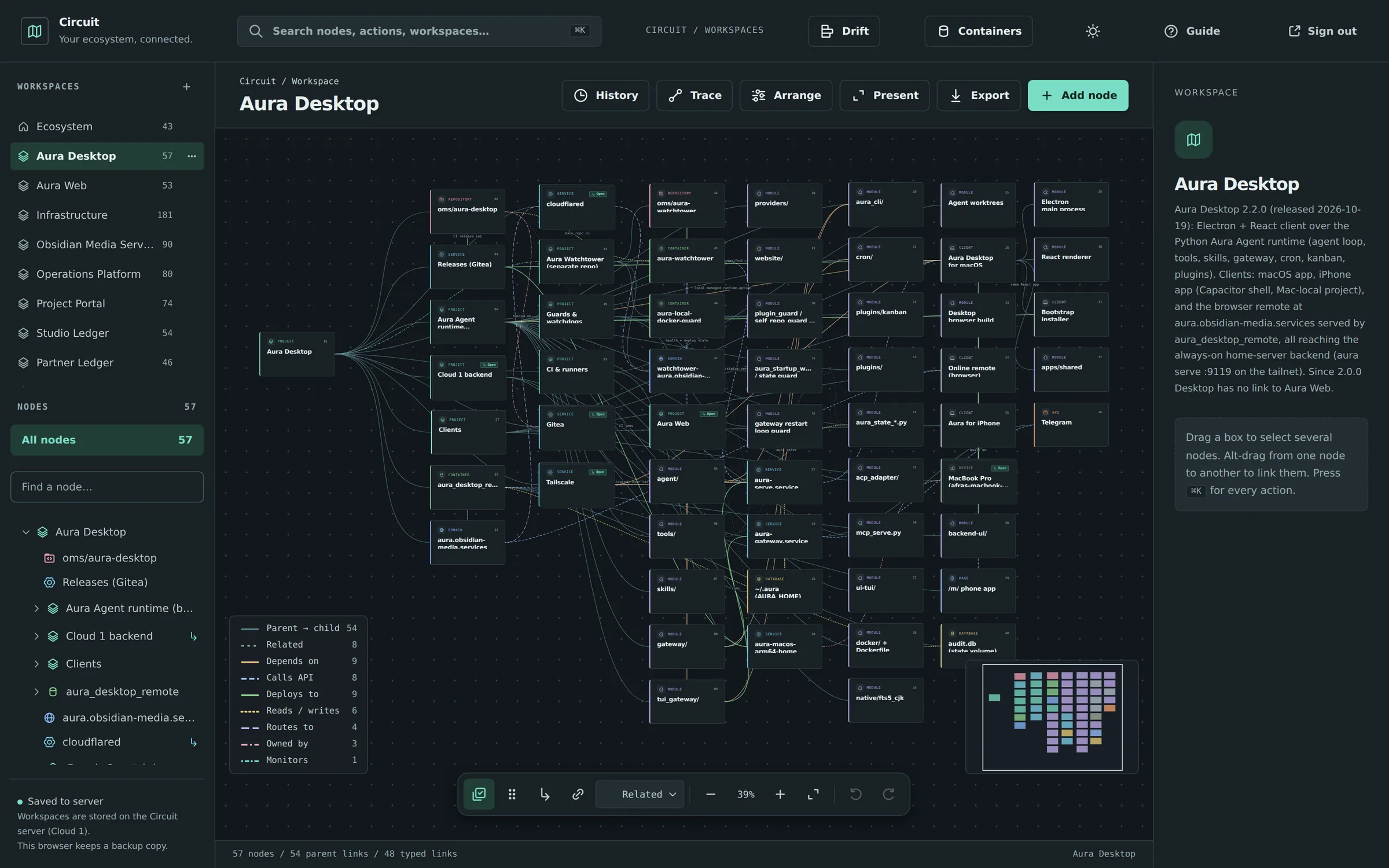
Fifty-seven modules of a desktop application and how they talk to each other, grouped and searchable.
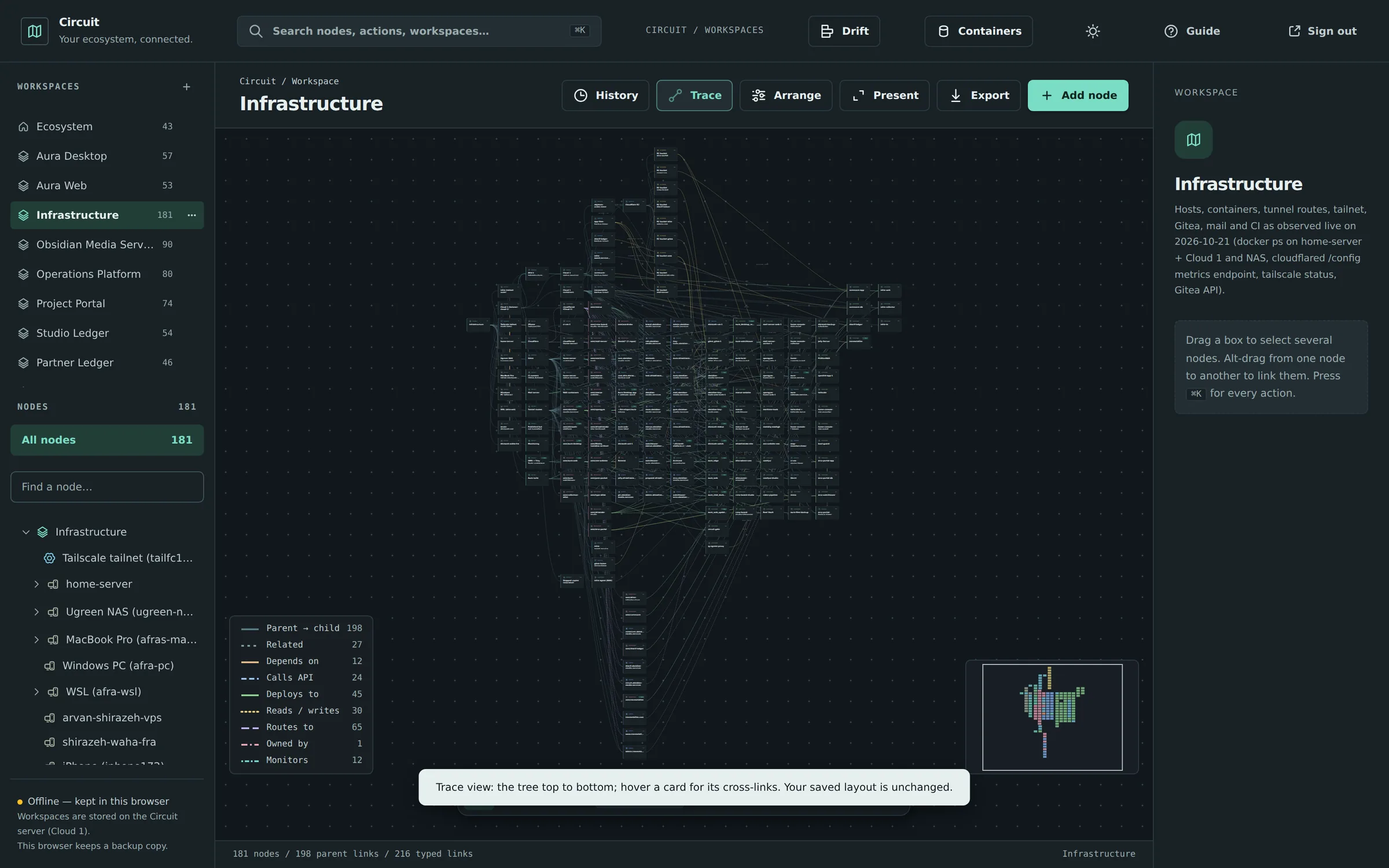
The same graph, re-laid automatically. Buses feed columns of children, and the tree itself never crosses.

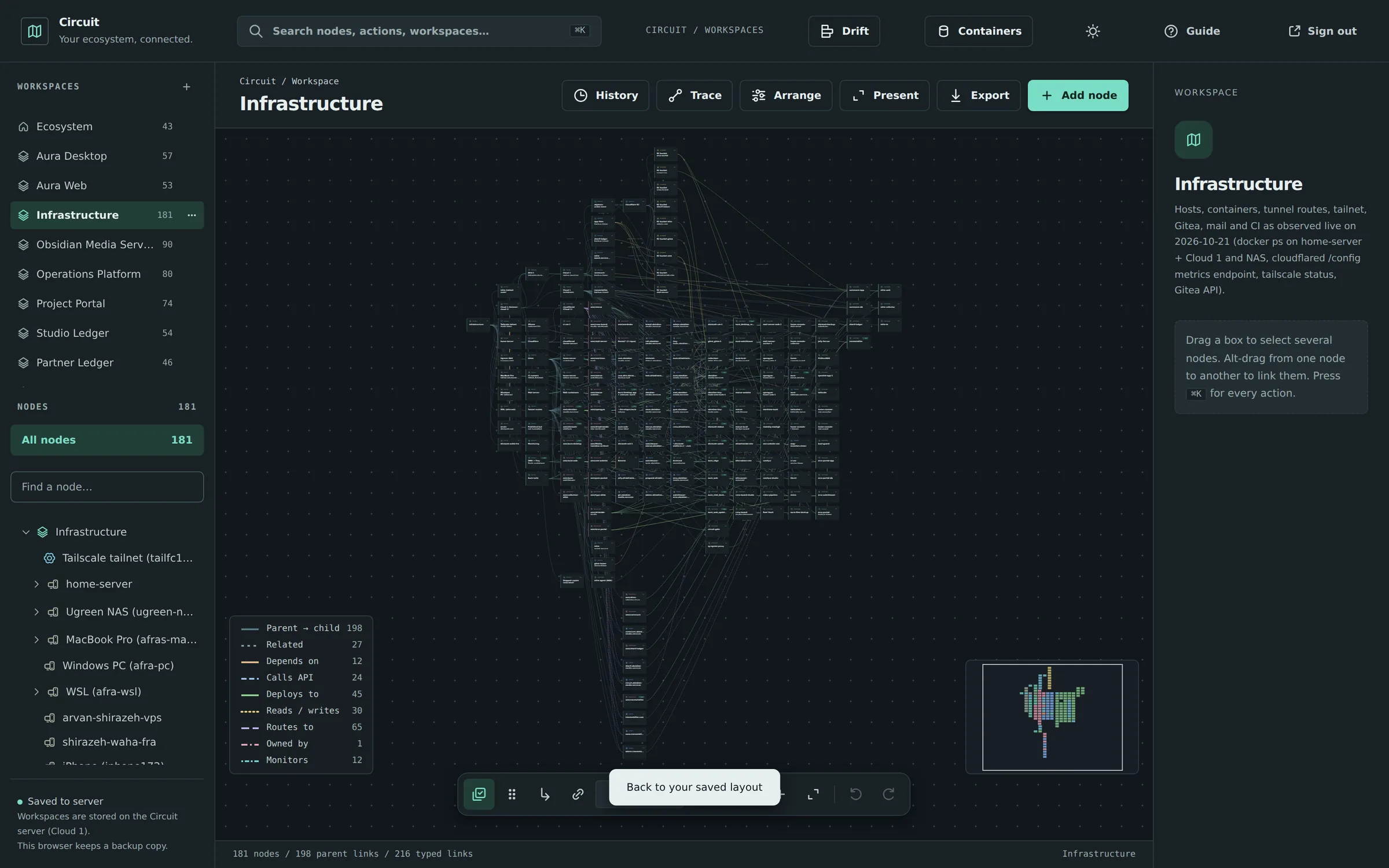
Close to two hundred nodes across servers, storage and network, laid out on one board.
Circuit is a working canvas for the wiring of real systems. Everything listed here is in the running tool, from keyboard editing to the Trace layout and live container status.
Ordinary nodes and honest relationships, with no special grouping types.
Project, tool, page, module, service, container, repository, database, domain, API, client and device each have their own icon and colour.
A node can sit under any number of parents and is still drawn once, so shared parts of a system are not duplicated.
Parent to child arrows can never form a cycle, and the tool says so instead of silently refusing.
Related, depends on, calls API, deploys to, reads and writes, routes to, owned by and monitors each have a distinct stroke, an optional label and a direction.
A legend counts each link type and lets you hide or show types, while plain related links stay faint until you hover or select.
Deleting a node leaves its children and their other parents in place, and a frame can be removed without losing the nodes inside it.
The interaction vocabulary of design tools, applied to systems.
Tab adds a child, Enter adds a sibling, F2 renames, and arrow keys nudge the selection by 8 pixels or 40 with Shift.
Drag a side handle onto a node, Alt-drag from anywhere on a card, use link mode, press Cmd or Ctrl L on two selected nodes, or drop a handle in empty space to create a connected node.
Click, Shift-click or drag a marquee, then move the whole selection, copy, paste, duplicate, align or distribute it.
Labelled colour regions group parts of a board and carry their nodes with them when moved.
Nodes, links, frames and empty canvas each have their own menu, from reversing a link to collapsing a subtree.
Cmd or Ctrl K finds any node, action or workspace by name, and question mark lists every shortcut.
Pan with Space-drag, zoom with the wheel, press F to zoom to the selection or Shift 1 to fit, and use the minimap in the corner.
Arrange lays out the parent graph tidily as an ordinary edit, so one undo brings your own positions back.
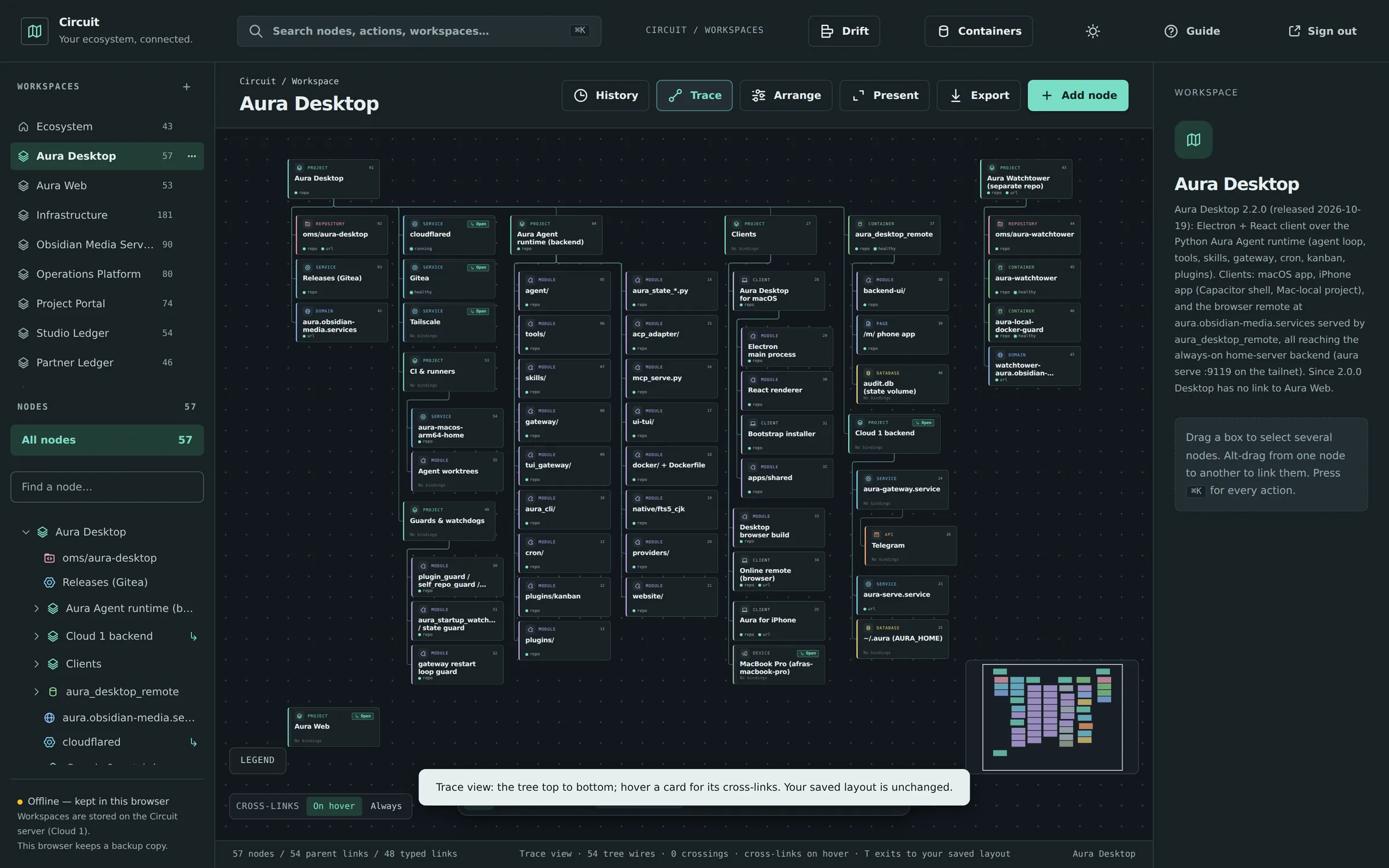
Press T and the board is redrawn like a printed circuit.
Each parent sits above its children, leaf children stack in balanced columns fed by a short bus, and wide families wrap onto extra rows fed by a trunk.
Several packing attempts and a layered layout engine are tried, and the drawing with no overlaps, then the fewest crossings, then the largest readable zoom is kept.
Layouts run in background workers so the page stays responsive, are cached per graph, and fall back to the main thread when workers are unavailable.
Typed links stay hidden until you hover or select a card, then route around the other cards with arrows and label pills while unrelated cards dim.
Right after a layout appears, a background worker pre-routes every card's links, so hovering a busy card is a cache lookup.
A small arc bridges a wire only where another really passes under it, never over empty space or a rounded corner.
Each label pill sits on the longest clear stretch of its wire, away from cards and other labels.
Trace never changes saved positions, blocks dragging with a hint to exit first, and remembers whether it was on for each workspace.
Create, rename, duplicate and delete workspaces from the sidebar, with a confirmation and a recoverable snapshot before anything is deleted.
Any node can open another workspace, double-click drills in, and a breadcrumb or the browser's Back button returns.
Every workspace has its own address, so a link can open straight onto a specific map.
The sidebar lists nodes as a collapsible tree in which a shared child appears under each parent, and search filters the list without hiding the graph.
Read-only by design: the map can observe the system but never control it.
Browse running and stopped containers across hosts, search and filter them, and add one as a node, or focus its existing node instead of making a duplicate.
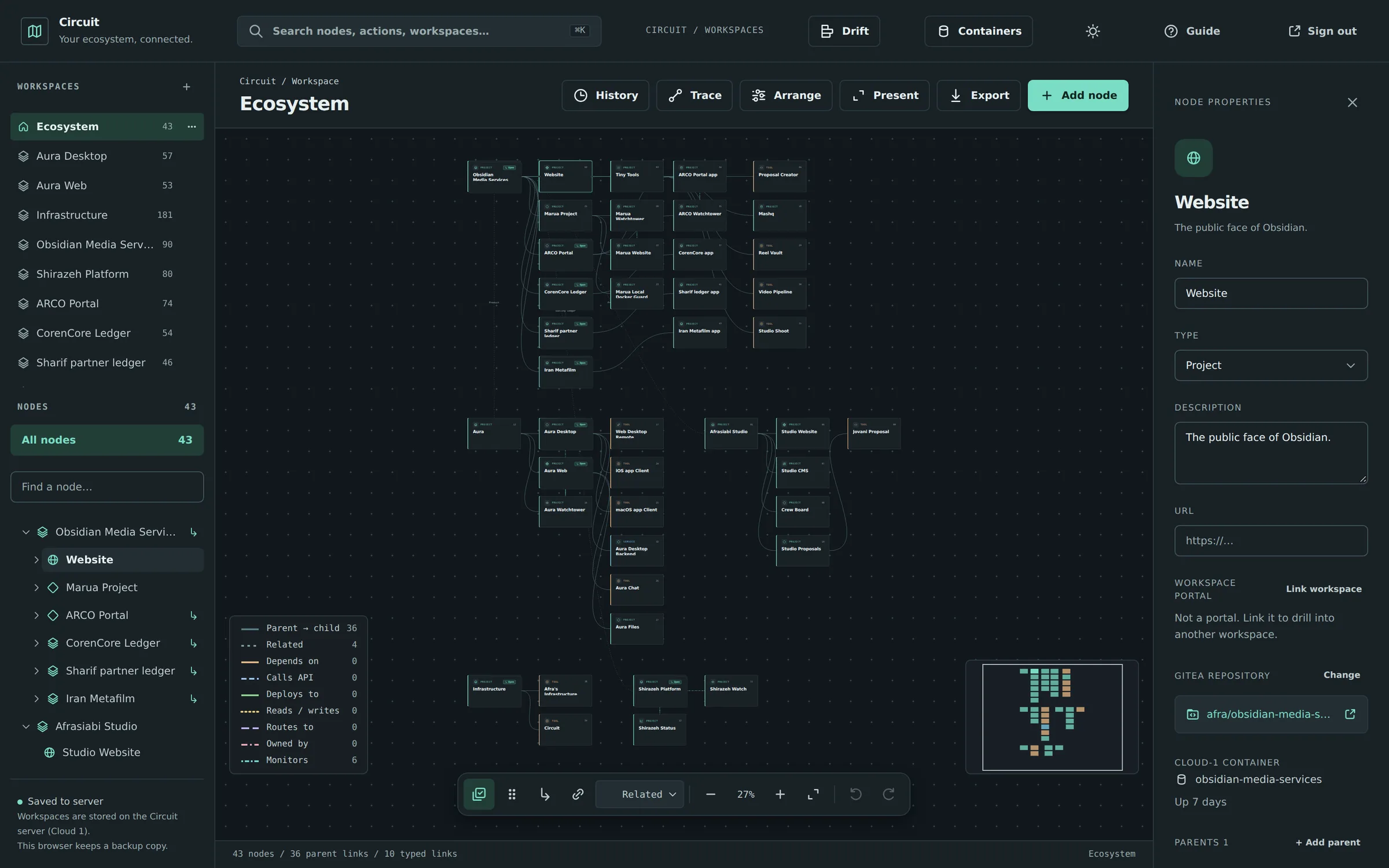
Nodes bind to repositories through an explicit picker, and the properties panel links straight to the repository.
Small dots show whether a node has a repository, a container that is running, healthy or stopped, and a web address.
A collector publishes container and repository metadata twice a minute, without credentials, environment variables or command lines.
Circuit lists containers and repositories with no node, nodes with no binding and bindings that have gone stale, across every workspace.
Archived repositories and declared exceptions such as one-off or temporary containers appear under Ignored, each with its reason.
Edits save about half a second after they happen, so another browser or device sees the same map.
Each workspace keeps its own undo and redo history, and a toast confirms every change and every refusal.
Snapshots are taken during editing, before restores, imports and deletes, and on demand, and any of the last 40 can be restored.
Each workspace is cached in the browser, so if the server is unreachable Circuit opens the local copy and says it has done so.
Unknown types, dangling links and duplicates are cleaned on import, missing positions are laid out, and an invalid file or paste leaves the map unchanged.
Maps from the first version are read, migrated with a one-time backup, and keep every name, label and coordinate.
Export a board as an image or as editable JSON, and image exports follow the current theme.
P hides every panel and fits the board for a clean screen or screenshot, and Escape brings the tools back.
A charcoal and teal dark theme and a matching light theme, chosen per browser and kept separate from the map.
On a phone the board centres on a node at a readable zoom and the properties panel opens as a sheet, and motion is switched off when the system asks.