Products  /  PEM Pocket
Original tool · Security

PEM Pocket

Hand off a key or a secret as a .pem file, packaged and encrypted entirely in your browser.

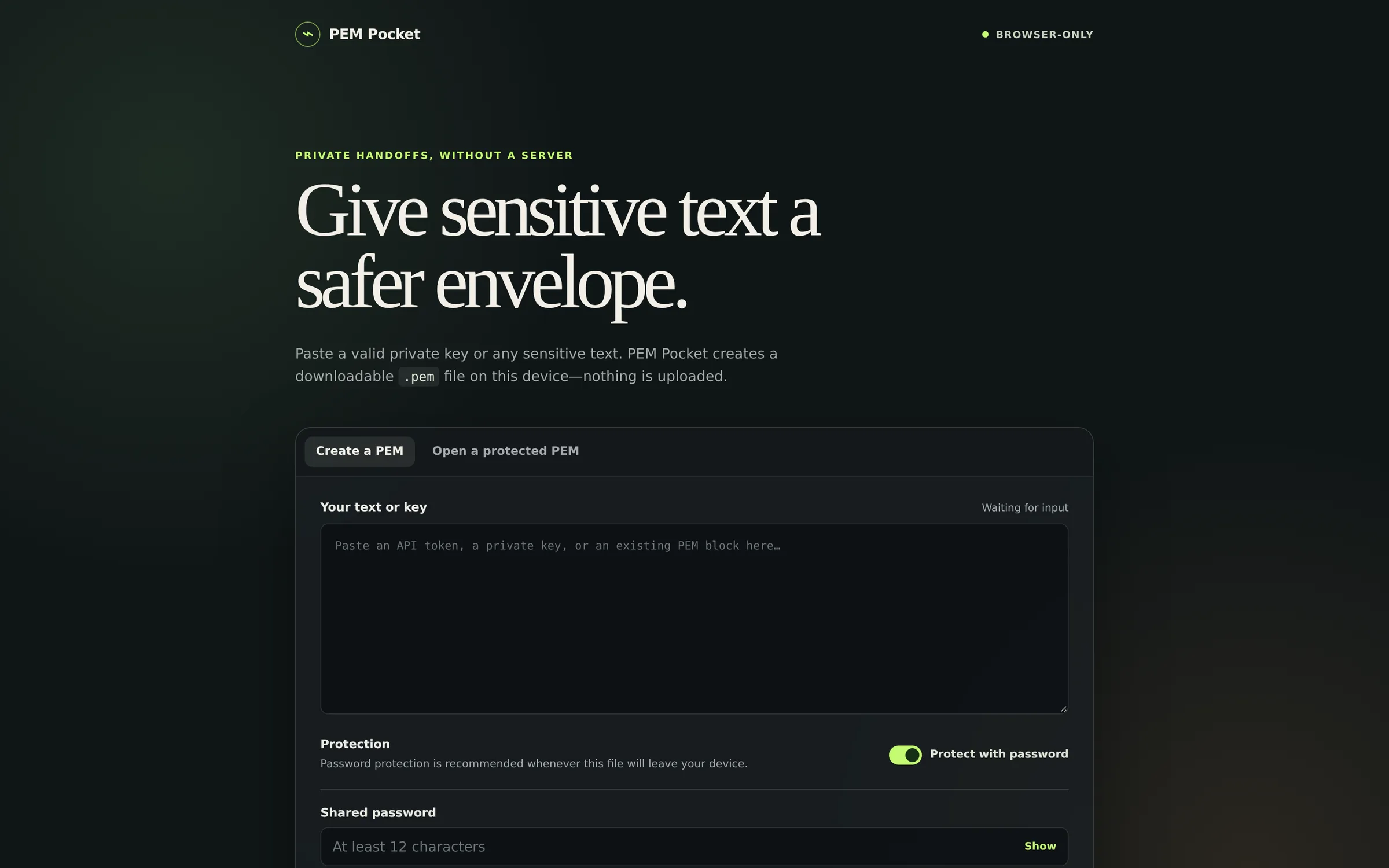
Paste a private key or any sensitive text and PEM Pocket turns it into a downloadable .pem on your own device. By default it is sealed with AES-256-GCM under a shared password; nothing is ever uploaded.

Browser-onlyWebCryptoAES-256-GCMPBKDF2No backendStatic site
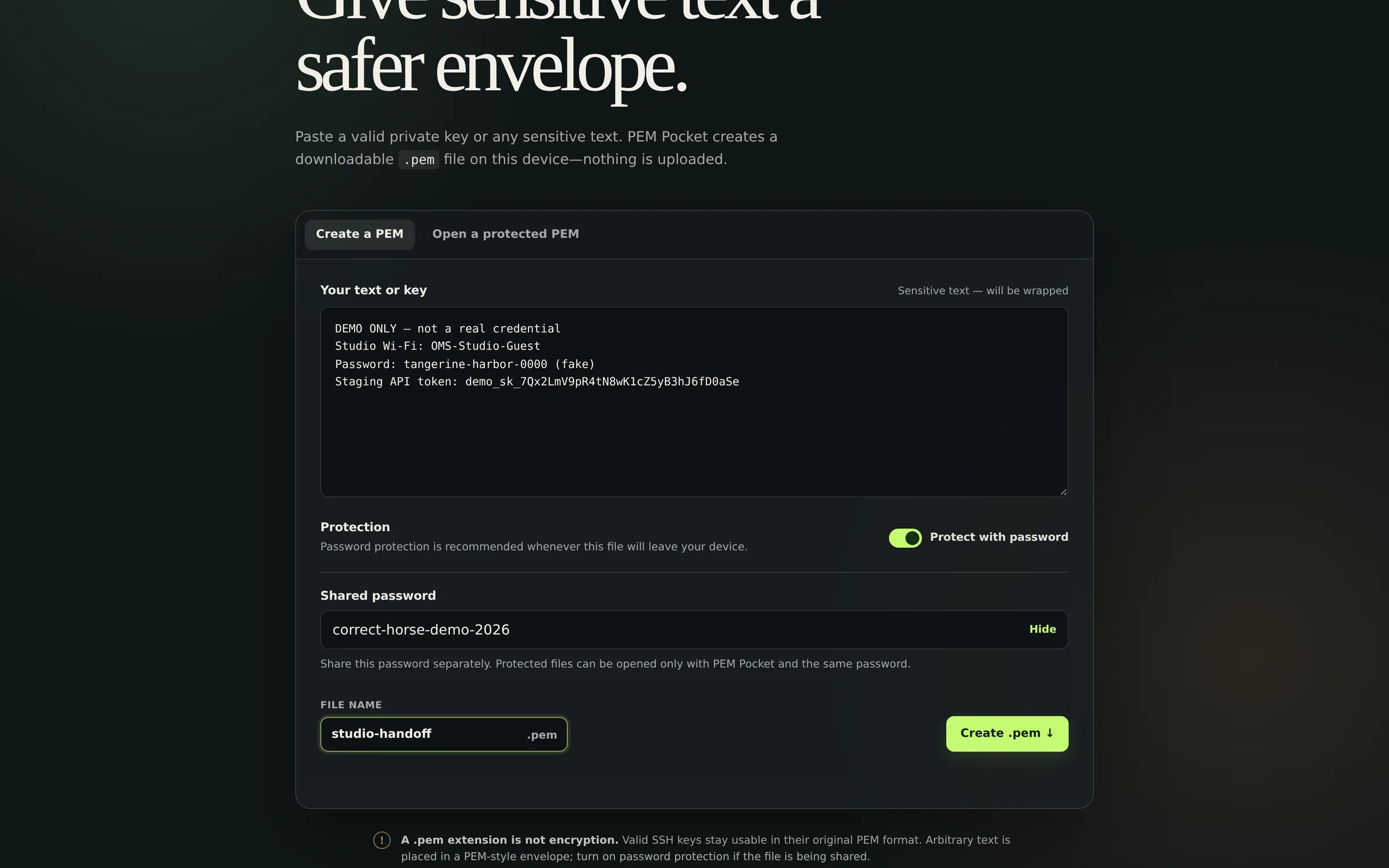
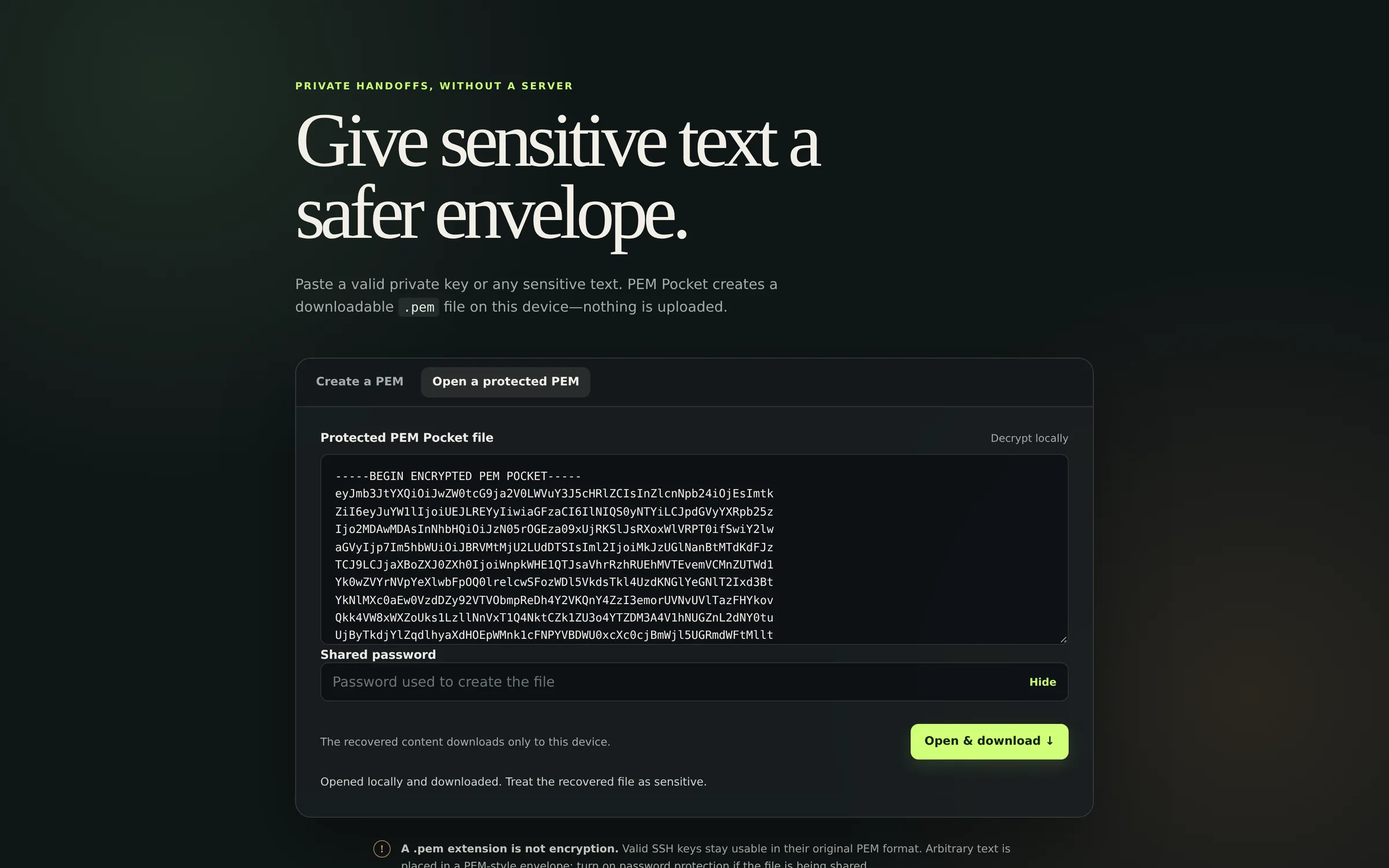
PEM Pocket
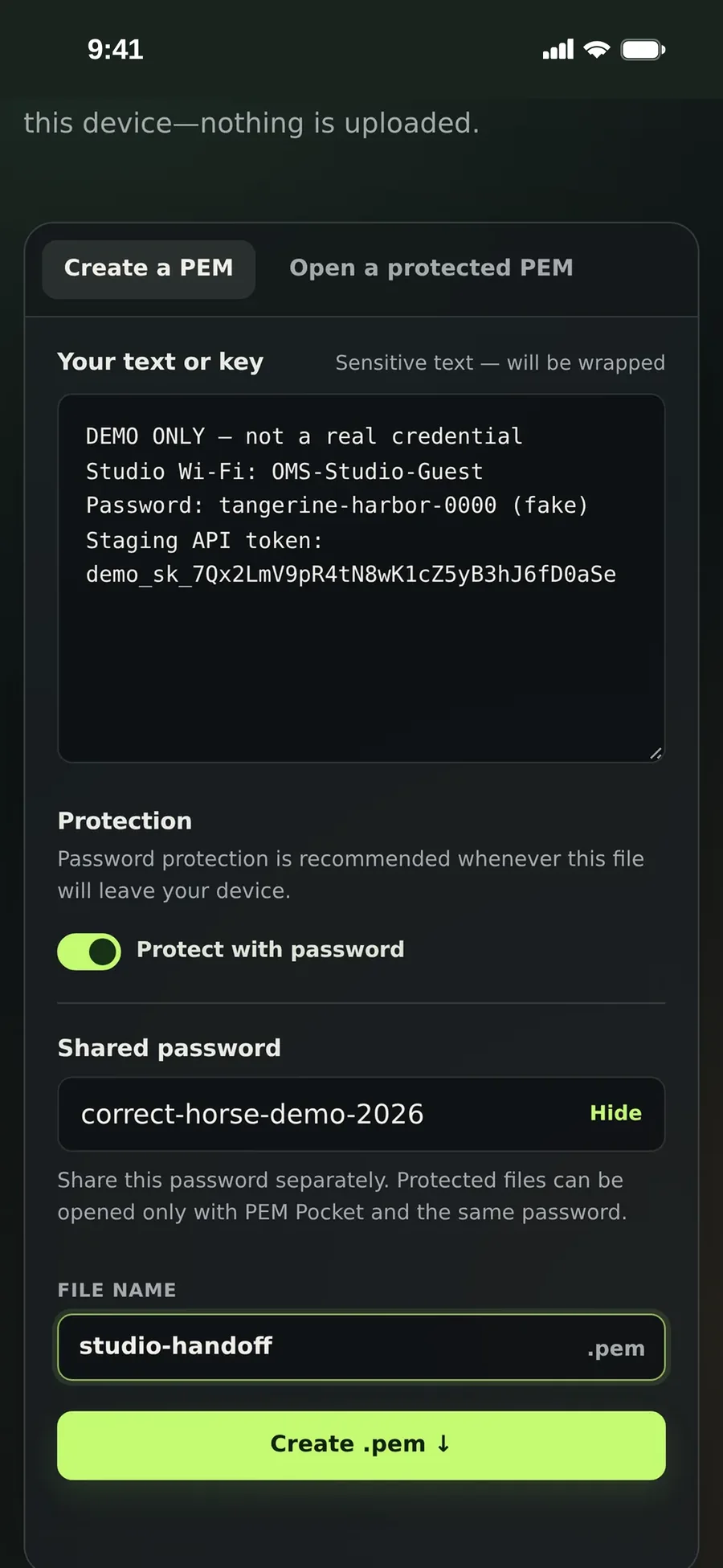
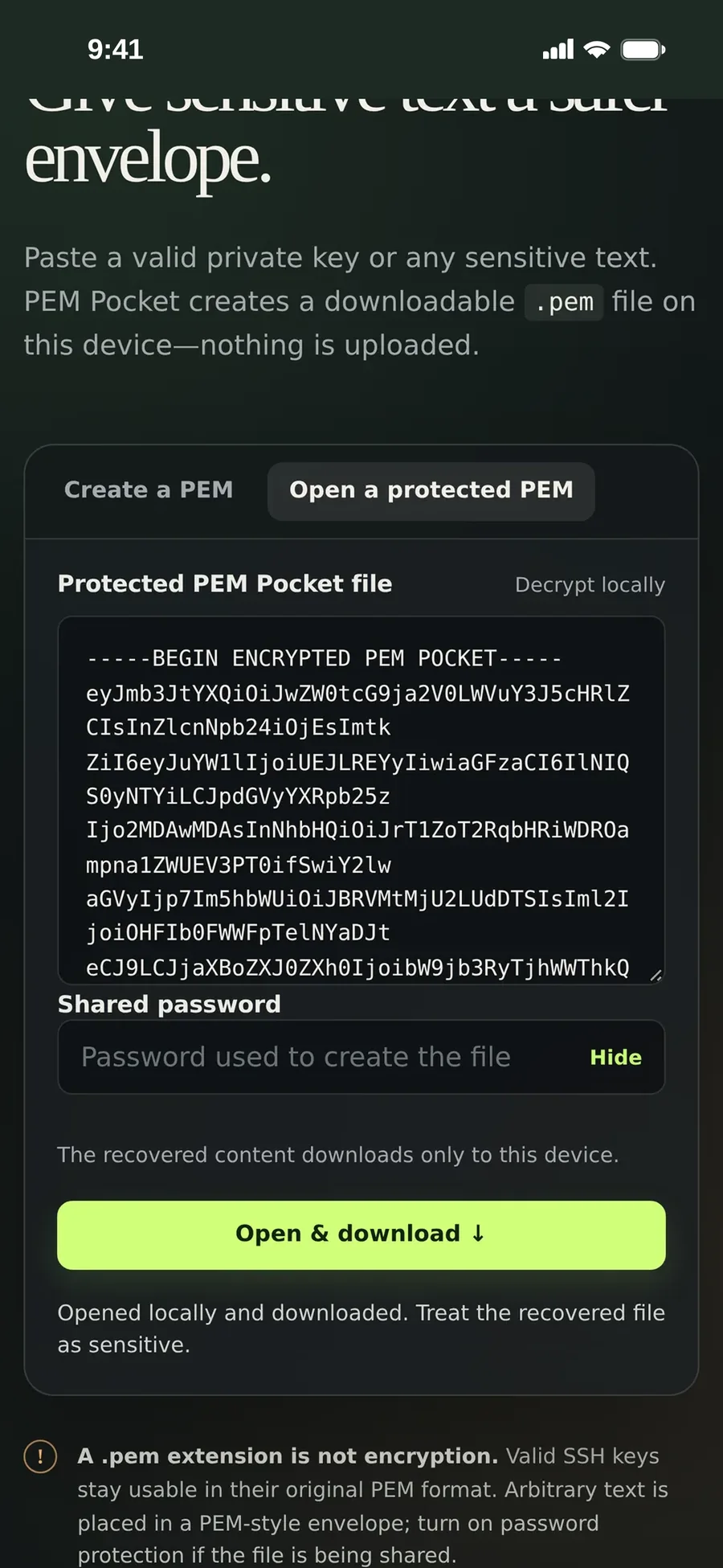
PEM Pocket on iPhone
0Network calls
AES-256-GCMEncryption
600,000PBKDF2-SHA-256 rounds
8Files, no build step
The brief

Hand off a key or a secret as a .pem file.

Credentials still travel by chat message and email attachment, usually in plain text. PEM Pocket is a small, deliberate alternative: paste the secret, choose a password, and download a single .pem file to send through whatever channel you already use. The password goes through a different one.

Everything happens in the page. There is no API, database or analytics, and the tool makes no network calls; encryption runs on WebCrypto in the browser, so the secret never leaves the device that typed it. The recipient opens the file in the same tool's second tab with the same password.

It is also honest about what a .pem is. A complete RSA, EC or OpenSSH private key can be kept readable and byte-for-byte usable; arbitrary text gets a plain PEM-style envelope; and the encrypted package is labelled clearly as a transport container, not a key OpenSSH or OpenSSL can load directly.

Visual layer

One calm workbench

  • Two tabs: create a PEM, or open a protected one
  • Live status that recognises keys, public keys and incomplete blocks
  • A plain-language note that a .pem extension is not encryption
Technical layer

Standard crypto, nothing custom

  • PBKDF2-SHA-256 at 600,000 iterations with a random 16-byte salt
  • AES-256-GCM with a random 12-byte IV per file
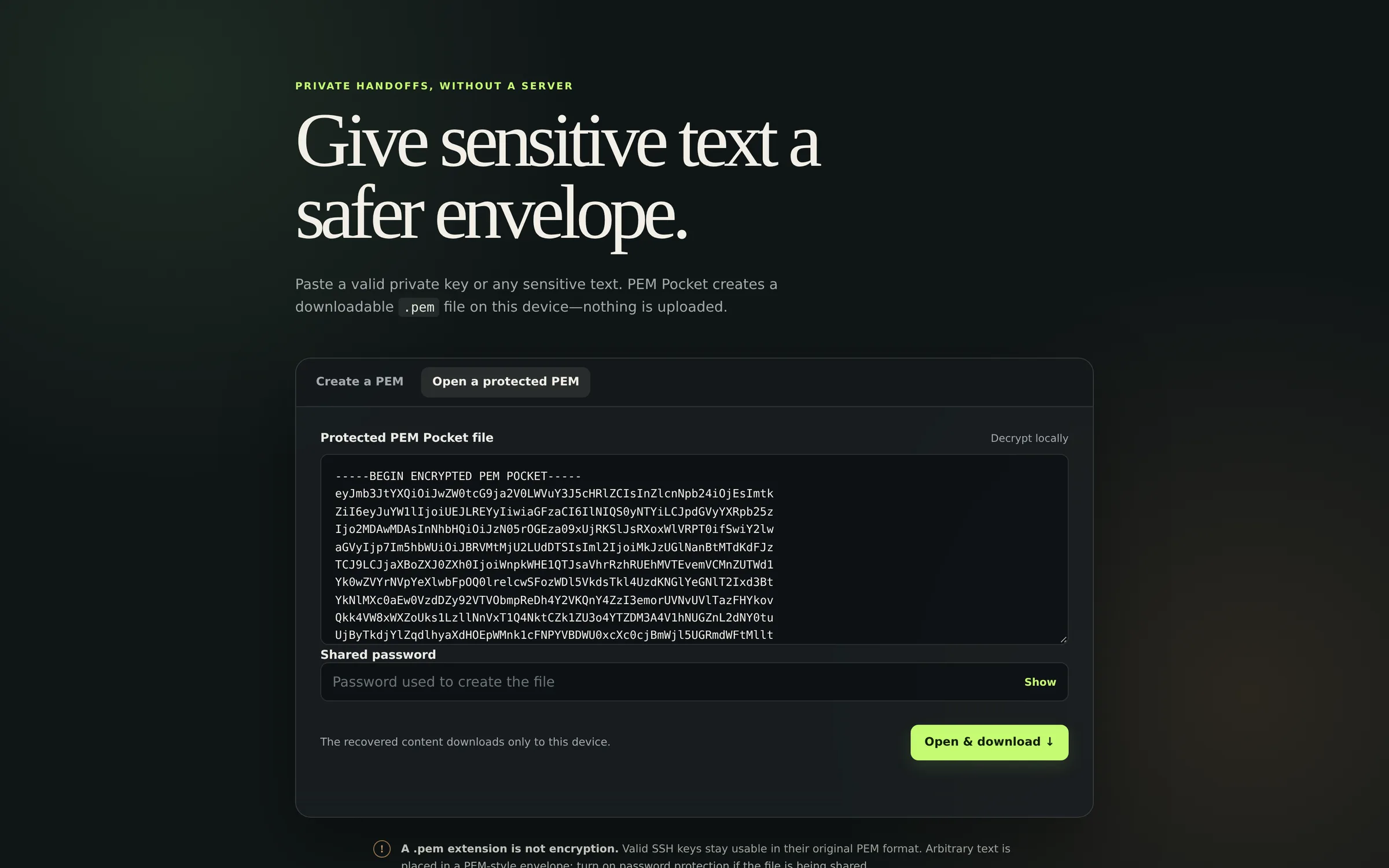
  • Versioned JSON package wrapped as ENCRYPTED PEM POCKET
Functional layer

Three honest modes

  • Preserve a complete PEM private key unchanged and readable
  • Wrap any text in a PEM POCKET TEXT envelope
  • Encrypt by default; decrypt locally with the shared password
Inside PEM Pocket
In detail · 32 features

A sealed envelope for one secret.

PEM Pocket packages a pasted key or secret into a .pem file inside the browser. It has no backend, database or analytics, and the page is not allowed to make network requests.

01

Three ways to package

Password-protected by default

Protection is switched on before you type, turning any pasted text into an ENCRYPTED PEM POCKET file.

Readable PEM kept as is

With protection off, a complete PEM block such as an RSA, EC or OpenSSH private key is saved byte for byte, so other tools can still use it.

Readable text envelope

With protection off, any other text is base64-wrapped in a PEM POCKET TEXT block, and the page says plainly that it is not encrypted.

Open a protected file

A second tab takes a protected block and the shared password, then downloads the recovered key, or the text in a readable envelope, on the same device.

02

Encryption

Standard browser cryptography only; nothing written from scratch.

AES-256-GCM encryption

Content is encrypted with the browser's built-in WebCrypto AES-GCM, which also detects any change to the file.

600,000 PBKDF2 rounds

The password is stretched into the key with PBKDF2 and SHA-256 at 600,000 iterations to slow down guessing.

Fresh salt every time

A random 16-byte salt is generated for each file, so the same password never gives the same key twice.

Fresh nonce every time

A random 12-byte IV is generated for each file before encrypting.

Versioned file format

The salt, IV, settings and ciphertext sit in a labelled, versioned JSON package inside the PEM armour.

One vague failure message

A wrong password and a damaged file give the same message, so a failed attempt reveals nothing about which it was.

03

Reads what you paste

Live input status

A status line updates as you paste, saying whether it sees a private key, another PEM block or plain text.

Public key warning

A PEM public key or an OpenSSH ssh-rsa, ssh-ed25519 or ECDSA line is flagged so nobody mistakes it for a private key.

Incomplete blocks refused

A block that starts with BEGIN but is cut off is refused until the whole block is pasted.

Matched BEGIN and END

A PEM block is only accepted when its END label matches its BEGIN label exactly.

Sensible file names

A detected private key suggests the name private-key, unless you have already typed your own.

Clean file names

Unsafe characters are stripped from the name and a single .pem extension is always added.

04

Safety choices

12-character minimum

Protected files need a shared password of at least 12 characters.

Password cleared after use

The password field is emptied as soon as a file has been sealed or opened.

HTTPS required

Encryption only runs in a secure browser context, and the page explains this rather than failing silently.

Show or hide password

Both password fields have a Show button for checking what was typed.

Separate-channel advice

After sealing, the page reminds you to send the password through a different channel from the file.

Honest about compatibility

The page states that a protected file is a transport container that OpenSSH and OpenSSL cannot load directly.

05

Nothing leaves the page

The server only hands out three static files.

No backend at all

Packaging, encryption and decryption all run in the browser, and files are saved straight to the device.

Network calls blocked

The content security policy sets connect-src to none, so the page cannot send data anywhere even by mistake.

Cannot be framed

Framing is refused by policy and header, so the tool cannot be embedded in another site.

No referrer, no sensors

Referrers are suppressed, and camera, microphone, location and payment features are turned off.

Locked-down container

The web server runs read-only with privilege escalation disabled and restarts on its own after a reboot.

Private HTTPS deployment

It is served over TLS 1.2 or 1.3 on a private network, with a health endpoint for monitoring.

06

Interface

Two-tab workbench

Create a PEM and Open a protected PEM sit in one panel as accessible tabs.

Spoken status updates

Result and error messages are announced to screen readers as they appear.

Visible keyboard focus

Tabs, buttons, fields and the protection switch all show a clear focus ring.

Works on a phone

The layout narrows to one column on small screens, with the same two tabs and controls.

Something like this?

We can build yours, or rebuild the one you have.