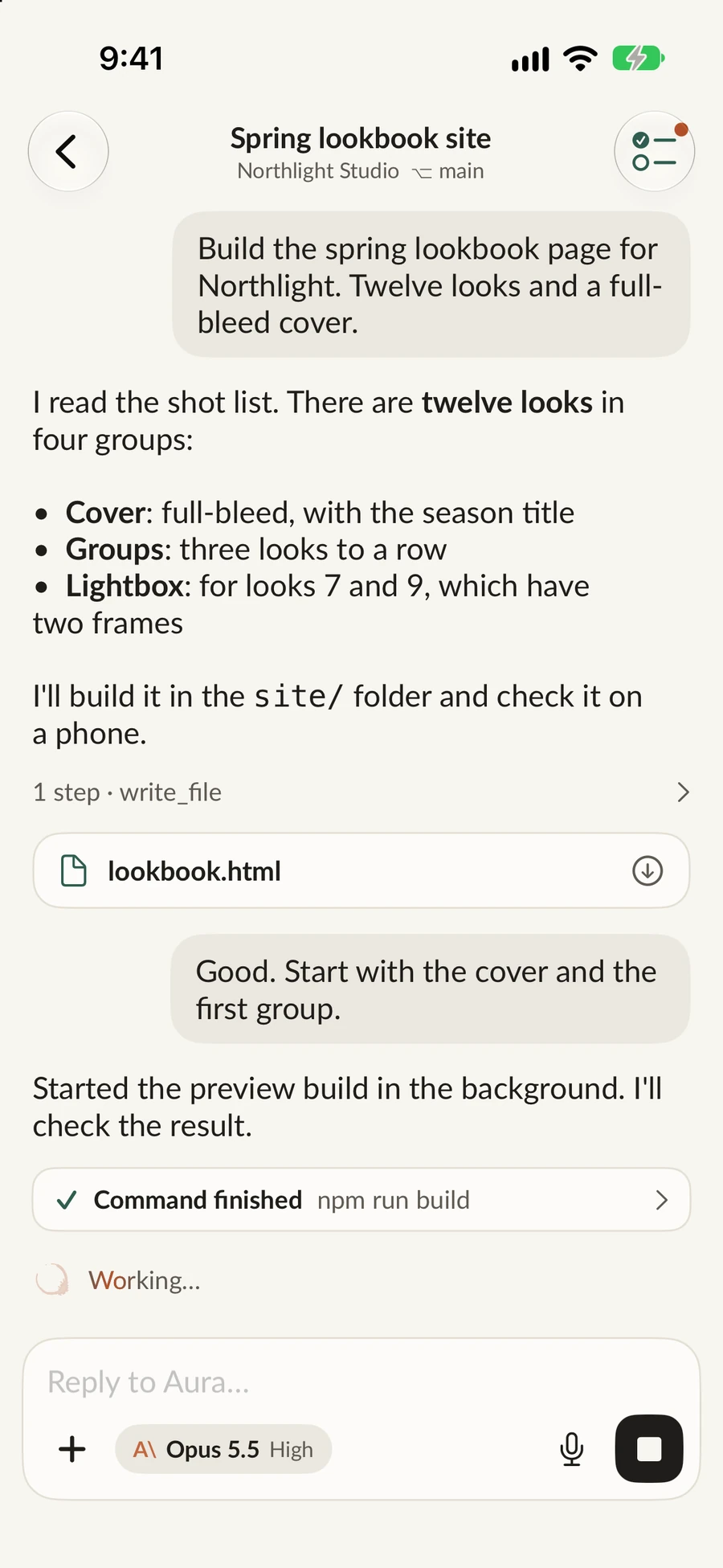
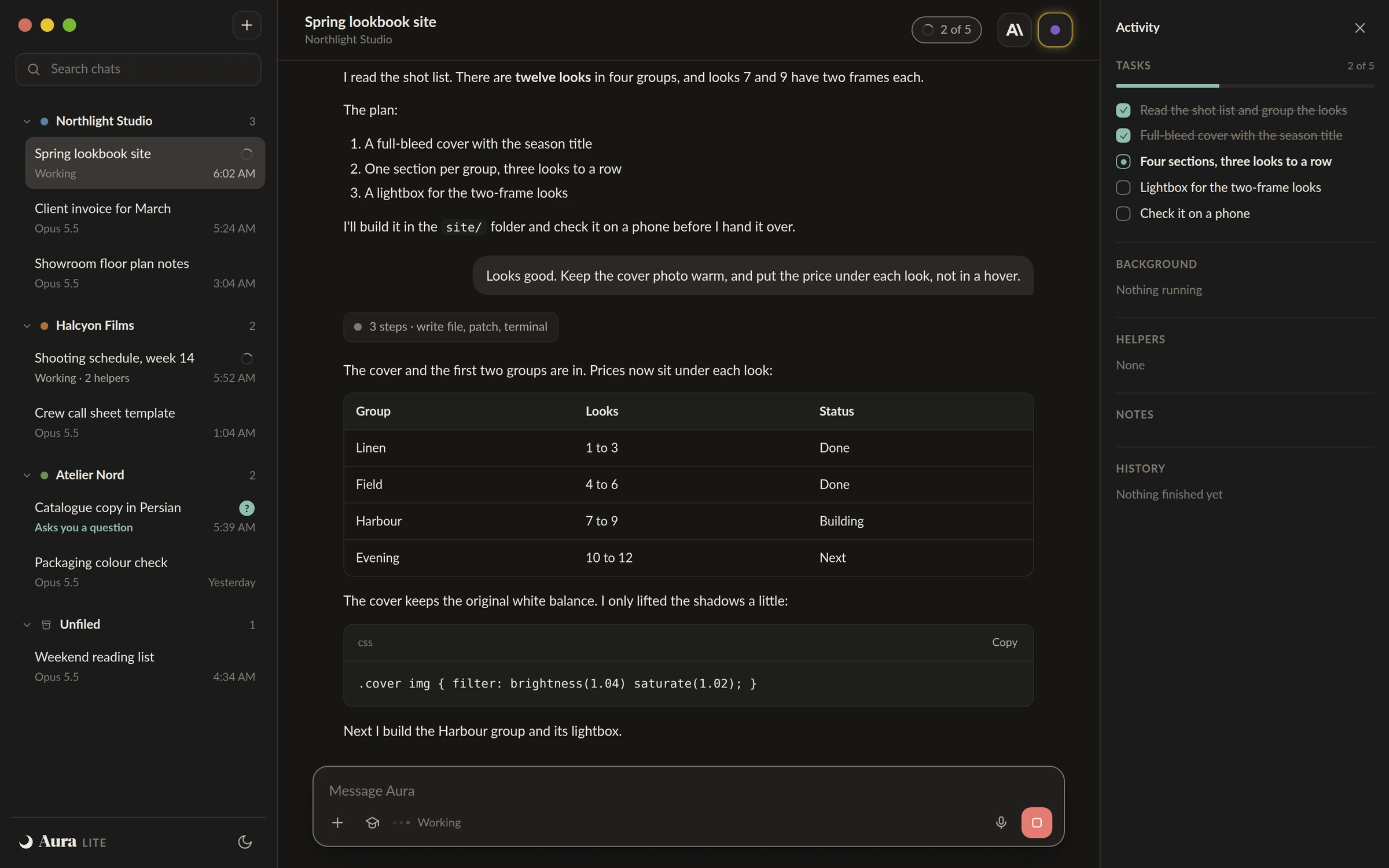
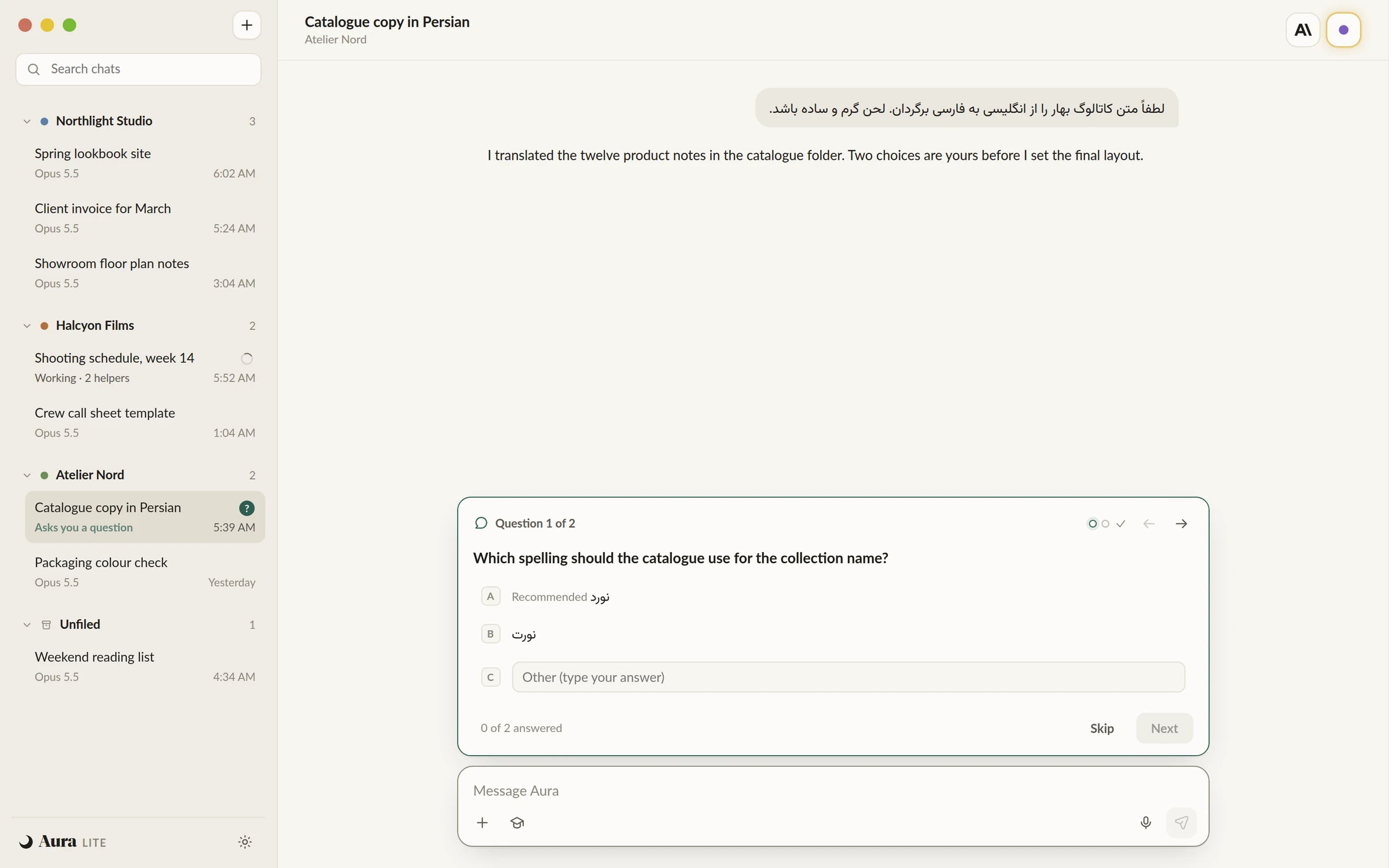
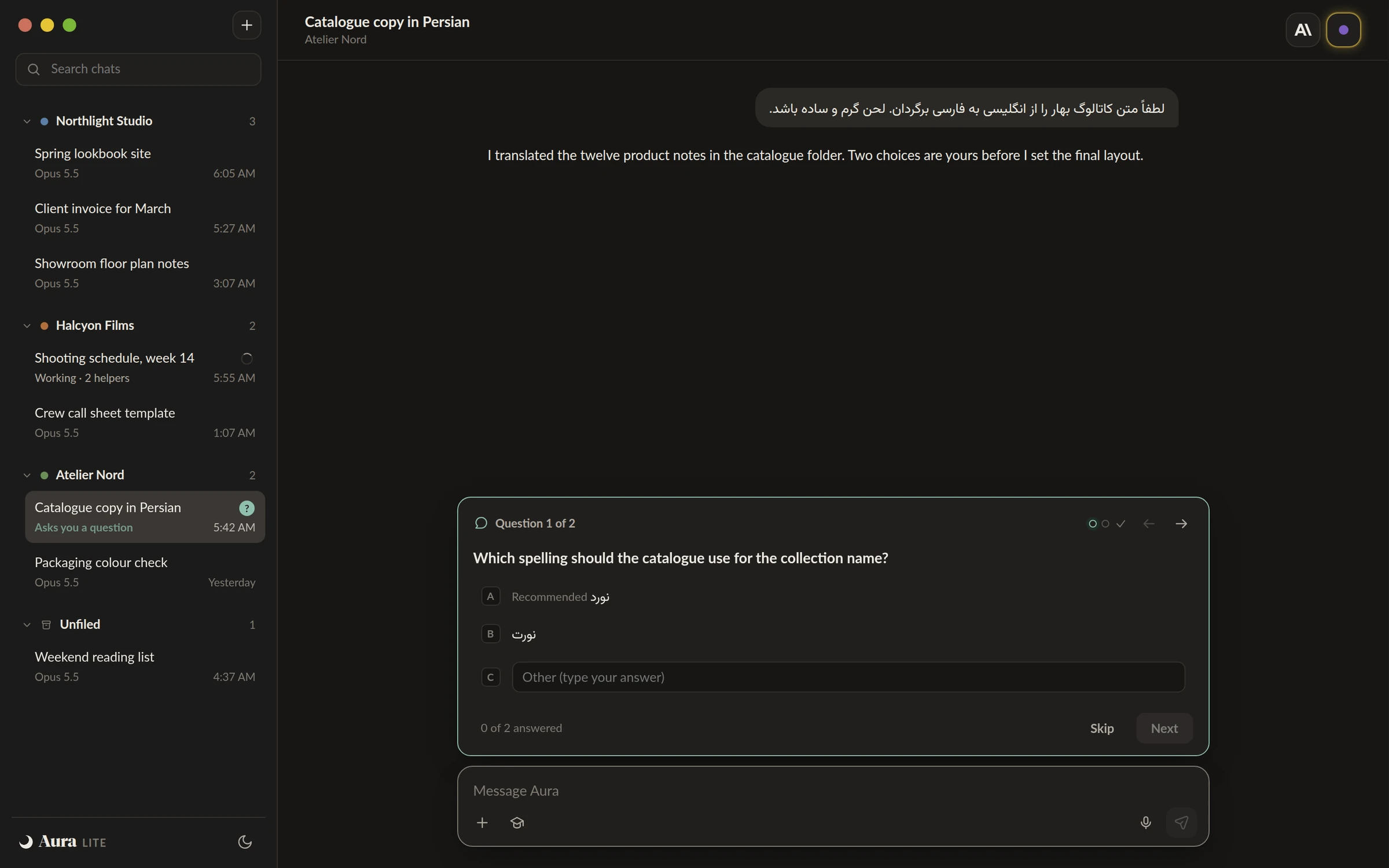
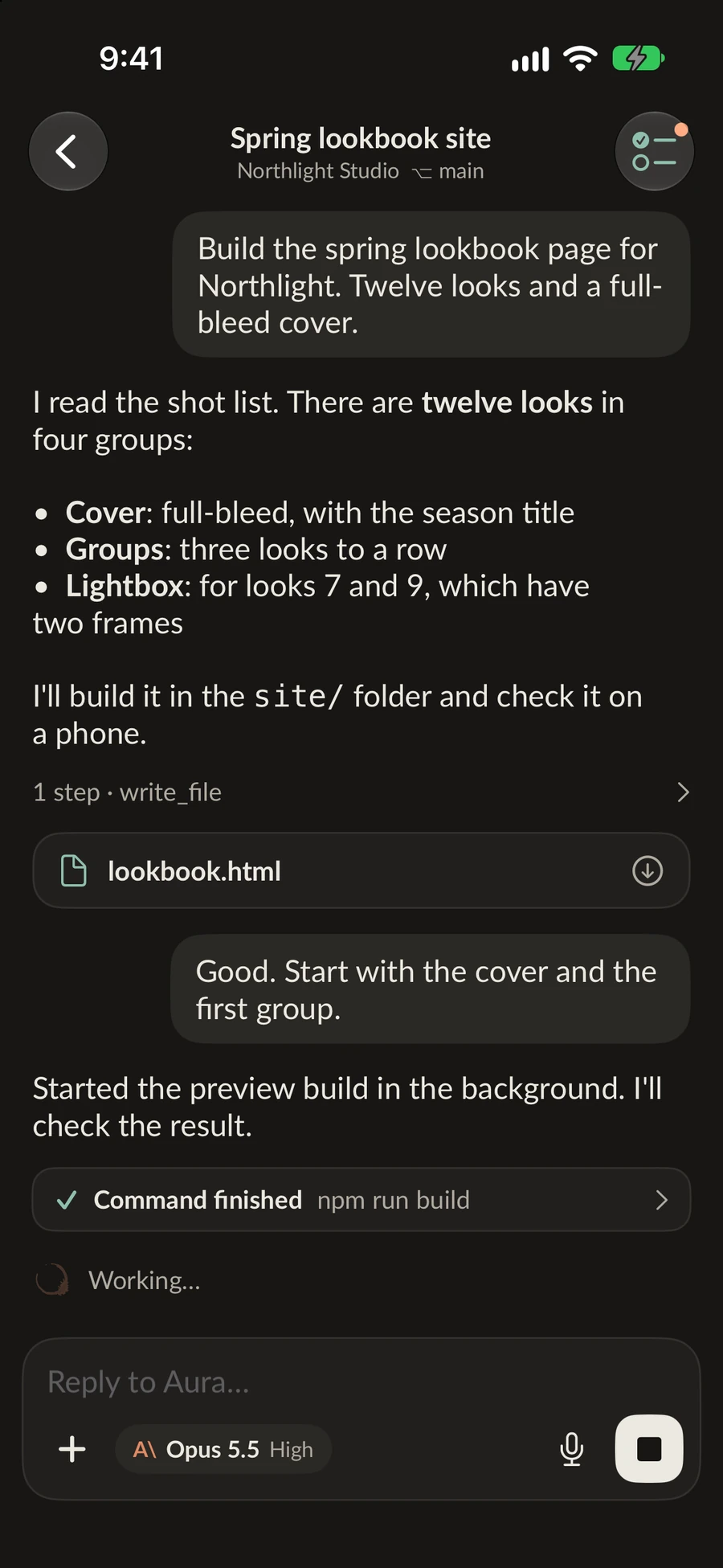
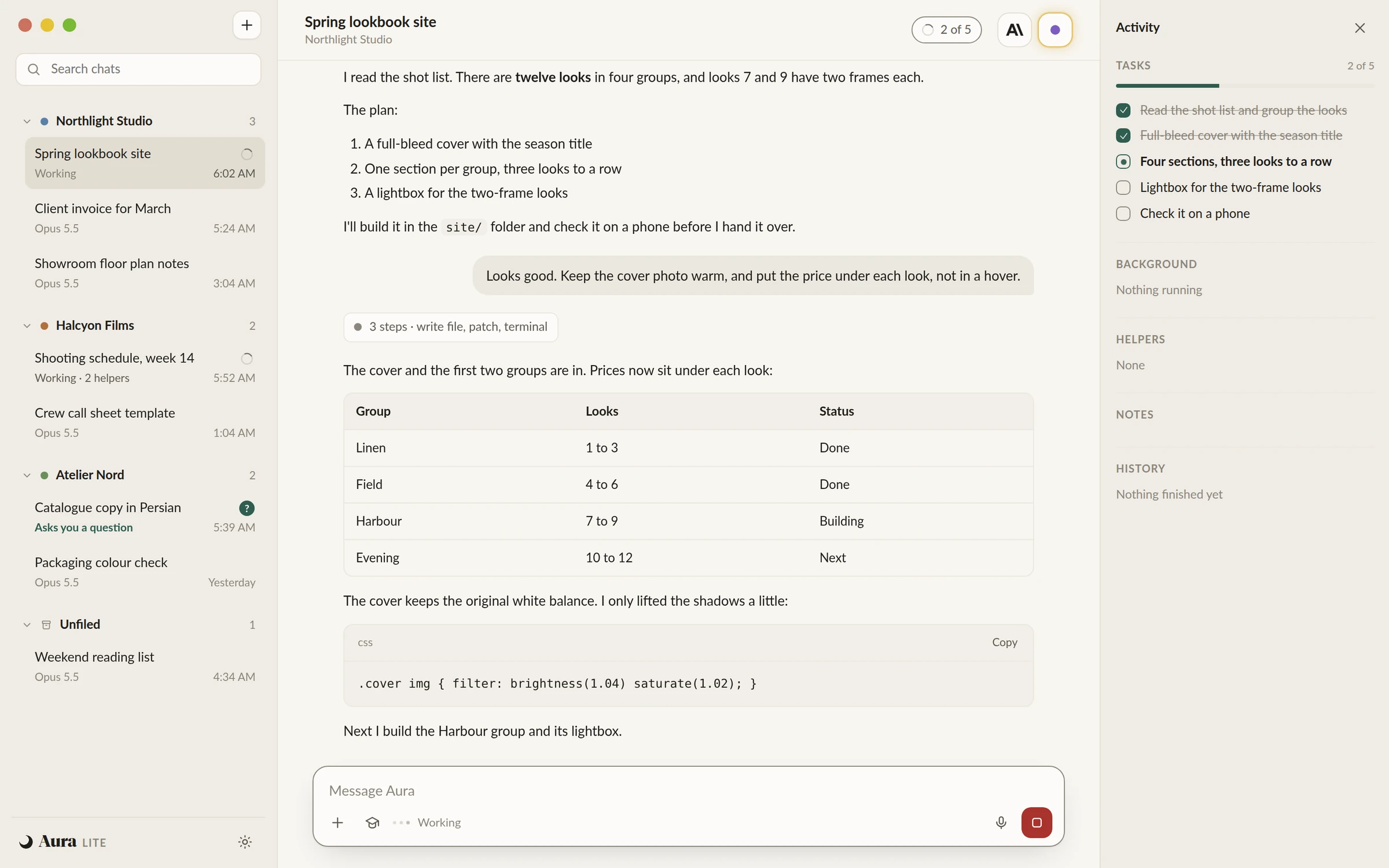
A light Mac app for the Aura assistant, with an iPhone app beside it.
Aura Lite is the Mac client we now use every day: a native window around a small plain-JavaScript app, with no framework and no build step. It went through 87 releases in its first six days.


The first Aura Mac app grew large. Aura Lite started as a prototype to see how small a full client could be: one window, plain JavaScript and CSS, served by the same Aura back end the phone already used.
It became the main app within days. Each change shipped as its own release with a plain-language changelog, from the sidebar and projects to voice, files, questions and settings. The native iPhone app shares its project order, model menu and unsent drafts.
Both apps follow the Afra Design System: warm paper, quiet cards, Literata for titles and Lato for text, with Persian set right to left in Vazirmatn.
The sidebar runs to the top edge with the window buttons on it. Chats sit under their projects, each row saying what that chat is doing; the open chat shows its plan ticking off on the right.
When Aura needs a decision it asks one question per page, with your own words always possible. If nobody answers within five minutes, the question stays open with no deadline.
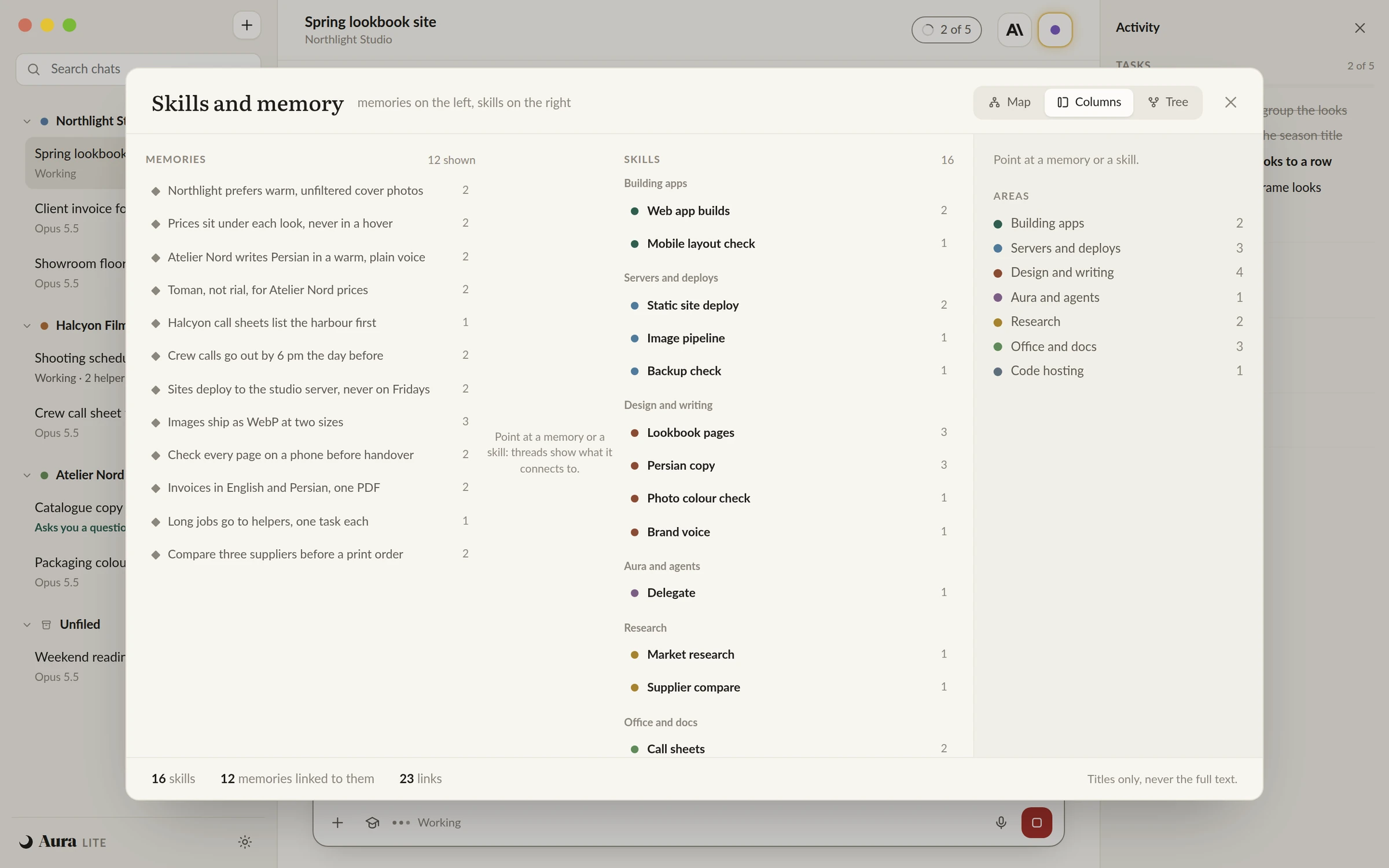
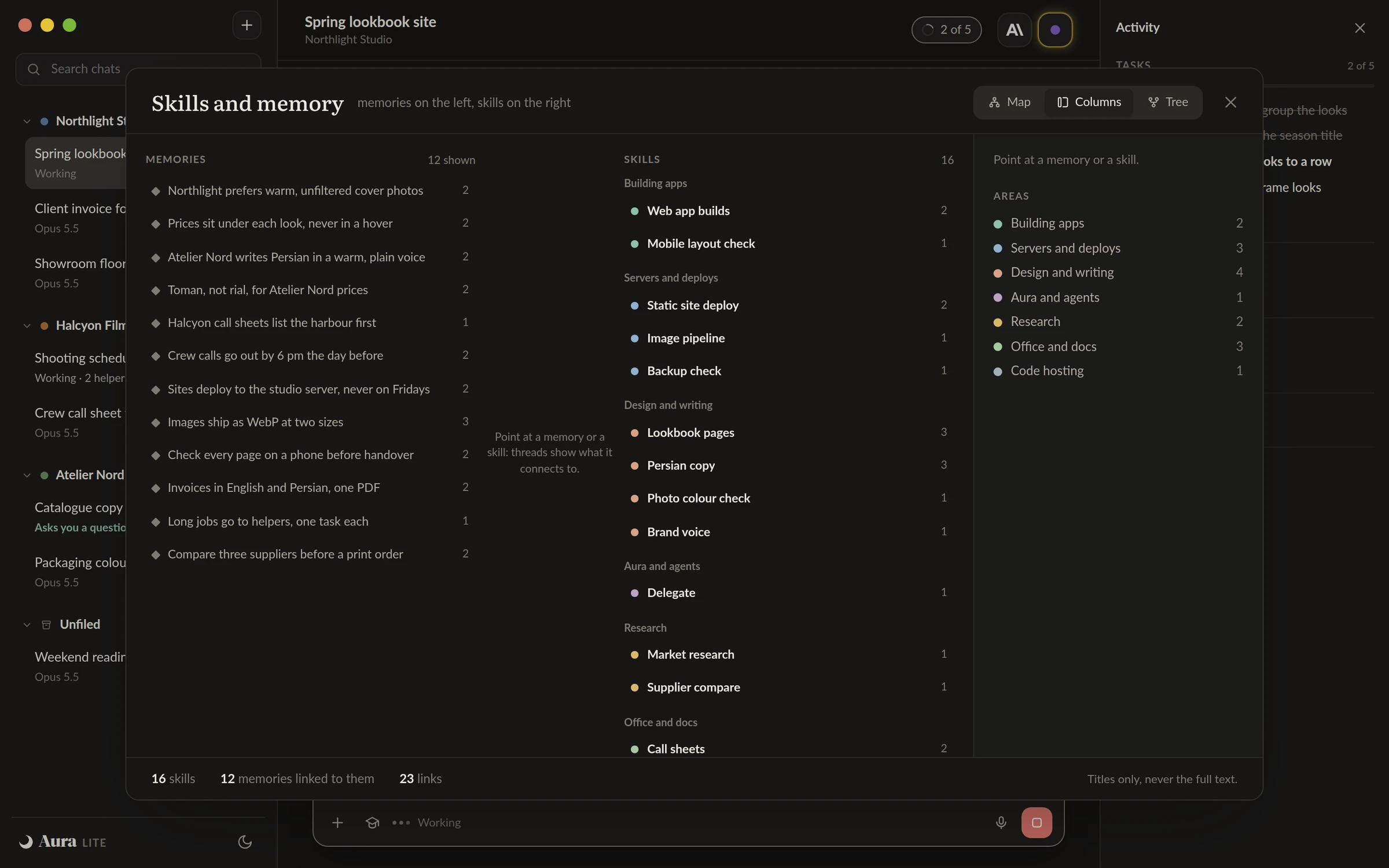
Memories on the left, skills on the right, grouped by area. Map, Columns and Tree are three views of the same data, and the window shows titles only, never the full text.
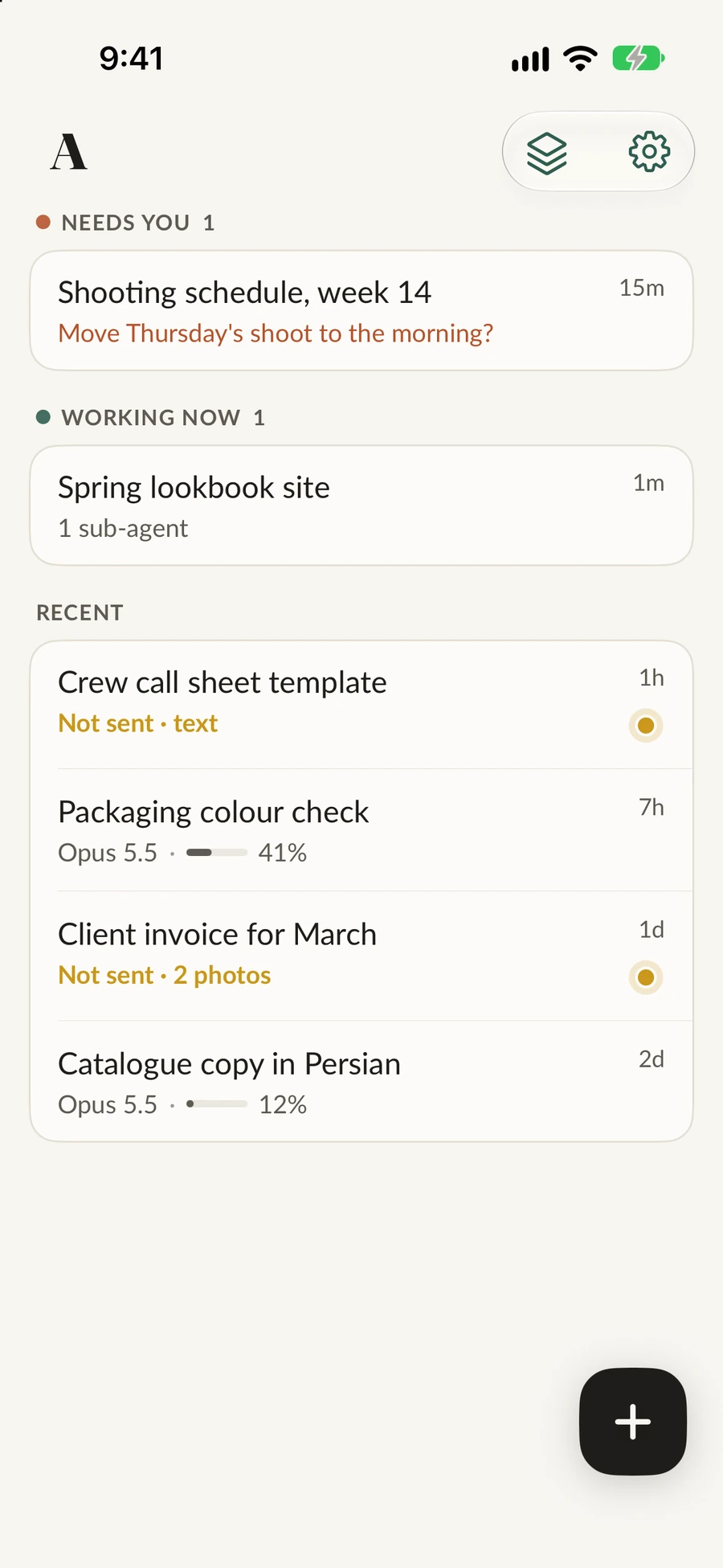
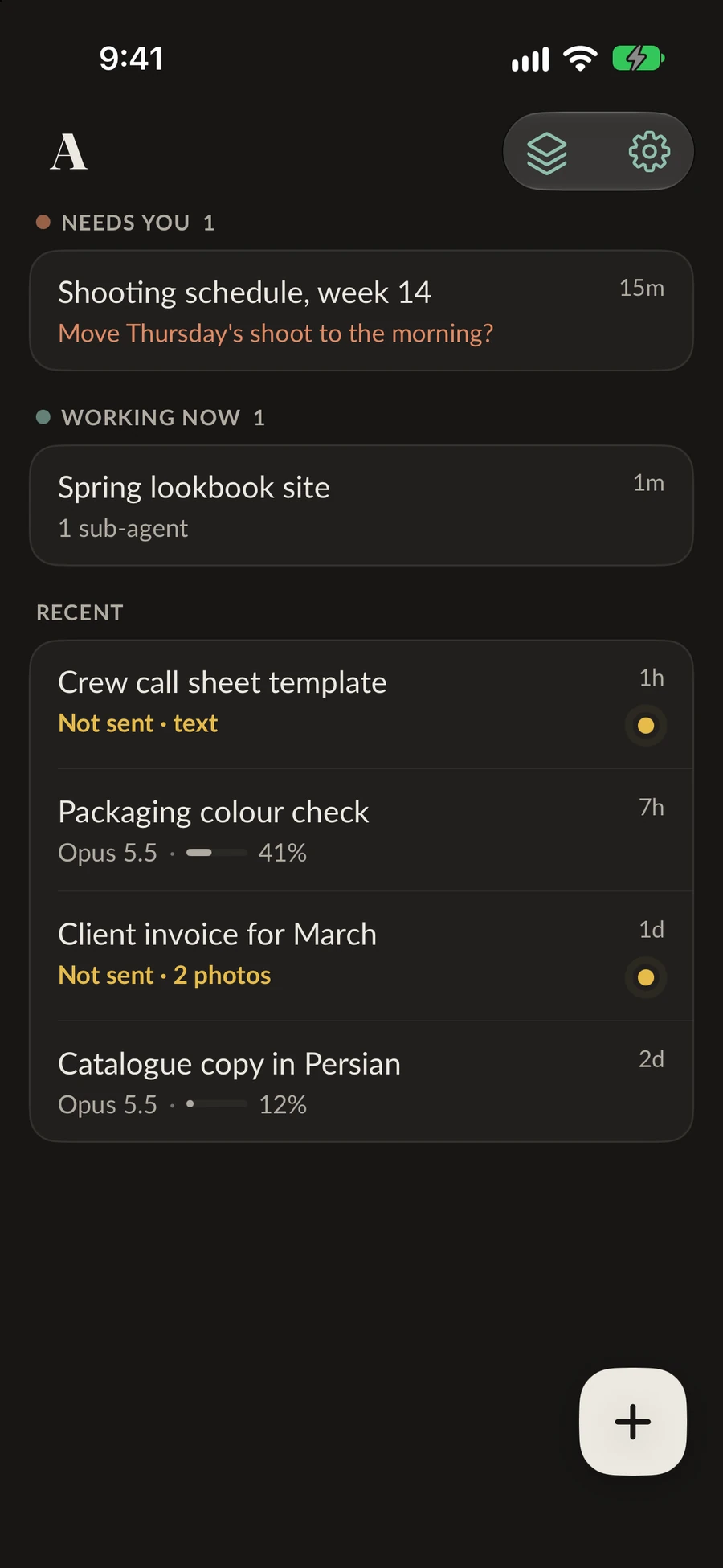
The native iPhone app shares the Mac app's project order and model menu. Chats that need you and chats still working sit at the top.
Aura Lite is a small Mac app for the Aura assistant: a native shell around a plain-JavaScript client with no framework and no build step. It went through 87 releases in its first six days, from 16 to 21 November 2026. This is what it does today.
The list tells you what every chat is doing without opening it.
Pinned chats on top, then one section per project in your own order, then Unfiled; each shows its four newest chats, with Show more and Show less.
A turning ring while a chat works, a green ? for a question, an amber shield for an approval, recording levels, and a dot for a reply you have not read.
A chat with text, a voice note, a quote or files left in its box for three minutes gets a yellow dot and says what is waiting.
Under each chat: its model and how full its context is, turning amber past 80%.
When a chat that needs an answer is scrolled out of sight, a small pill at the bottom of the list takes you to it.
Right-click or the ⋯ button; rename in place with a slow second click; archive with a five-second Undo; delete always asks first.
⌘K searches the text of every chat on the server and shows snippets with the match highlighted.
A handle on its edge appears when you come near: click to slide it shut at your screen's frame rate, drag to resize it from 220 to 480 points.
When a chat changes on any device, the list updates within about a second, and an answer given on the phone shows on the Mac at once.
Projects are the backbone, so they get real tools, not just folders.
Drag a project in the sidebar or in Settings: every project folds to its name, a gap opens where it will land and the others slide aside.
Pick up a chat and drop it between two chats of any project, or on a folded project's name; each move can be undone.
A chat's menu has a single Move to project row whose list of projects, with their colours, opens beside it.
Each project opens to rename it in place, pick one of eight colours, write one line about it and write instructions every new chat in it reads first.
A new project only asks for a name; Lite makes its folder, catches a name already in use, and renaming never moves anything on disk.
Archived lists archived projects with their colour and chat count; open one to see its chats or bring it back whole.
The project order is kept on the server, so every Mac and the iPhone app show the same list.
Long working chats stay readable.
Code blocks with Copy, tables, lists, quotes and headings; right-to-left text is detected by itself.
A run of tool calls becomes one line, such as "6 steps · terminal, write file", that opens on click.
Full, short and code-marked addresses open in your browser, while file names, versions and email addresses stay plain text.
A helper's or background command's long report becomes one line (finished, stopped or failed, and how long it took) that opens on click.
Notes from other chats and Aura's own system notes show as dashed, folded cards, so only your own words sit in filled bubbles.
When the engine restarts mid-task, the chat shows a short card with the time and how many helpers it starts again.
Earlier messages load until the window is full, so scrolling back in a chat full of folded steps never gets stuck.
Selected text offers Ask about this and Quote in reply; files, links, code blocks and text fields each get their own short menu.
Aura can ask, and you can answer days later.
Several questions at once show as "Question 1 of 3" with dots, letter keys for the options, Other for your own words and Skip.
After the last question a review page lists every answer; nothing reaches Aura until you press Send answers.
If nobody answers within five minutes, Aura ends its turn and the question stays open with no deadline, costing nothing while it waits.
Sending a new message closes a waiting question, and Aura reads your message instead.
Changing the model of a long chat asks first in a sheet, because the new model reads the whole chat once at full price.
The message box never loses anything.
Text, a quote, pictures and files are saved on the Mac as you type and on the server within a second, through a quit, a crash or a flat battery.
A message started on one Mac waits in the same chat on another; the newest copy wins, and sending clears it everywhere.
Write a skill's name and a small card asks "Use it for this?"; Tab turns the words into a green skill chip.
Type / for the best matches, or open the shelf to search every skill, most used first; up to five chips per message.
Chips sit on the sentence's baseline, Backspace removes one whole, and copy, paste, drafts, dictation and quotes keep them.
When Aura needs a token or password, a card takes it straight to the server's secret store, never into the chat, the draft or a log.
Dictation that keeps going while you move around.
Speak, stop, and the text lands at the cursor; it never sends by itself, and the limit is four minutes with an amber countdown.
Start in one chat and open others: the panel stays above the box, says which chat it is for, and the words land in that chat.
Pause stops the clock and the waveform, and the sidebar row says "Recording paused".
After Stop the panel fills from the left with a large percentage, measured while uploading and estimated from 94 real transcriptions after that.
Another chat's mic works at once, so a second recording can start while the first is still being turned into text.
Every file shows the way it reads best.
Drag from Finder, paste or use +: up to eight files per message, 25 MB each, each with its own upload line.
A PDF's first page, a document's first page, a sheet's first rows and tabs, a slide, a zip's contents, code, music with a waveform.
Click a card for every page, sheet or slide over the chat; arrow keys move between the message's files and Space closes.
Download saves to Downloads and shows it in Finder, or opens it in Preview, Pages, Numbers or Keynote.
HEIC, HEIF, AVIF and TIFF photos become full-size JPEGs inside the app, orientation kept, before they are sent.
A video card shows a frame from the video itself with its size and picture size, and Play streams it in about a second.
Each chat keeps its own attachments while you switch chats, and pictures are re-attached if the connection was renewed.
A green ▶ on commands in Aura's answers asks "Run in Terminal?" in a native Mac alert with the exact command; only you can start it.
Several subscriptions, one tidy menu.
Top right of every chat: the provider's logo and the model's colour dot, with a glow for its effort level.
The model menu stays open while you choose both; your pick shows at once and rolls back if the engine refuses.
Five effort levels from calm to intense: green, yellow, orange, red and a deep wine for Max, the same everywhere.
One ring per subscription account at the bottom of the sidebar: percent left and when it resets, amber at 15% or less.
Each Claude and ChatGPT account is a card in the order Aura uses them, with a dashed card to sign in one more.
Choose whether a chat asks first, moves to the next account by itself, or stops.
An API key is tested first and never stored if it does not work; your own Ollama or LM Studio server connects by address.
A switch per model and right-click to deactivate a whole provider; every device and every chat picker follow the same list.
"Opus 5.5", not "claude-opus-5-5", in menus, the sidebar, Settings and notes.
Long jobs stay visible while they run.
A chip beside the chat title opens Tasks (the plan, ticked off as it goes), Background commands with a stop button, and Helpers.
Click a running helper to read each tool it runs, refreshed every three seconds; helpers still show after you reopen the chat.
Finished plans, commands and helpers move to History, the last 30 per chat, each opening to its ticked items, output or summary.
Right-click a project to let its chats send short notes, with fixed brakes on length, count and duration, and a green Linked badge.
A note from another chat arrives as a card with Open chat; a note that could not go out says why in plain words.
One window, three ways to see what Aura knows.
Skills sit in their areas, bigger when used more, with memories as small diamonds around them; point at one and its links light up.
Memories on the left, skills on the right; threads show the links, dashed when the other end is scrolled out of view.
Areas that open and close, with each skill's memory count and use count, and what it works with.
Switching views (or pressing 1, 2, 3) keeps the same skill or memory selected, and Lite remembers the last view.
The window shows a memory's title, never its full text; the server rebuilds the data from an allow-list before it reaches the page.
Twelve pages, opened as a pop-up over your chats.
The last 7 or 30 days: daily bars, a table per model, an estimated pay-per-use cost, and plan limits per account.
Saved logins, cards and addresses, added or changed without a password ever being shown or read back.
The SSH keys Aura uses, which chats used each one, and which keys can sign in to the server; never the keys themselves.
Light, Dark or Same as Mac, with Paper, Side panels and Accent colours per look, previewed on a small Lite.
Tell me when a chat asks, needs approval, fails, gets a note or finishes a reply; mute one chat for an hour, until tomorrow or always.
Nine engine settings, such as asking before risky commands or when to shorten long chats, each with Changed and Reset.
Server disk and memory at a glance, plus one-click Health check, Security check and Backup, with problems listed first.
MCP servers with Test connection, every skill by area and every tool with its switch, under one search box.
A new version loads within seconds at a quiet moment, never while you type or watch a reply, and puts back your chat, drafts and scroll.
Small decisions, measured rather than eyeballed.
One card slides between options as a single animation, so it never pokes past its track, and nothing else moves by a pixel.
A small gap between rows in every list and menu, so a hovered row never runs into the selected one.
Menu icons sat 2 to 3.5 px above their words on the Mac; each one now sits on the middle of its word’s line.
Only on icon-only buttons or cut-off text, after a two-second rest; never repeating words you can already read.
No title bar, traffic lights in the same spot as Notes and Finder, no scroll bars, and only real content can be selected.
The page can only move the window and propose a Terminal command; it has no file system, shell or other native access.
Each new server route accepts exactly one body shape and is covered by its own tests; everything else is refused.