Products  /  Ledgers
Client platforms · Finance

Ledgers

Two private money books, each built around how one client actually keeps its accounts.

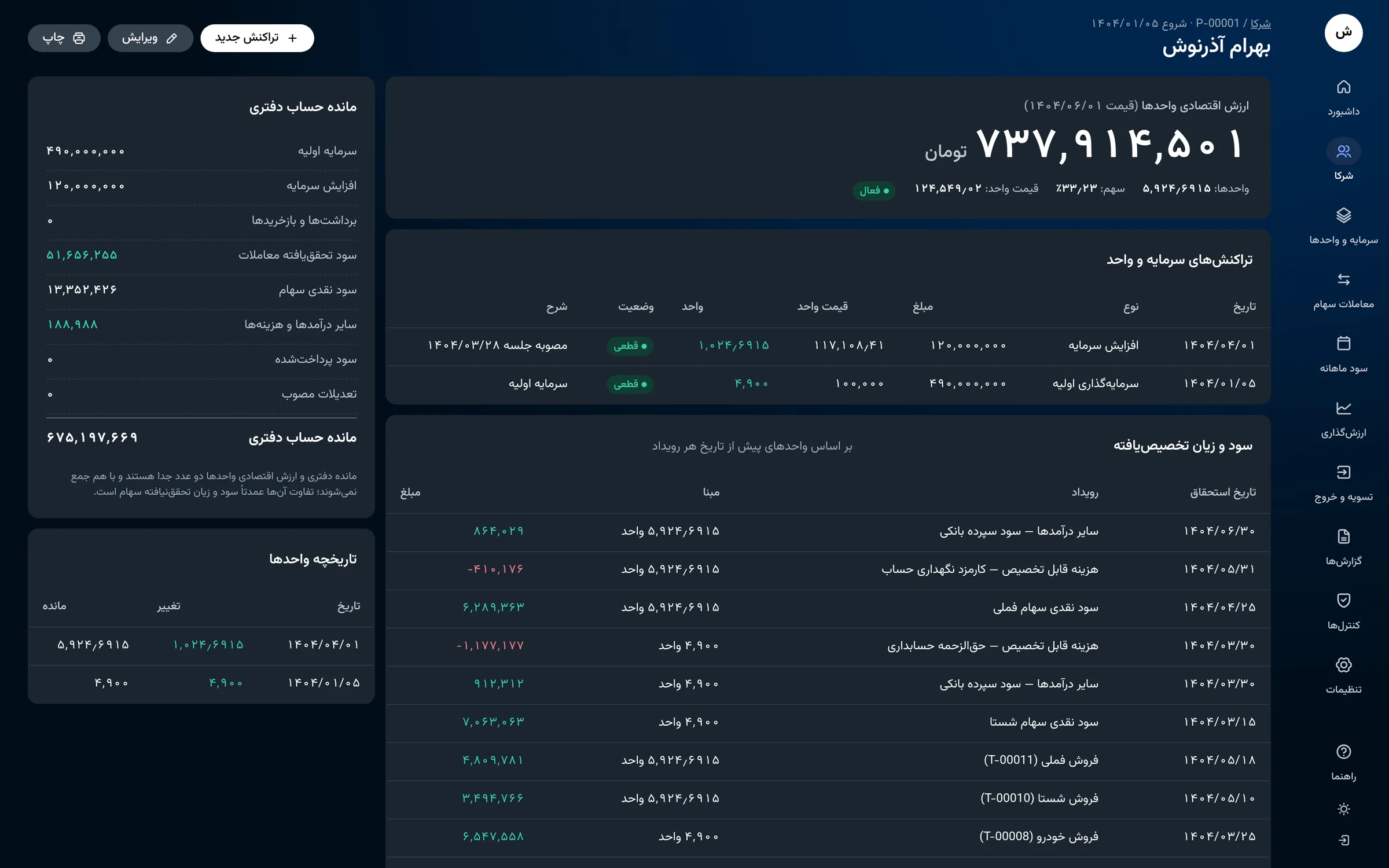
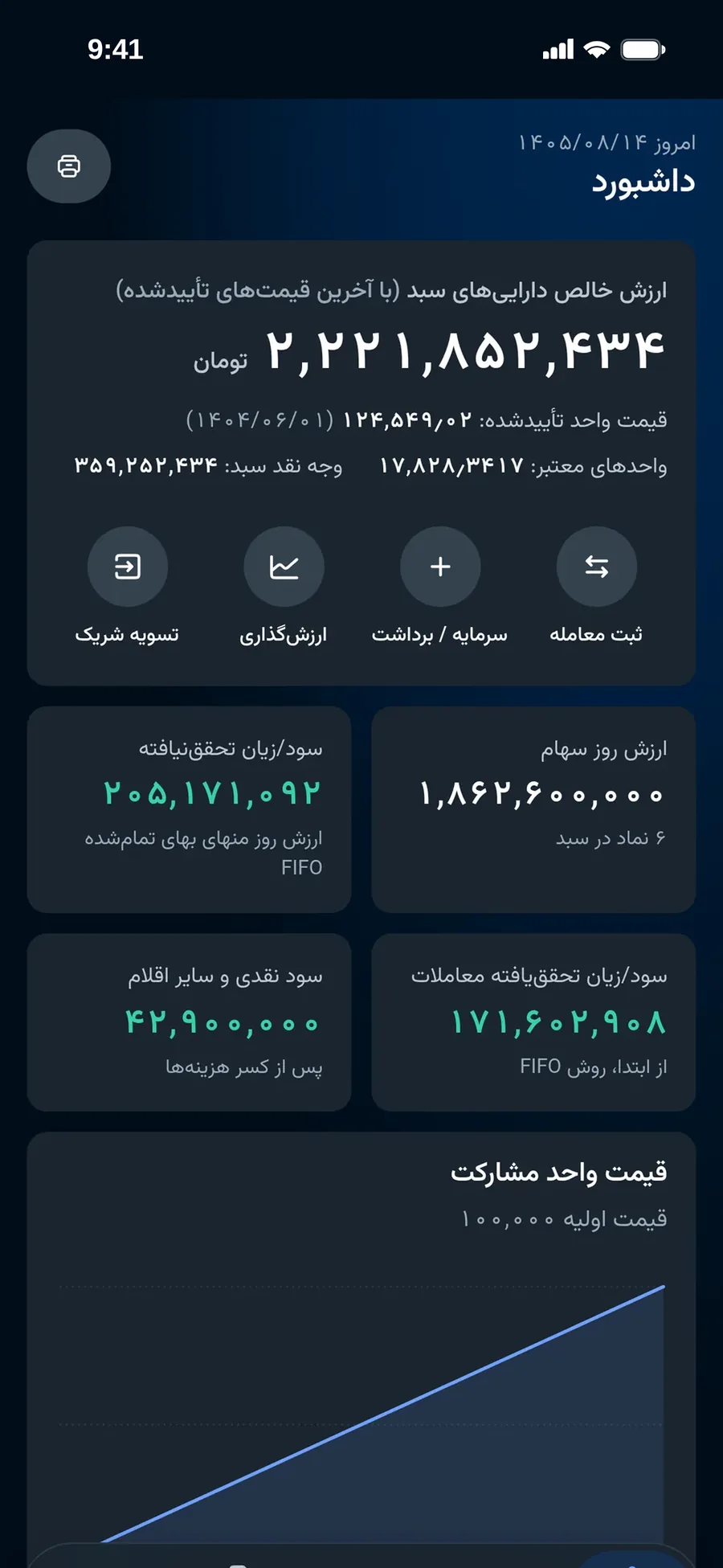
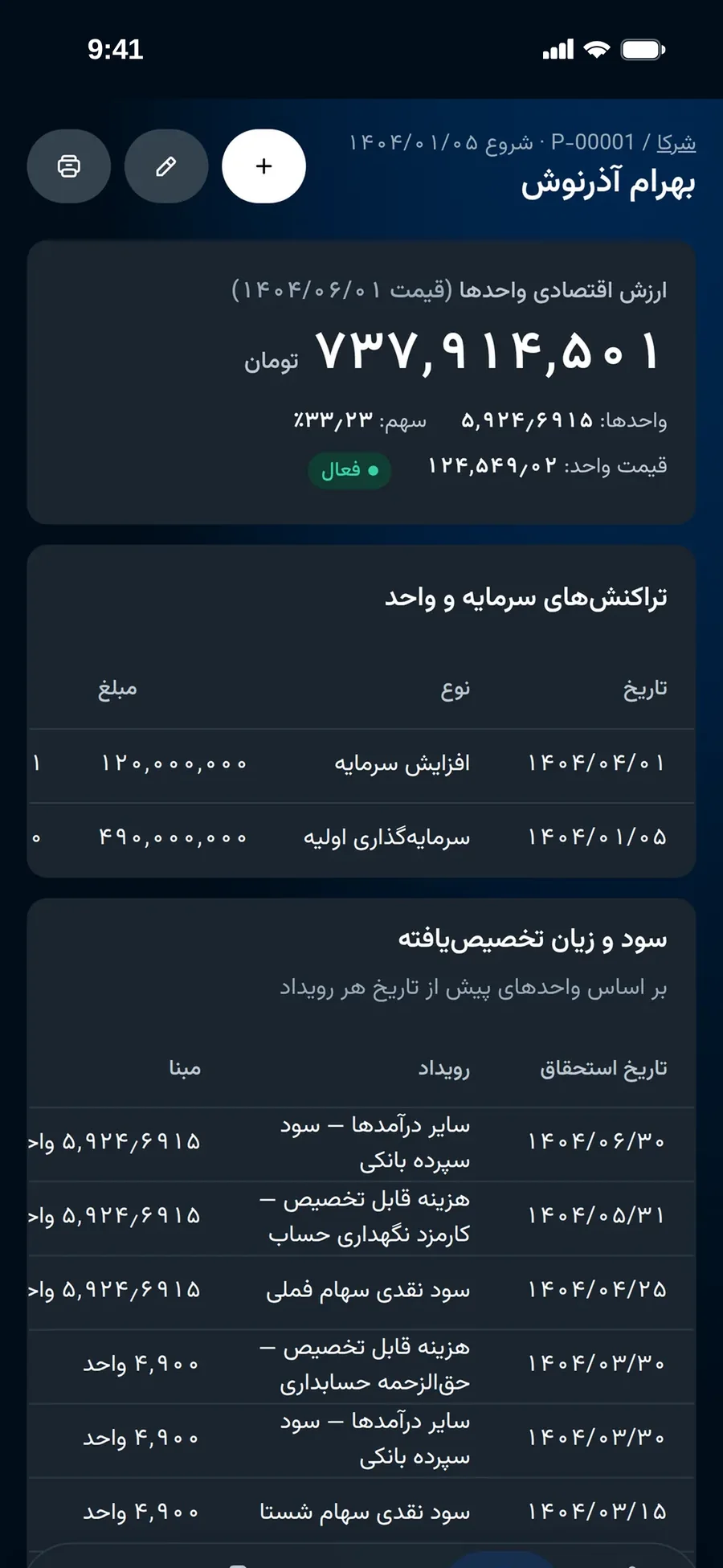
CorenCore Ledger lets a UAE technical-services contractor photograph a receipt on site and file it under the right project and the right person's money. The Sharif partner ledger runs a shared stock portfolio for a group of Iranian partners: units, FIFO trades, dated valuations and exit settlements, all in Persian.

PWAPersian RTLPostgresSQLiteExcel + PDF exportAudit trail
Ledgers
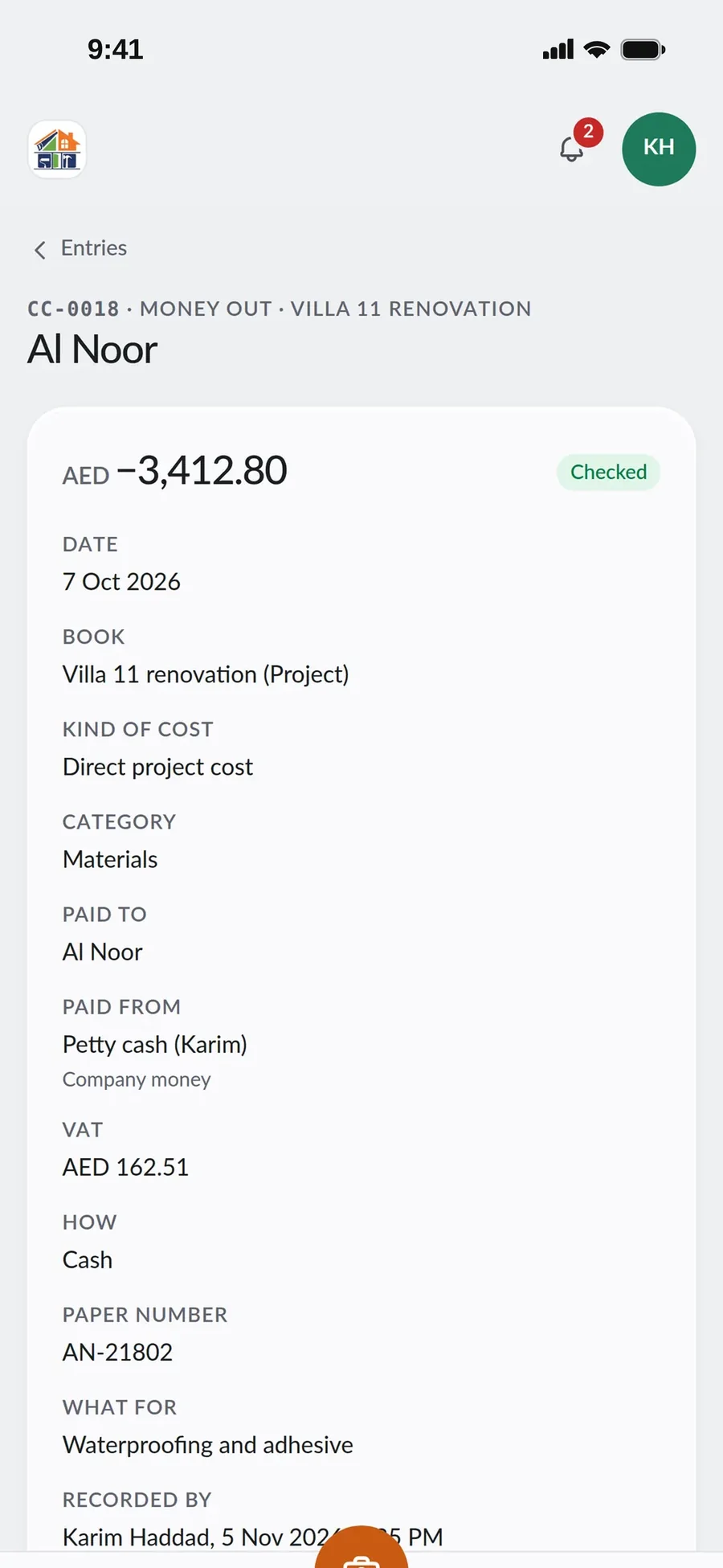
Ledgers on iPhone
2Ledgers, one per client
5Roles in CorenCore
12Integrity controls in Sharif
17Reports, each exportable to Excel
The brief

Two private money books.

Small companies and partnerships tend to keep their money in a spreadsheet that one person understands. That works until someone asks who paid for something, whose money it was, or why a balance moved. We built two ledgers that answer those questions on their own, each shaped to one client's way of working rather than to a generic accounting product.

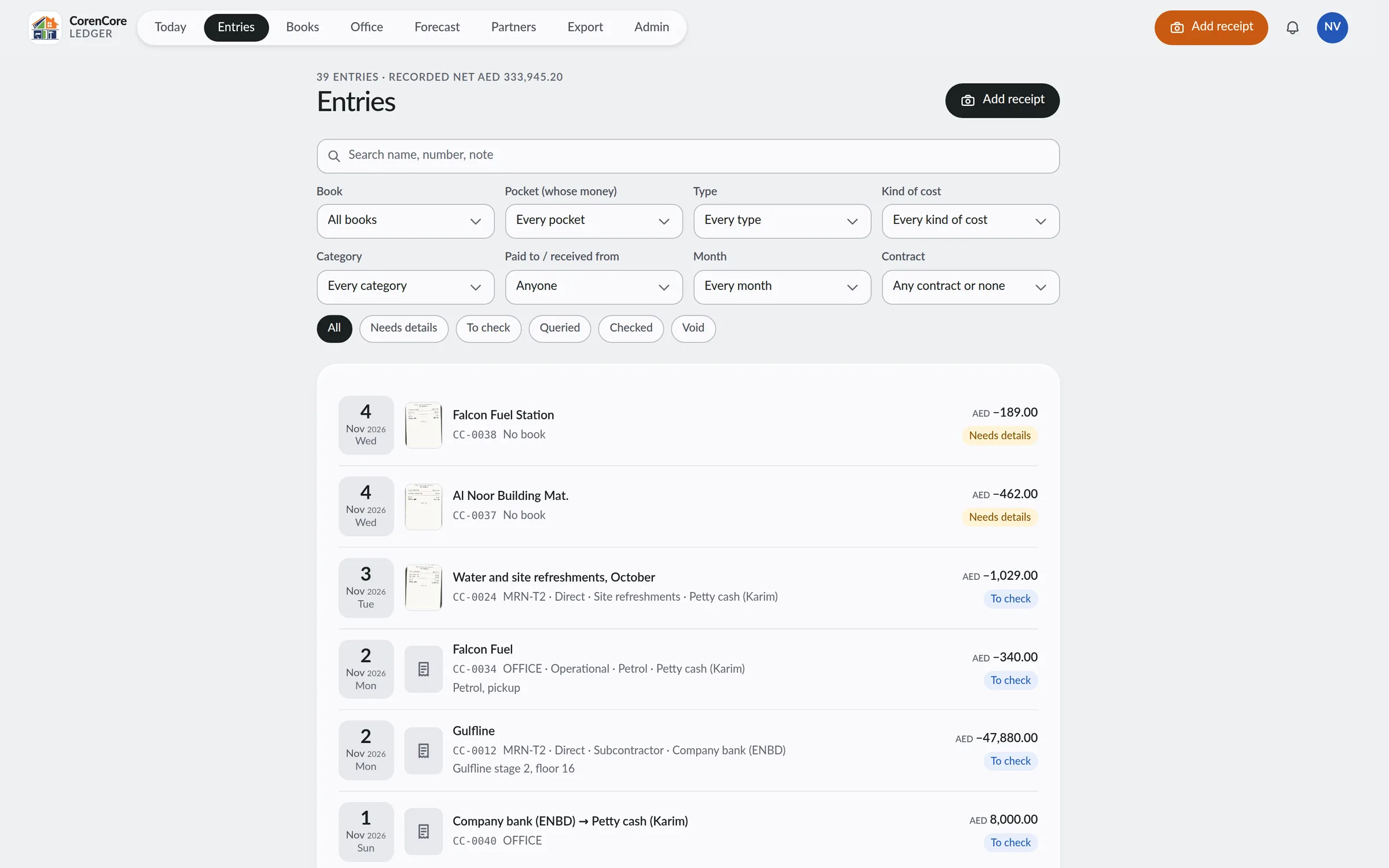
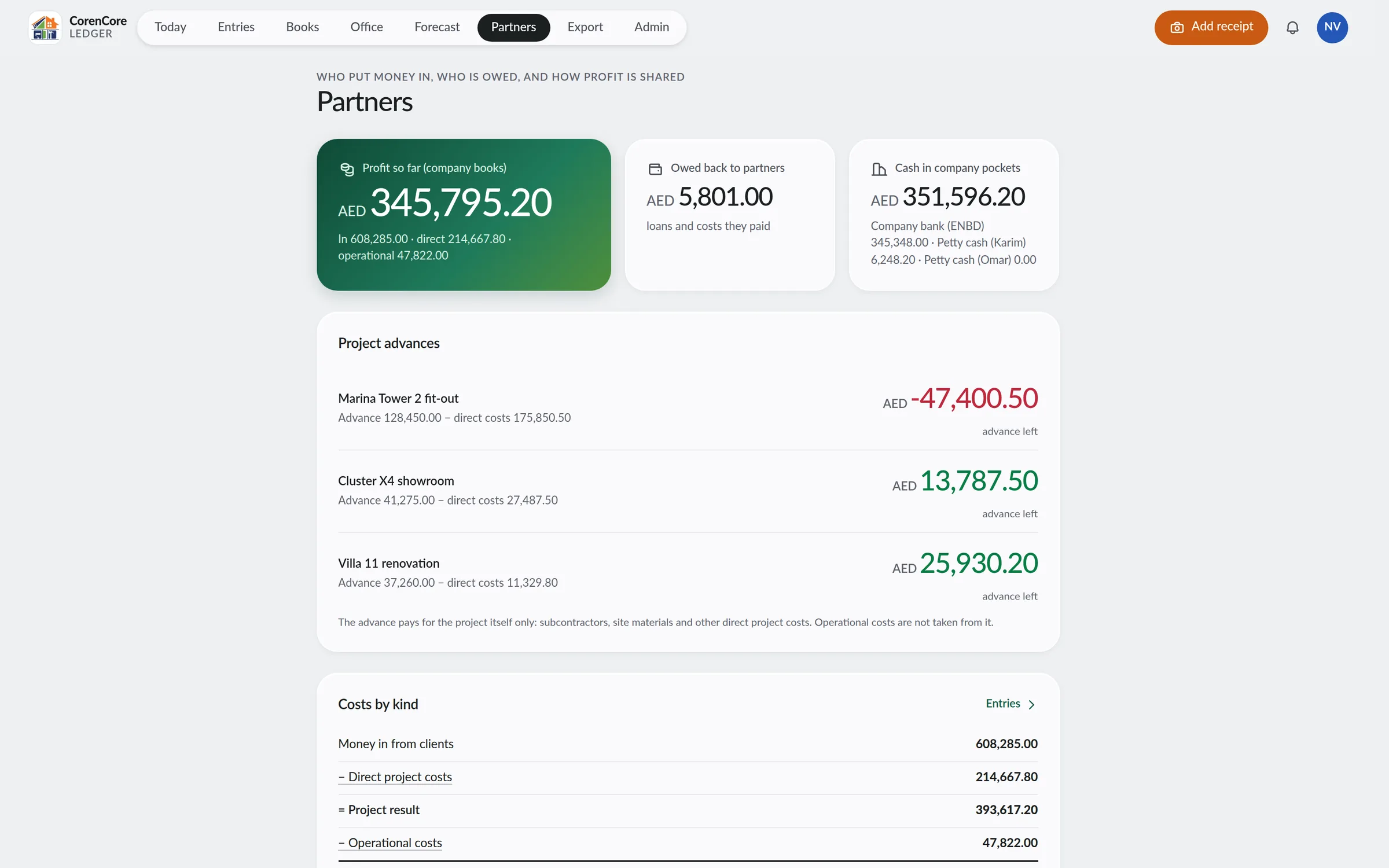
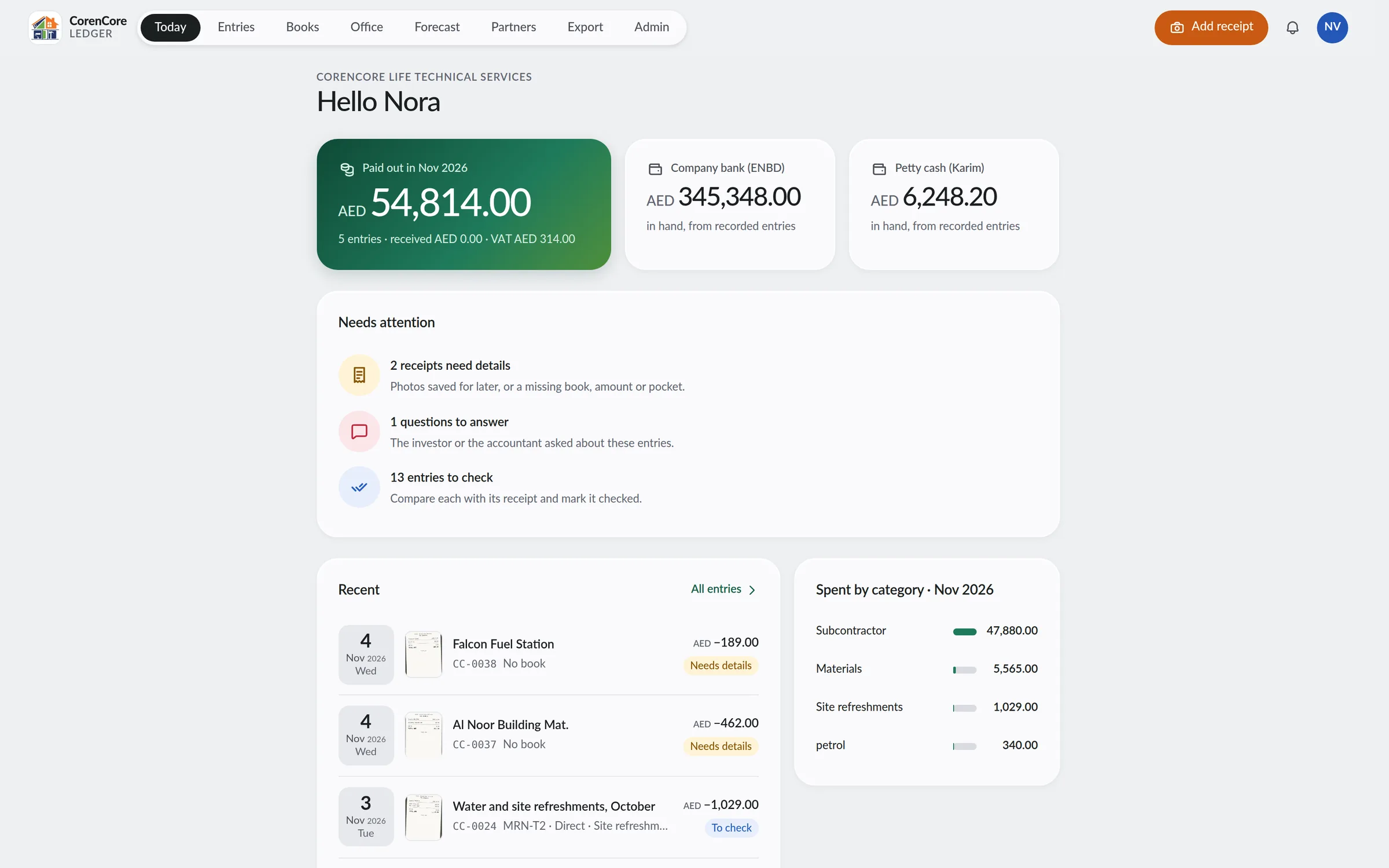
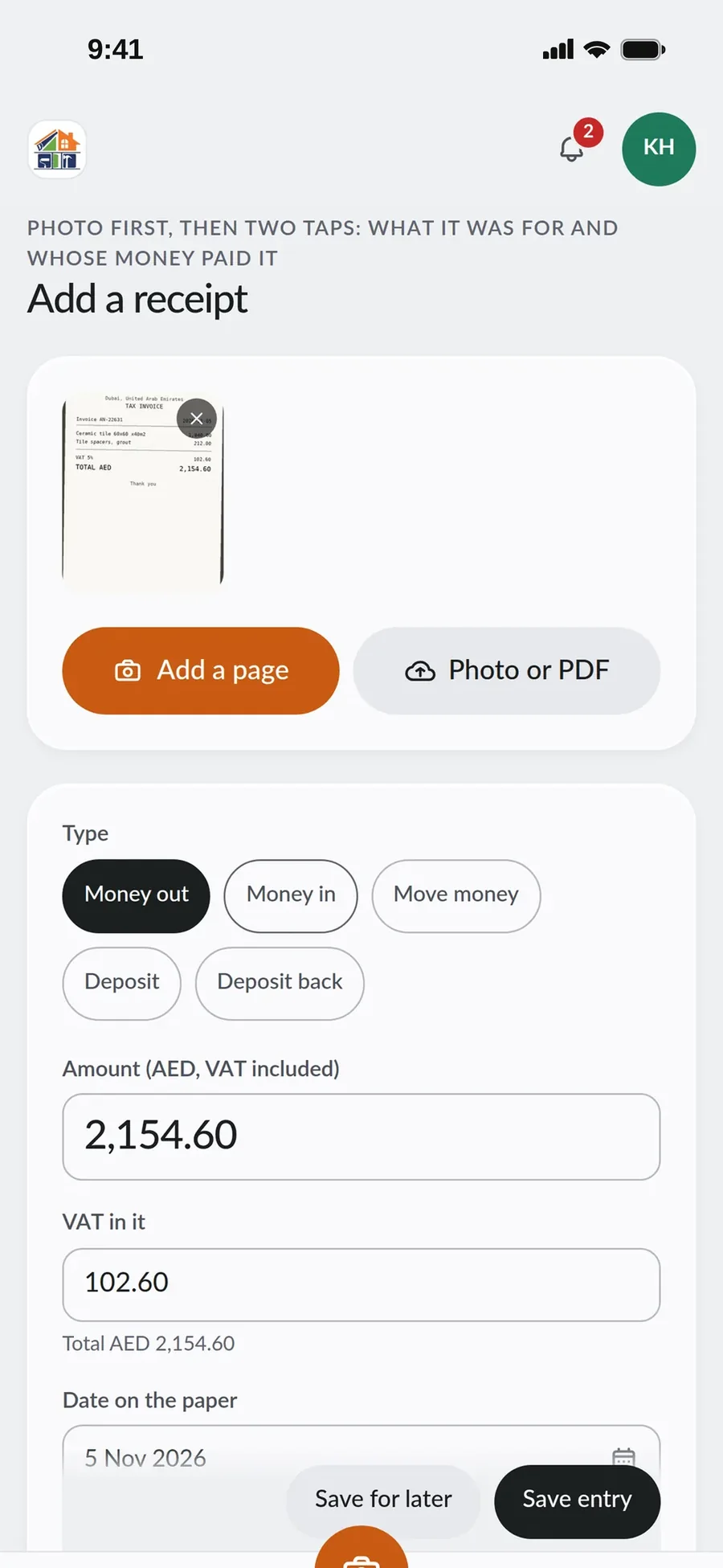
CorenCore is a Dubai fit-out and technical-services contractor. Its ledger is a phone-first web app: the site lead photographs a receipt, and every dirham is filed twice, once by book (which project, the office, or the partners' private tab) and once by pocket (company money, the investor's capital, or the executor's own cash to be repaid). Owners, admins, investors, executors and the accountant each see what their role needs. Nothing is ever deleted: a wrong entry is voided with a reason, every change is chained in an audit log, and the accountant closes each month.

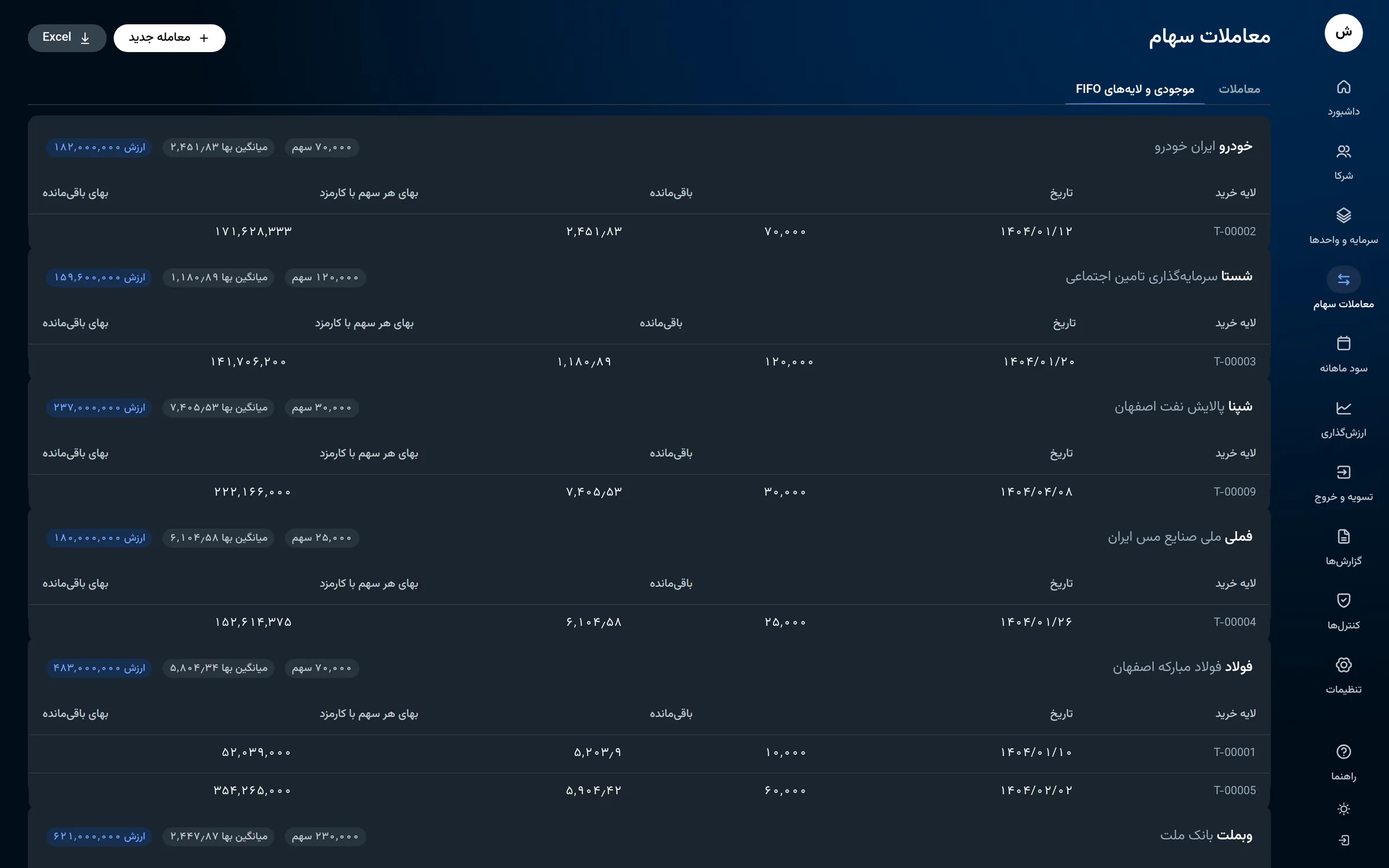
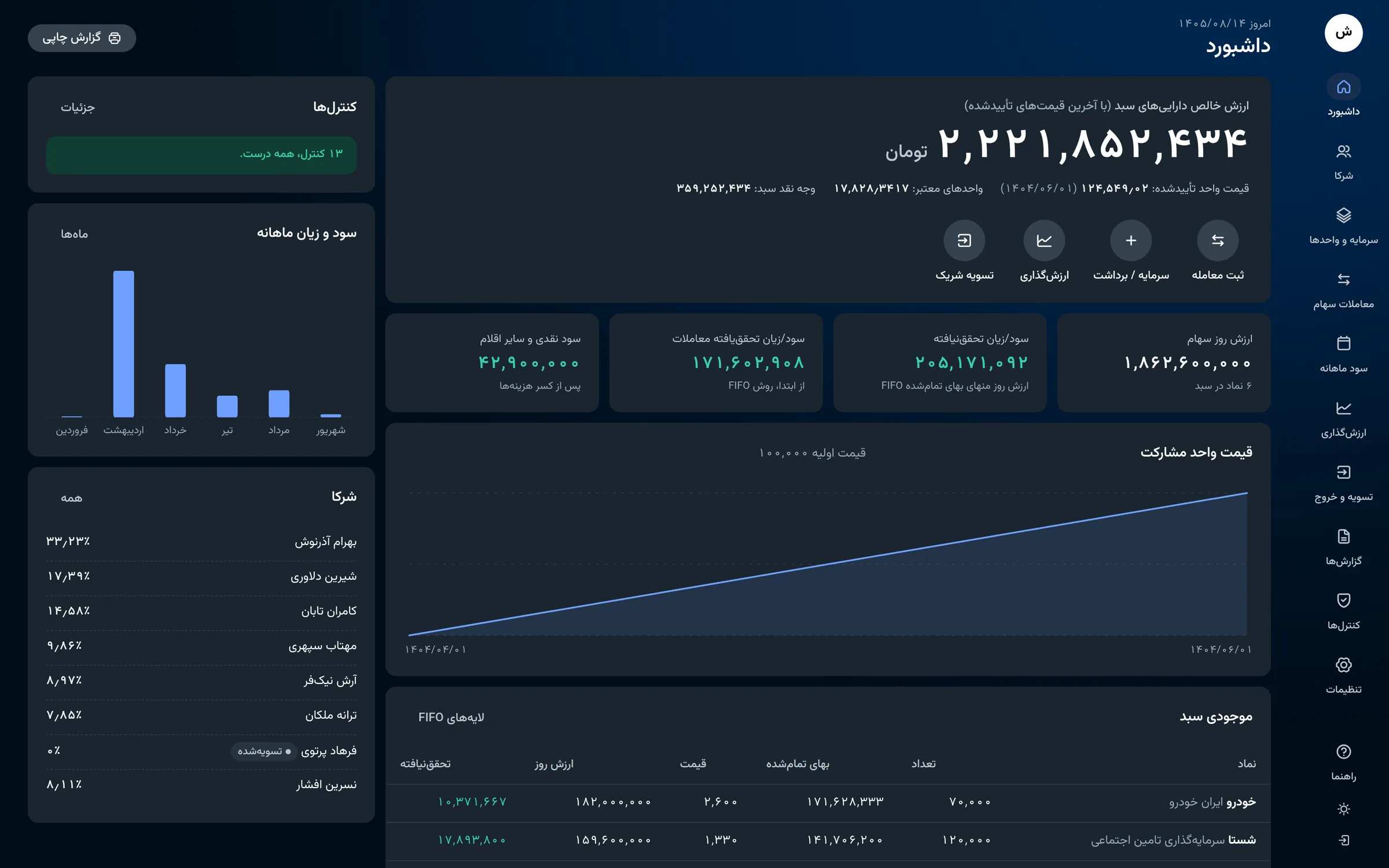
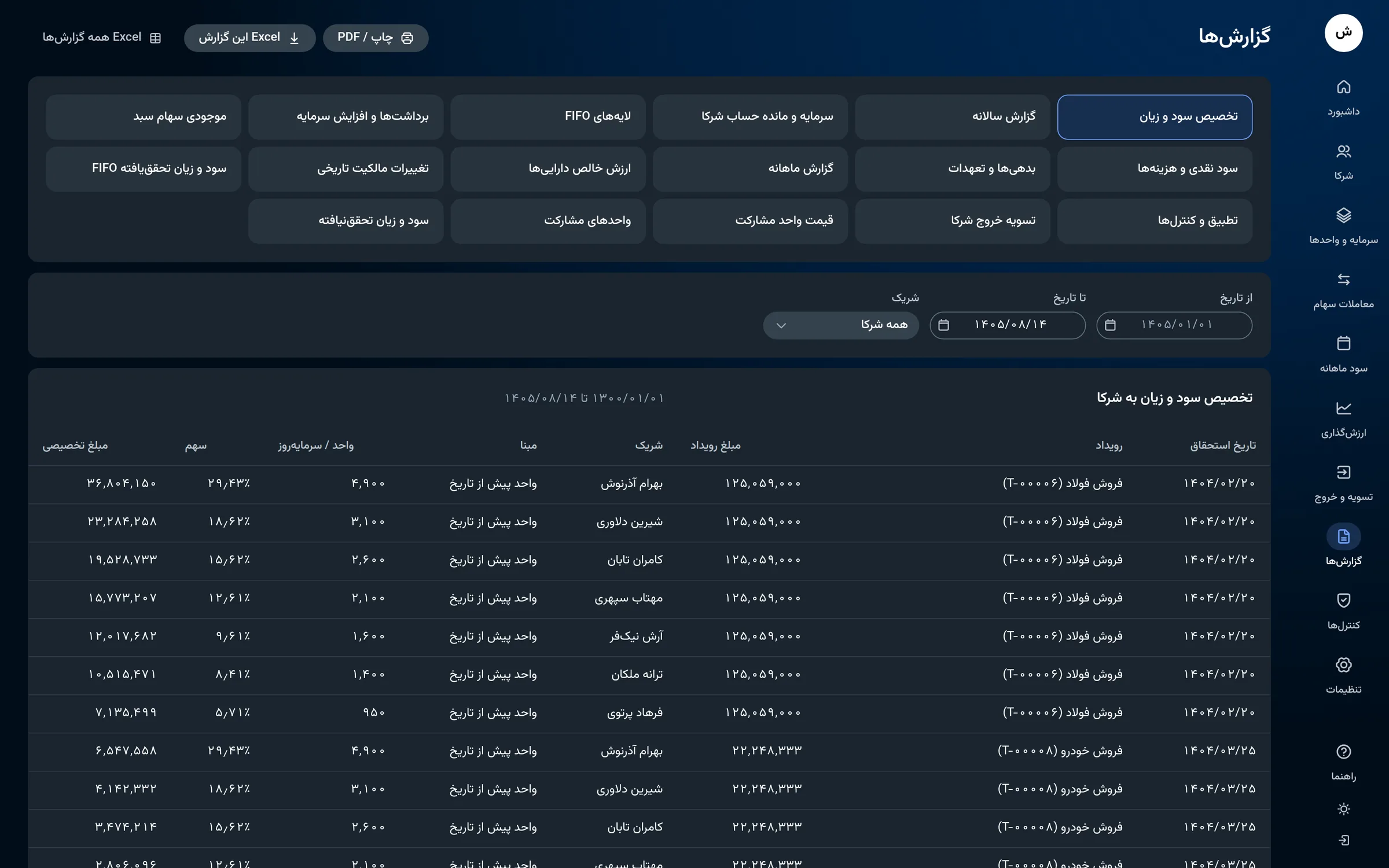
Sharif is a partnership that holds a shared portfolio on the Tehran exchange. Its ledger works in Persian, right to left, with Jalali dates. Partners own the portfolio through units issued and cancelled at the approved unit price; trades are costed FIFO; profit, dividends and expenses are allocated once, by the units each partner held that day. Twelve integrity controls watch the books from the dashboard, and a save that would oversell a holding or issue units that do not add up is refused.
Visual layer

Interface

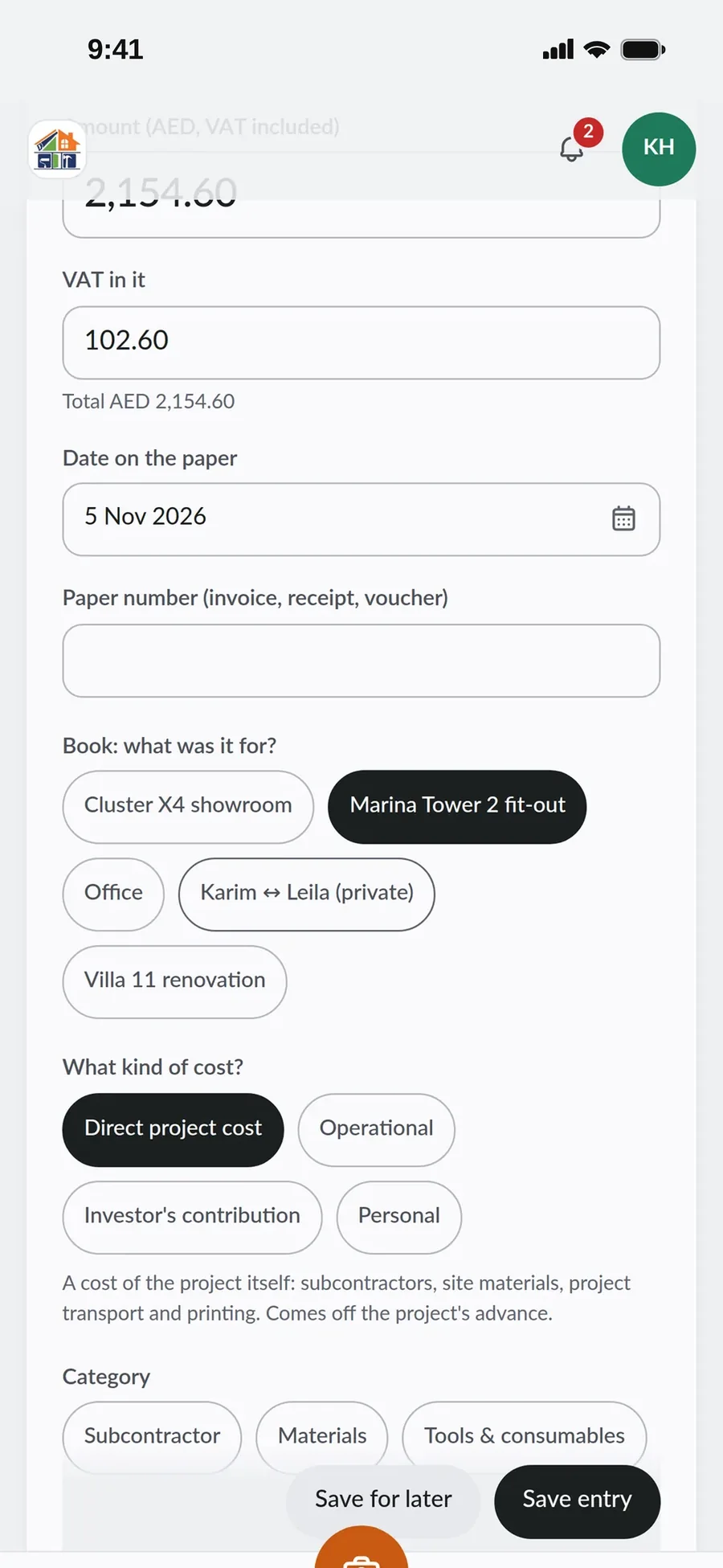
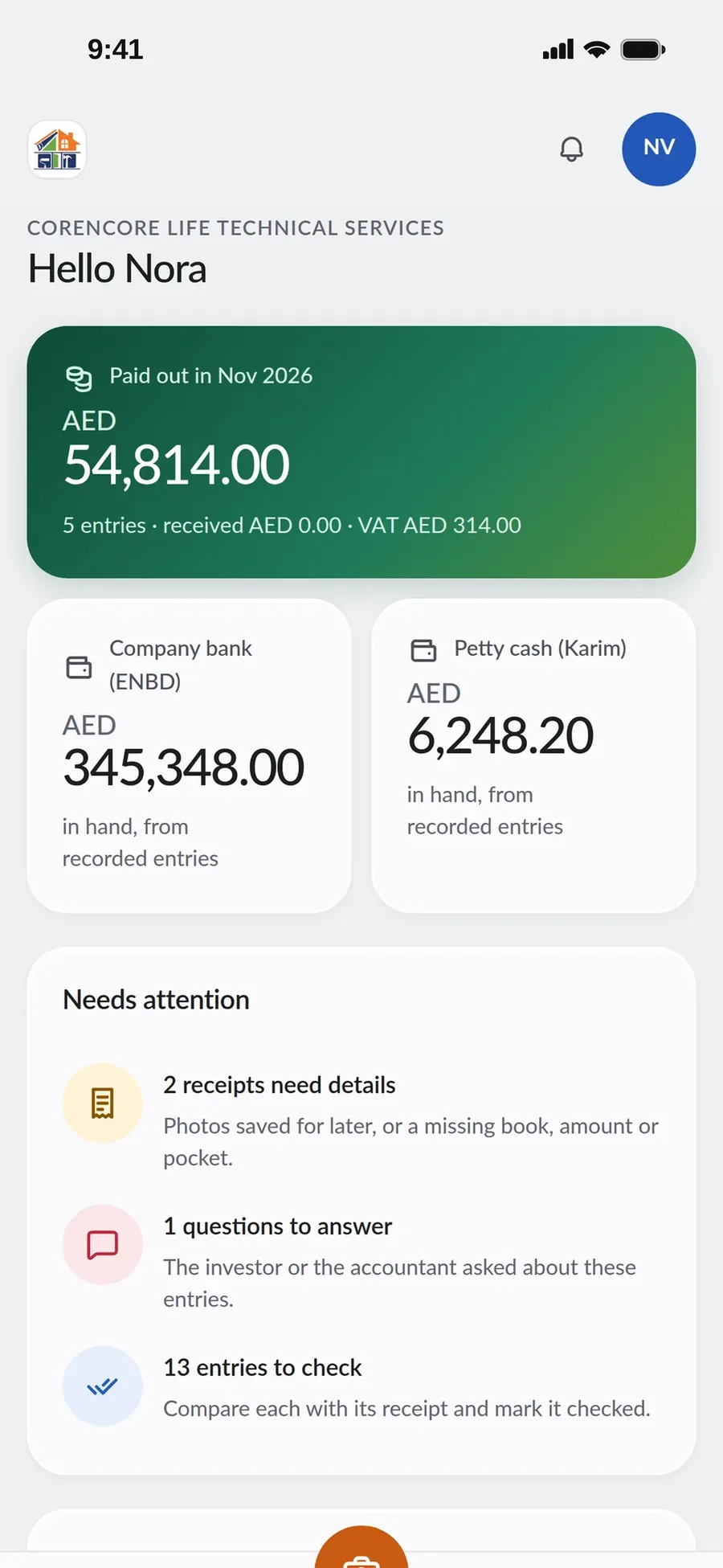
  • CorenCore: a phone layout with a camera button in the tab bar and a desktop layout for the accountant
  • Sharif: Persian throughout, right to left, Vazirmatn type and Jalali dates on every screen
  • Per-partner statements and print views a partner can read without a walkthrough
Technical layer

Architecture

  • CorenCore: Fastify and PostgreSQL 18 behind an installable React PWA, receipts kept in object storage
  • Sharif: a Python engine on SQLite that stores only source rows and computes every balance from them
  • Both self-hosted in containers with nightly consistent backups and no third-party SaaS in the data path
Functional layer

Accounting rules

  • Two questions per entry: what the money was for (book) and whose money paid it (pocket)
  • Units, FIFO cost, NAV on chosen dates, allocation and full exit settlement for the partnership
  • Audit log of every change and month close in both; void-with-reason and a hash chain in CorenCore; Excel and PDF export throughout
Inside Ledgers
In detail · 50 features

Two books, kept the honest way.

Two private ledgers, each built around one client's way of keeping money: CorenCore for a contracting company that records receipts from site, and Sharif for a partnership that shares a stock portfolio. Where a feature exists in only one of them, the item says which.

01

Receipts from the phone (CorenCore)

An installable web app with the camera one tap from every screen.

Camera in the tab bar

A central camera button opens the phone's rear camera to photograph a receipt, and an Add receipt shortcut sits on the home-screen icon.

Photo first, details later

A receipt can be saved as a draft with nothing but the picture, and it waits under Needs details until someone finishes it.

Receipt reading as a suggestion

An AI reader looks at up to six pages and pre-fills the form, marking every guessed field from receipt for a person to confirm.

Originals always kept

Each upload keeps the untouched original as evidence, plus compressed previews for images and a first-page preview for PDFs.

Works with weak signal

The app shell opens offline, screens fall back to the last data they loaded, and receipt previews come from the device cache.

Sign-out clears the phone

Signing out stops notifications on that device and deletes its cached copies of the person's data.

02

Books and pockets (CorenCore)

Every entry answers two questions: what the money was for, and whose money paid.

Books for what it was for

Money is filed under a project, the office, an investor's own sheet, or a private partners tab.

Pockets for whose money

Each entry names its pocket: company money, an investor's money, personal money to be repaid, or a loan to the company.

Six kinds of entry

Money out, money in, moving money, charges with no cash, deposits paid, and deposits returned.

Cost types

Money out in a company book is marked direct, operational, investor's contribution or personal, with a sensible default for each book.

Exact money, no floats

Amounts are stored as whole fils with VAT recorded inside each amount and totalled separately.

Private partner books

A private book is visible only to its members, and even admins cannot open it by role alone.

03

Profit and who is owed (CorenCore)

Project result and profit

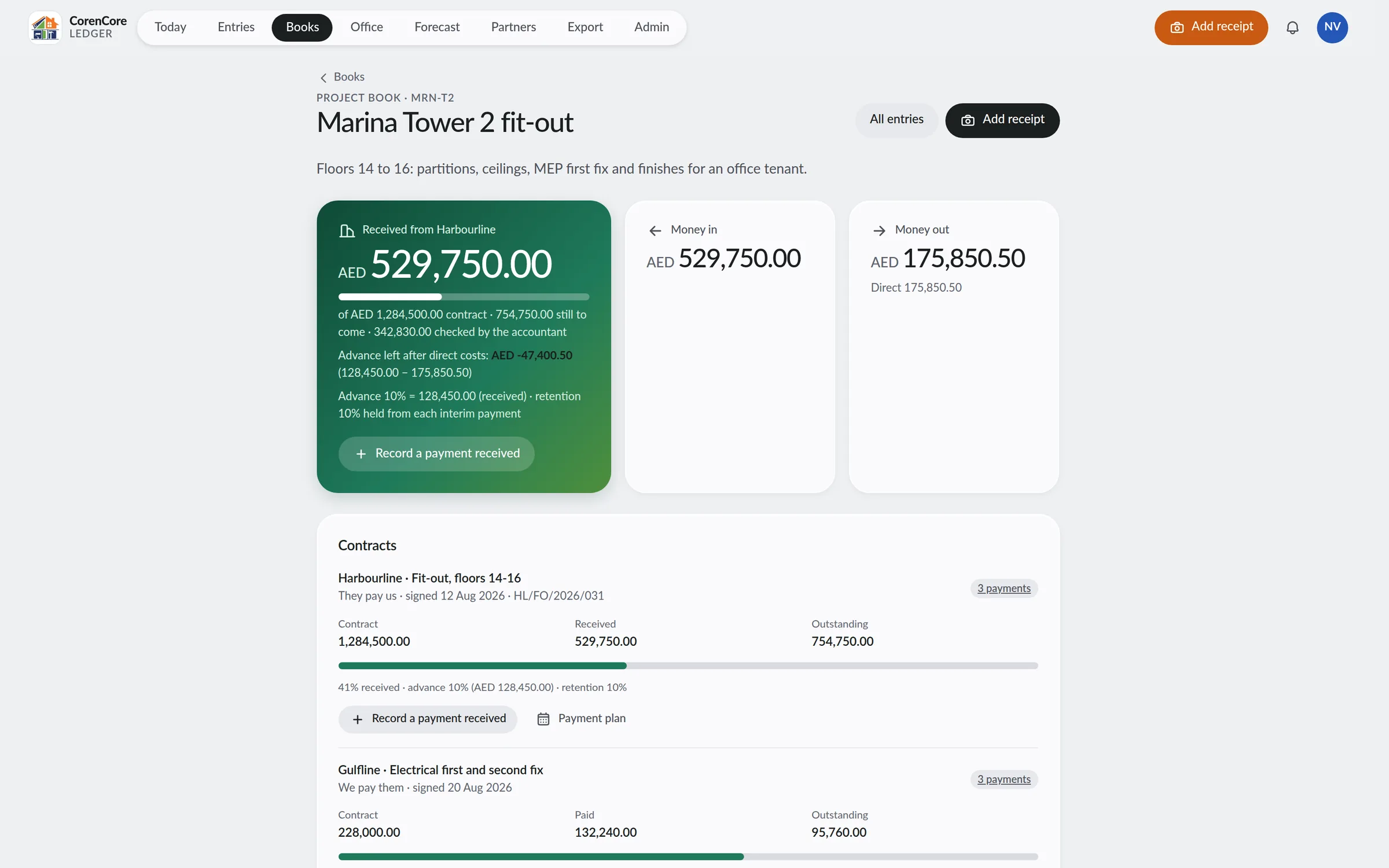
Each project shows income less direct costs, and the company profit takes operational costs off that.

Who is owed back

Lists what the company owes each person, paid back in agreed order: loans first, then costs they paid, then their own money.

Personal purchases owed

Personal items paid with company money are listed against the person they were for, less any cash they paid back.

Exact profit split

Splits profit by the agreed shares in whole fils, with the last share taking the rounding so the parts add up.

Where cash came from

Each company pocket shows money in by source and money out by type, with its running balance.

Partners tab balance

Inside a private partners book, the app works out who owes whom and by how much.

04

Contracts, deposits and office (CorenCore)

Contracts both ways

Records client contracts and subcontracts with value, advance and retention percentages, scope and the signed papers.

Payment plans

Each contract can hold an advance, interim, retention and final milestones, matched against real payments oldest first.

Month-by-month forecast

Shows what contracts will still bring in and cost each month before VAT, with late amounts marked Overdue.

Deposit tracking

Deposits are tracked until returned, marked held, due within 30 days, overdue or returned, and never counted as a cost.

Letters register

Incoming and outgoing letters are logged, and an issued letter takes the next company number and its wording is frozen.

Expiry reminders

Owners and admins are told 60 days before a document expires, again at 14 days, and on the day.

05

Checking, closing and history (CorenCore)

Nothing is deleted: mistakes are voided, and the database itself refuses deletions.

Five clear statuses

Every entry is Needs details, To check, Queried, Checked or Void, so the accountant always sees what is waiting.

Questions on an entry

The accountant can query an entry, and the reply from whoever recorded it sends it straight back for checking.

Void with a reason

A wrong entry is voided with a written reason, stays visible with its receipt, and counts nowhere.

Month close

The accountant closes a month so its entries cannot change, and reopening it needs a written reason.

Hash-chained history

Every change is logged with what it was before and after, in a chain where each record seals the one before it.

Delete-proof records

Database triggers refuse deletion of entries, receipts and attachments, and refuse any change to the history log.

06

Units, trades and valuations (Sharif)

The database keeps only source records; every balance is worked out from them.

Participation units

Partners own the portfolio through units, issued on money in and cancelled on redemptions at that day's approved unit price.

Fair dealing date

The unit price for a day is set before that day's capital moves, and new money shares in profit from the next day.

Waiting contributions

Money paid in before a valuation is approved is held as pending, and no units are issued until then.

FIFO cost per share

Trades are costed first in, first out per stock symbol, with buy fees added to cost and sell fees taken from proceeds.

No overselling

A sale larger than the holding is refused, as is deleting a trade that would cause one.

Valuations on chosen dates

Enter prices on the dates you choose and get net asset value and unit price, prefilled with holdings and last known prices.

Approved prices frozen

Approving a valuation fixes its unit price, and later changes that would move it are flagged until it is reopened.

Dividends counted once

A cash dividend is carried as money due until it is received, then as cash, never both.

07

Allocation, settlement and controls (Sharif)

Allocated exactly once

Trade profit, dividends, other income and expenses go to partners by units held that day, using a method that makes the shares add up exactly.

Book and economic value apart

Each partner's statement shows the book balance and the market value of their units separately, never added together.

Exit settlement

Works out a leaving partner's units at that day's price, less obligations, costs and deductions, paid in cash or in shares.

Monthly profit approval

Approving a month saves a snapshot of its profit and locks its items, and any later drift from the snapshot is flagged.

Twelve integrity controls

Checks such as unit totals, stock against FIFO layers, negative cash, approved-month drift and unpaid settlements show on the dashboard and controls page.

Errors refused at save

Every change runs in a transaction that is rolled back if it would cause an oversell or an invalid unit issue or redemption.

08

Reports, statements and access

Seventeen reports (Sharif)

Covers capital, units, holdings, realized and unrealized profit, FIFO layers, net asset value, allocations, settlements, monthly and yearly results, and reconciliation.

Excel for every report (Sharif)

Each report, or all of them in one workbook, downloads as a right-to-left Excel file with real numbers and Persian headings.

Persian with Jalali dates (Sharif)

The whole app reads right to left with its own Jalali calendar, and accepts numbers typed in Persian digits.

Partner statements (Sharif)

Partners sign in read-only and see only their own units, allocations, settlements and fourteen of the reports.

Accountant's export pack (CorenCore)

Exports a date range as Excel, a PDF report, or a ZIP with both plus every receipt named by its entry.

Five roles (CorenCore)

Owner, admin, investor, executor and accountant each see and do only what their role allows.

Something like this?

We can build yours, or rebuild the one you have.